.png)
Updating Volunteer’s status
Updating a volunteer’s status on the platform helps charity Community Partners and Volunteer Centres stay aligned and informed. By recording each stage clearly, both sides know how to handle the volunteer — whether they are confirmed, pending, or need follow-up. This ensures smooth communication, avoids confusion, and allows volunteers to be supported efficiently throughout their journey.
IN THIS ARTICLE
(For Charity Staff and Volunteer Centre) Managing Volunteer's CP Status
-
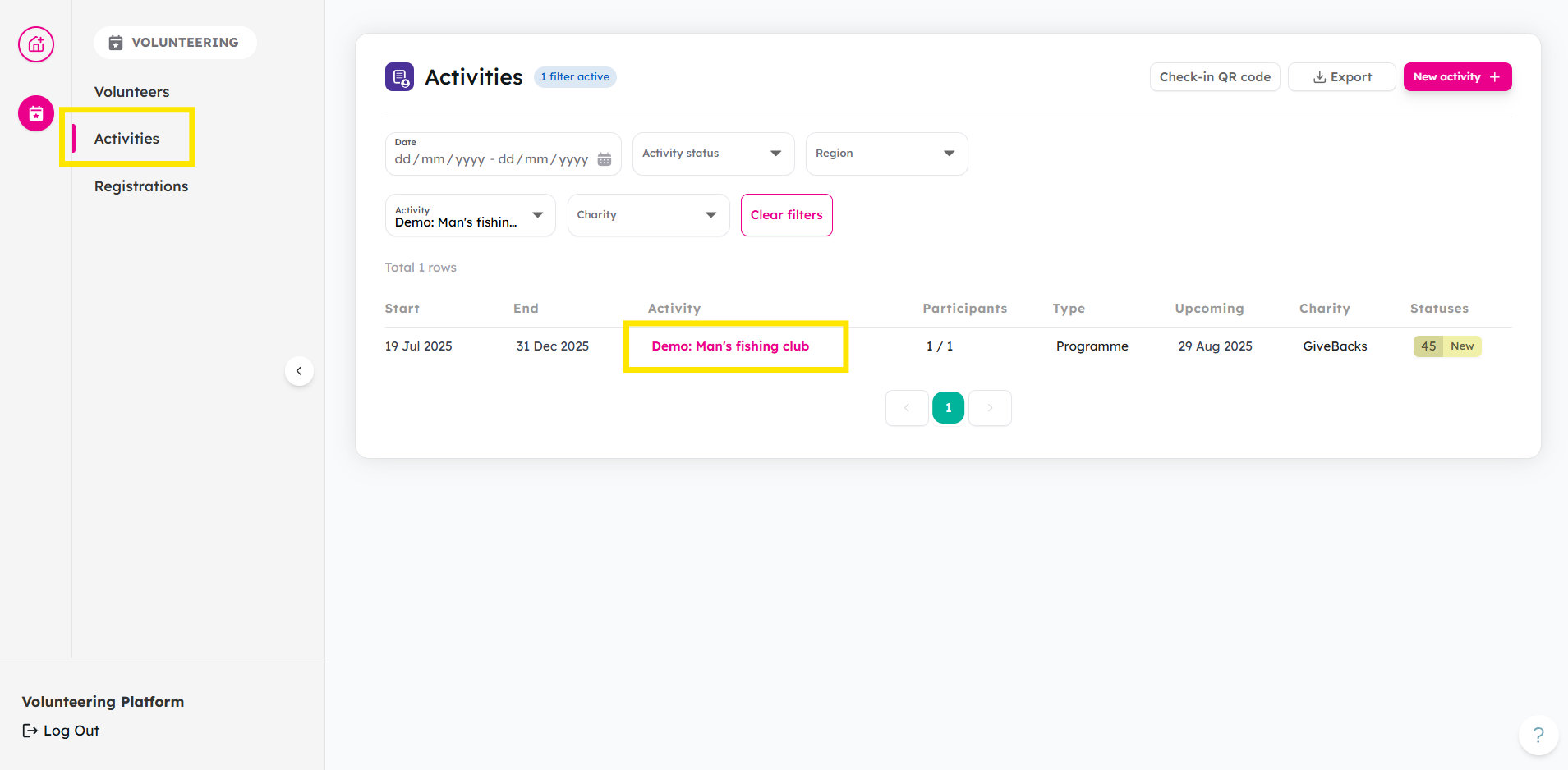
From your Activities tab, select your chosen activity.
-
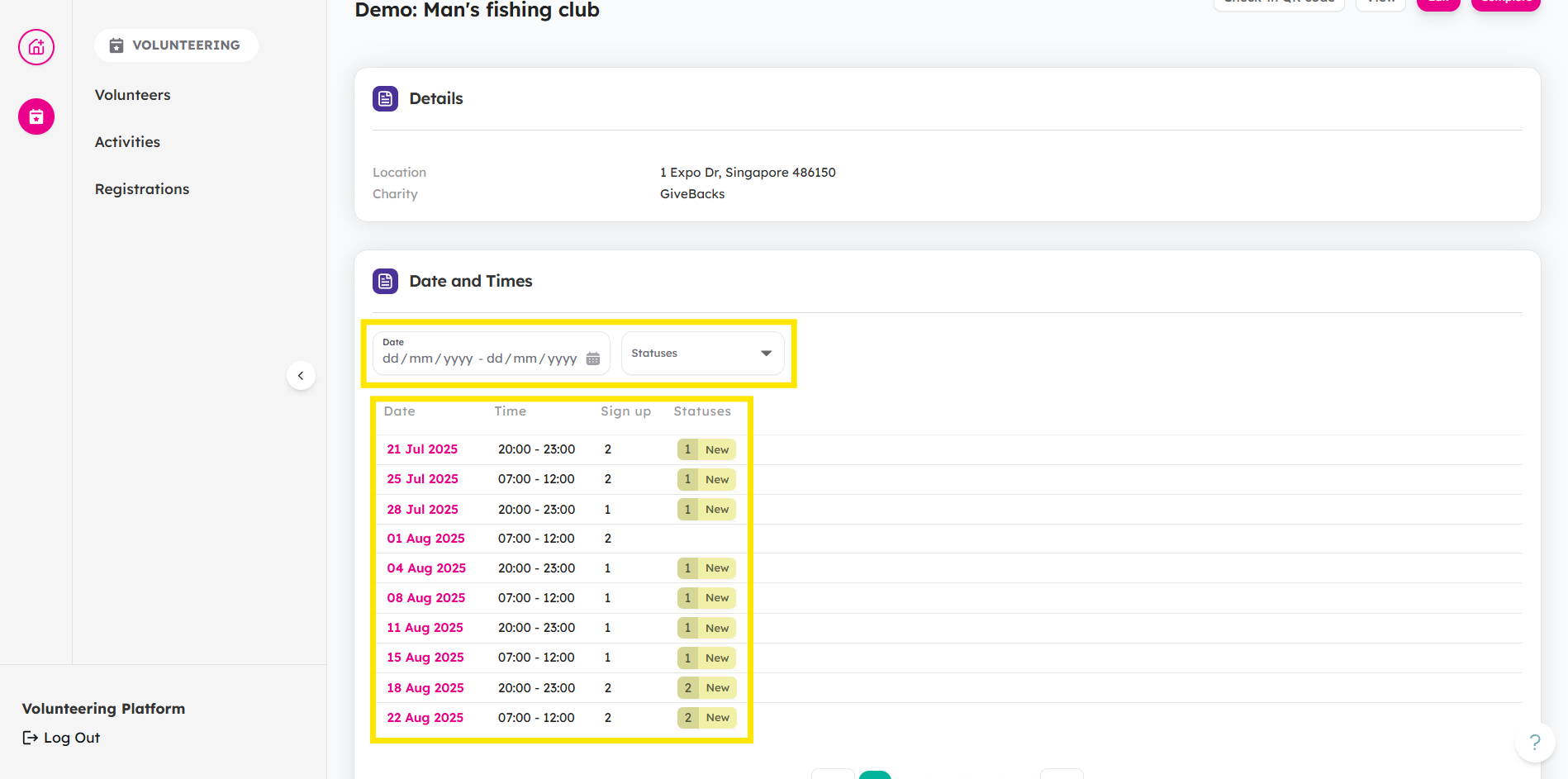
Choose a session date.
-
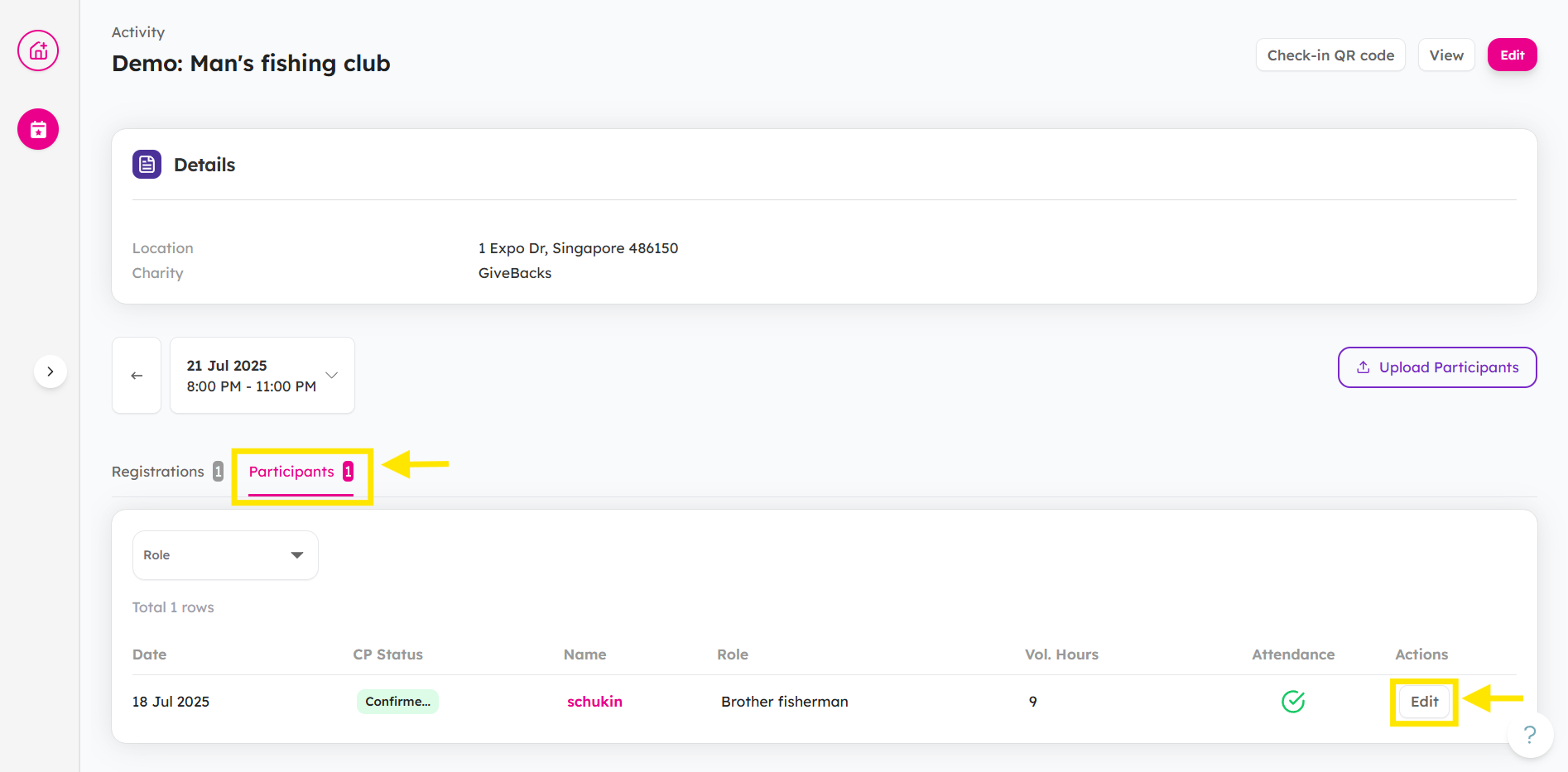
Head to Participants tab and click Edit.
-
Click on CP Status tab and update Participant Status.
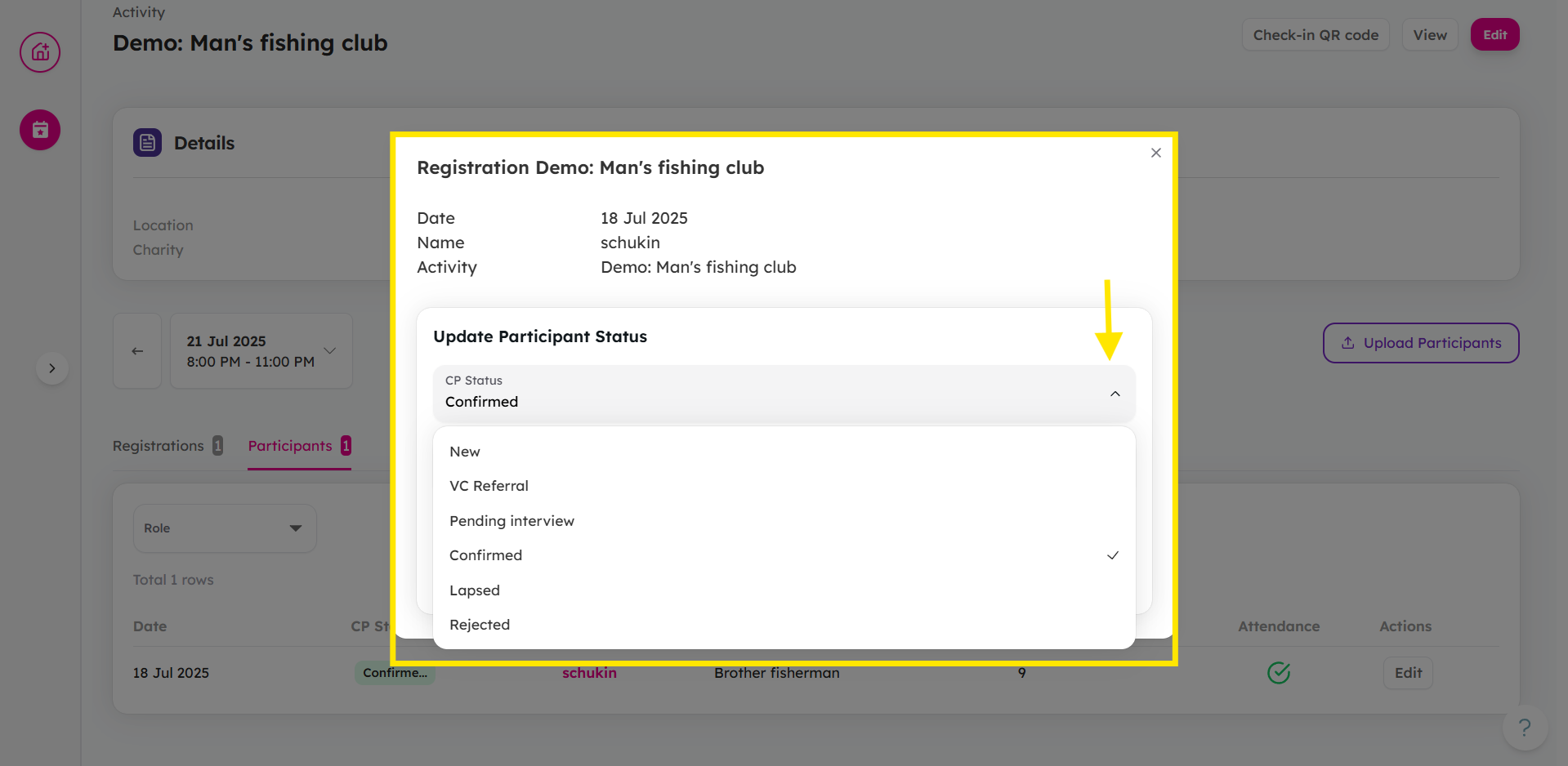
Here are tags used by charity staff to track volunteer progress in an activity:
- New: New volunteer who registered for the activity.
- VC Referral: Volunteer was referred by VC to your organisation.
- Pending Interview: Volunteer who is awaiting for interview by VC.
- Confirmed: Volunteer whose registration has been accepted by CP/VC.
- Rejected: Volunteer’s application is rejected. (Please record the reason in CP Notes.)
- Lapsed: Volunteer became unresponsive.
💡 Tip: When updating a volunteer CP status, you can use the CP Notes textbox to add any extra context — such as positive or negative observations — so that Volunteer Centre Administrators have a clearer picture.

For more information about CP Notes, check out this article.
(For Volunteer Centre Staffs only) Managing Volunteer's VC Status
-
From your Volunteers tab, click on the volunteer.
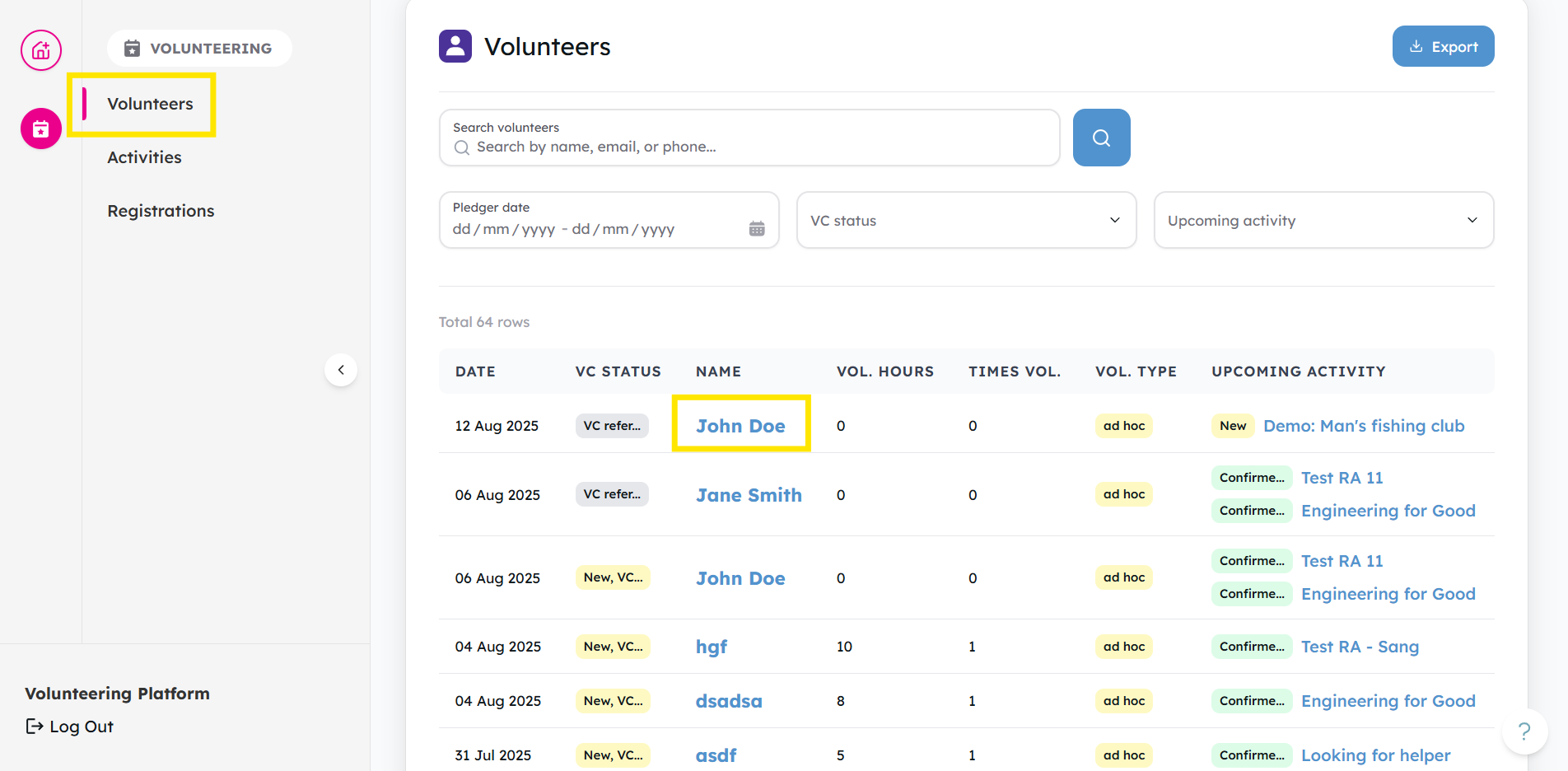
-
Here you can see their VC Status:
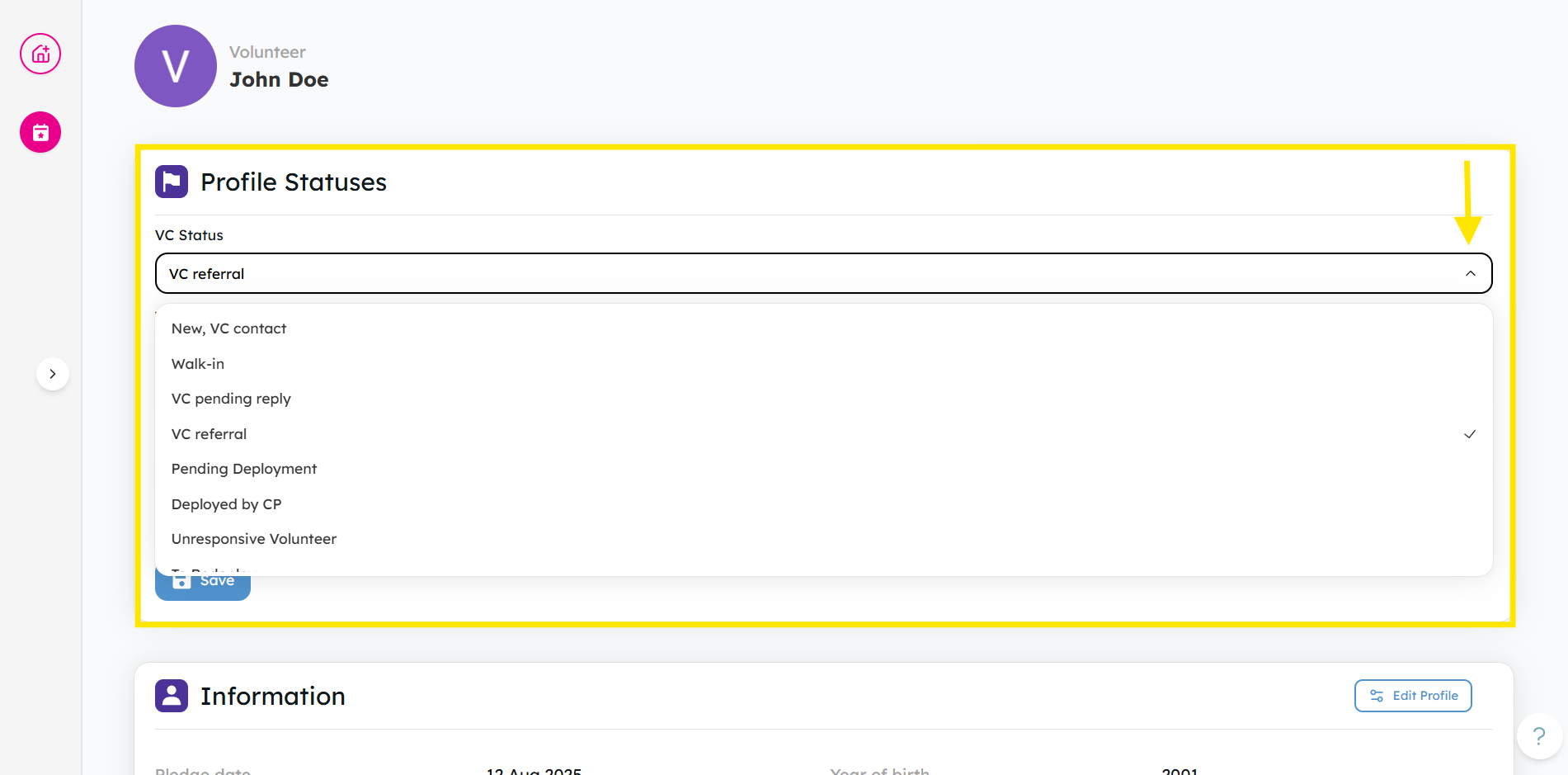
Tags used by VC staff to track and manage overall volunteer deployment:
- New: New volunteer who registered for the activity.
- VC Contact: Volunteer has been contacted by the VC.
- Walk-in: Volunteer who show up at the the activity directly without pre-sign up
- VC Pending Reply: Awaiting response from volunteer after VC outreach.
- VC Referral: Volunteer referred to a charity partner by VC
- Pending Deployment: Volunteer accepted by CP but yet to deploy
- Deployed by CP: Volunteer has been successfully deployed by CP.
- Unresponsive Volunteer: Volunteer has not replied after multiple attempts.
- To Redeploy: Volunteer needs to be matched to a new opportunity.
- Rejected: Volunteer deemed unsuitable and not deployed.
💡 Tip: When updating a volunteer VC status, you can use the VC Notes textbox. Add any extra context — such as preferences, special considerations, or helpful background — so community partners have a clearer picture.

For more information about VC Notes, check out this article.
Ready to manage your volunteers' status? Log in and manage now!