.png)
Referring Volunteers to Community or Charity Partners
Volunteer centre administrators often serve as the vital link between passionate volunteers and the right charitable activities. After carefully interviewing and understanding a volunteer's skills, interests, and availability, administrators may identify opportunities that align with both the volunteer’s goals and a charity’s needs. In such cases, using volunteer.give.asia as an administrator to refer the volunteer can make the process efficient, transparent, and meaningful—for all parties involved.
Why It Matters
- For Volunteers: It creates tailored and meaningful opportunities that match their interests and schedules.
- For Charities: It delivers pre-screened volunteers who are more likely to engage positively and effectively.
- For Administrators: It centralizes the referral process within volunteer.give.asia, simplifying tracking and follow-up, and reducing reliance on disparate communication channels.
Steps to take
-
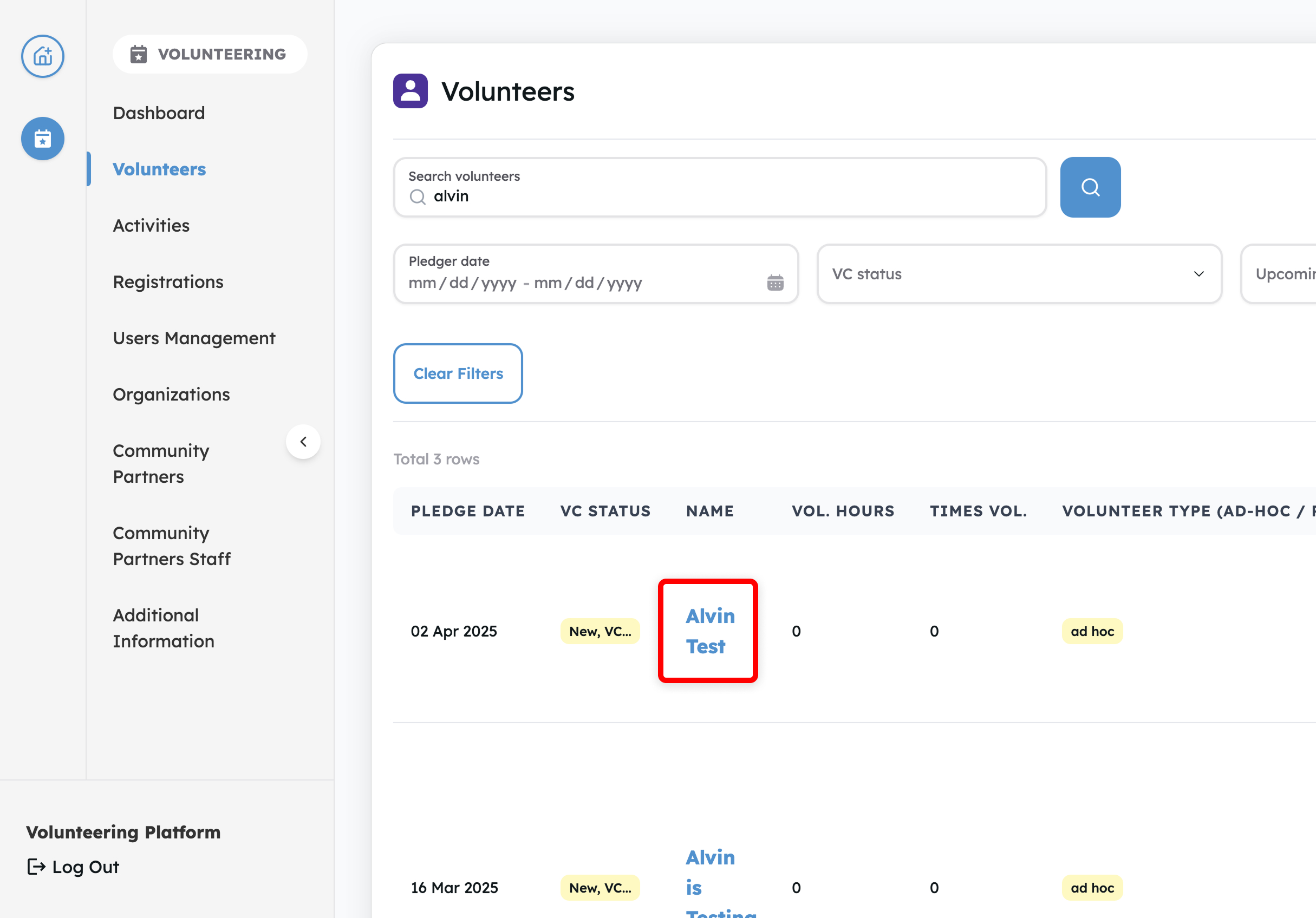
Log in to your volunteer dashboard and tap on Volunteers in the left sidebar. Select on the Volunteer whom you want to refer to a community partner
-
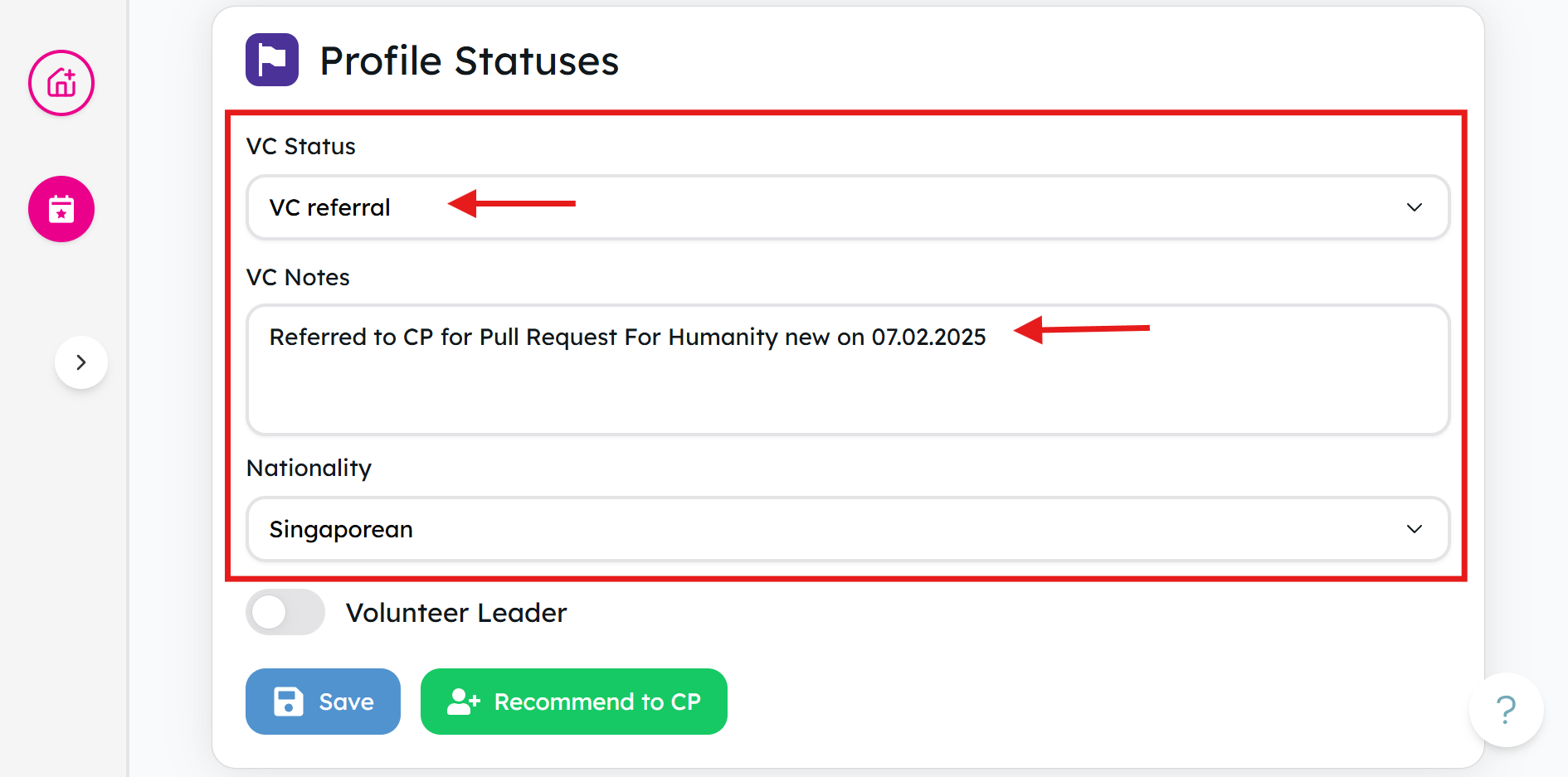
Tap on Recommend to CP in the Profile Statuses card
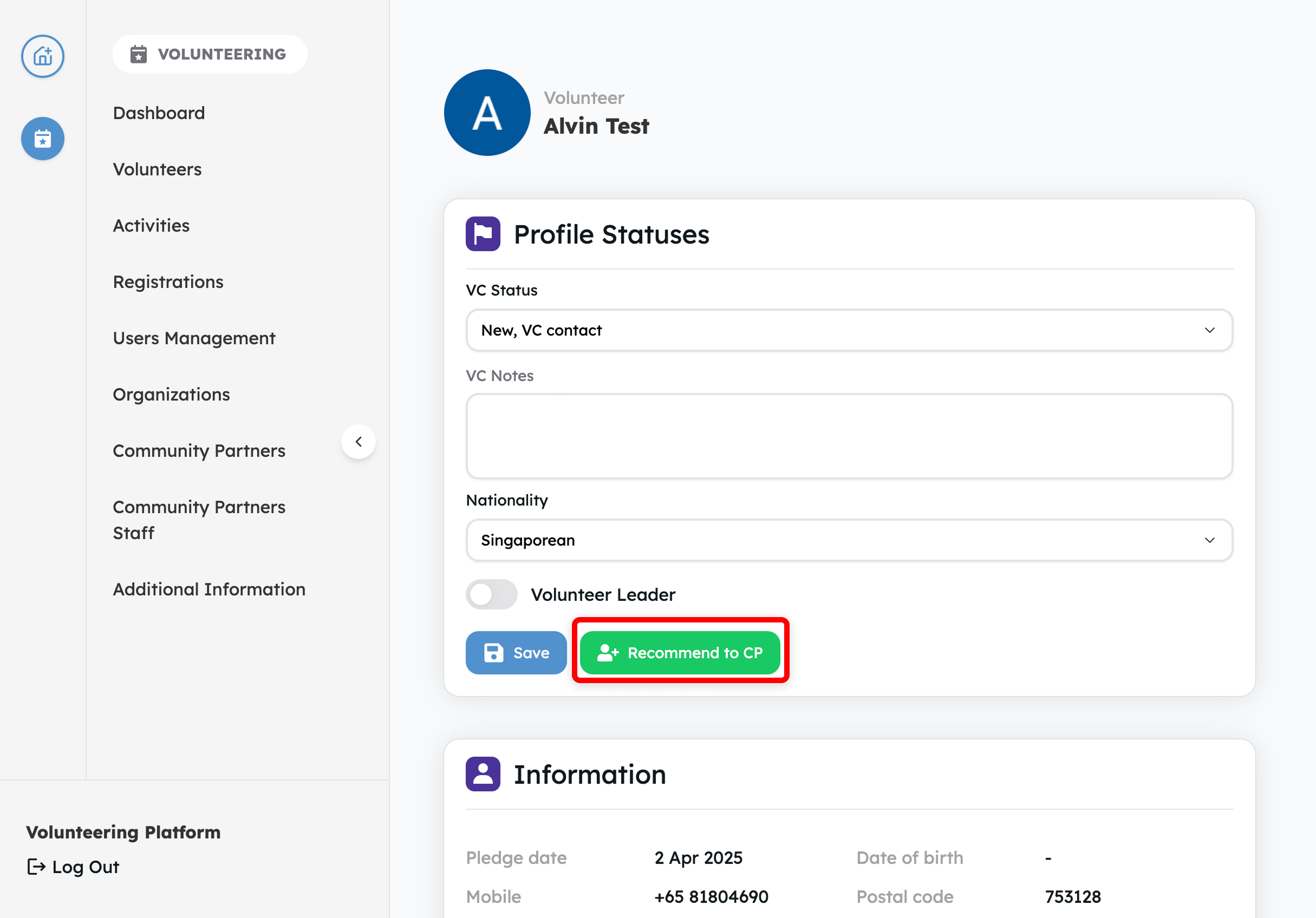
💡 Tip: When referring a volunteer, don’t forget you can use the VC Notes textbox. Add any extra context — such as preferences, special considerations, or helpful background — so community partners have a clearer picture.
-
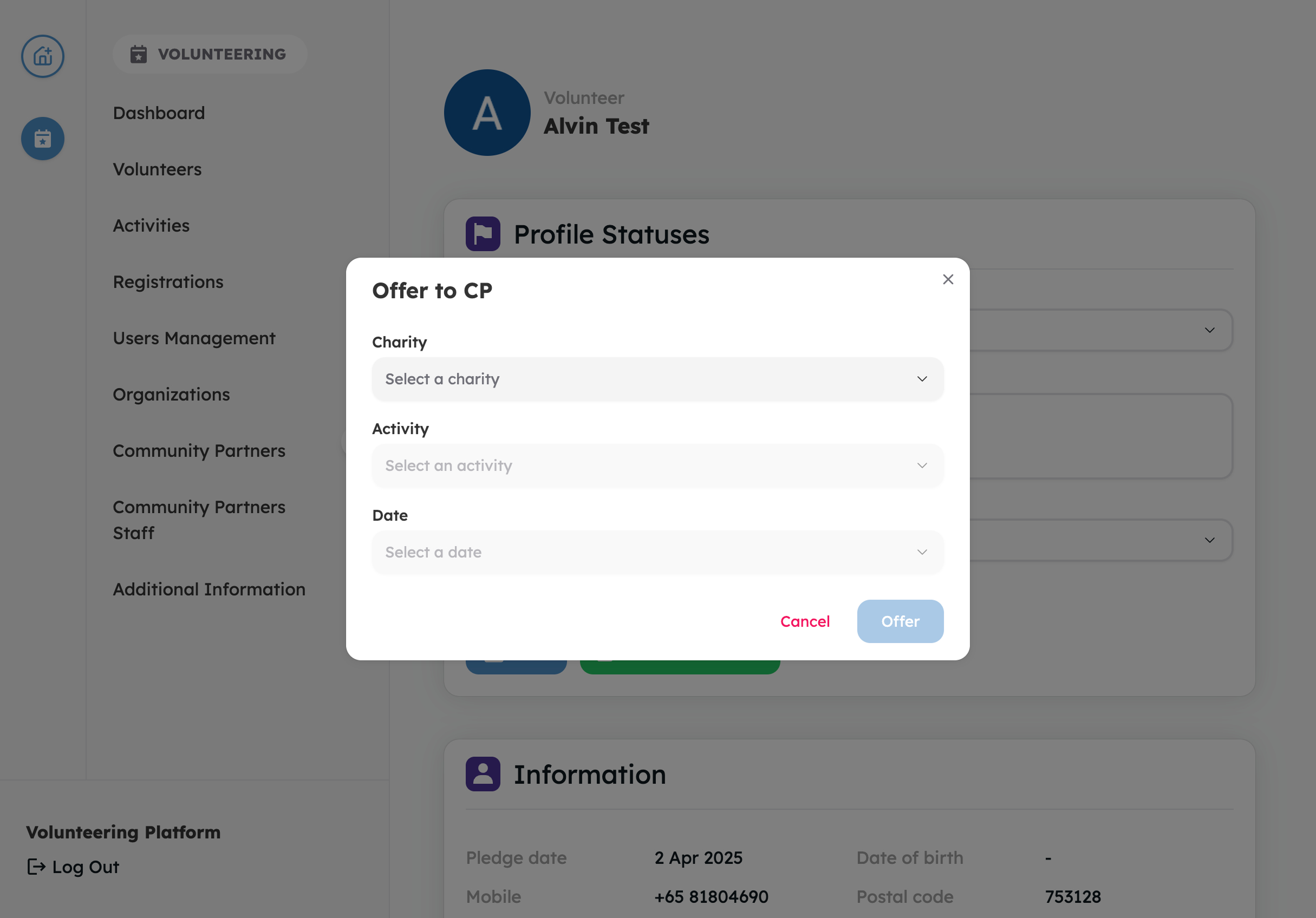
Select Charity, Activity and Activity Date that you want to refer the volunteer to
-
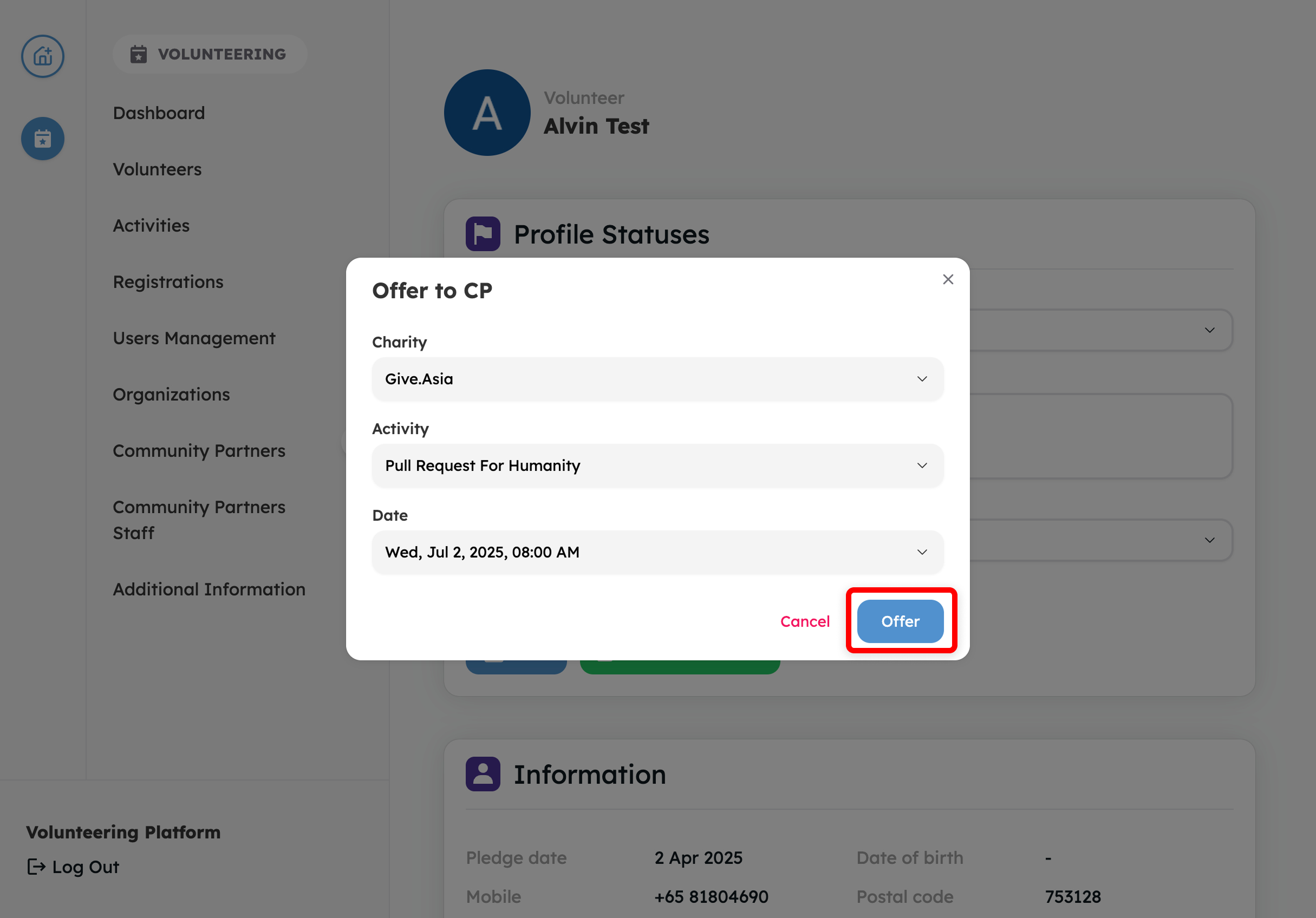
Tap Offer to refer volunteer to a community partner
-
The system automatically updates the volunteer’s VC Status to “VC Referral” and adds a note indicating that the volunteer has been recommended for the activity.
Experience the Joy of Giving - Visit Give.Asia Now
If you encounter any issues or have questions, don't hesitate to reach out to us at: [email protected].
Your feedback matters, so feel free to drop us a line anytime!