.png)
How to Assess and Update Volunteer Information
As a Volunteer Centre (VC) admin, you’re responsible for ensuring volunteers are a good fit for activities and community partners. Keeping profiles updated also helps your team manage volunteers more effectively.
By reviewing and updating volunteer information, you can:
- Match volunteers to opportunities where they can contribute effectively.
- Recognize and support reliable, skilled, and engaged volunteers.
- Provide informed feedback to community partners (CPs) and your team.
IN THIS ARTICLE:
Steps to View and Update Volunteer Information
-
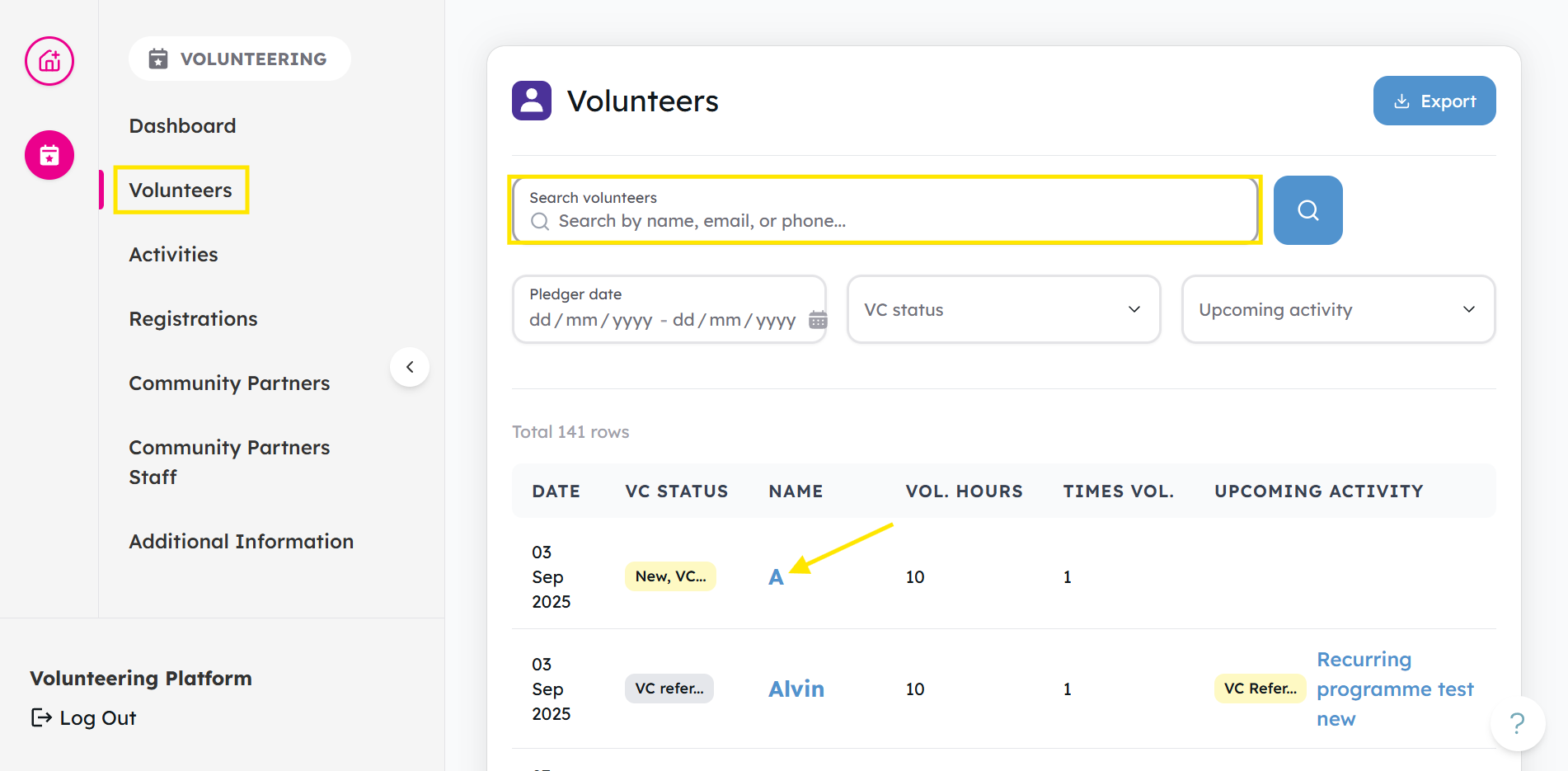
Go to the Volunteers tab and use the filters to find the volunteer. Once located, click their name to open the profile.
-
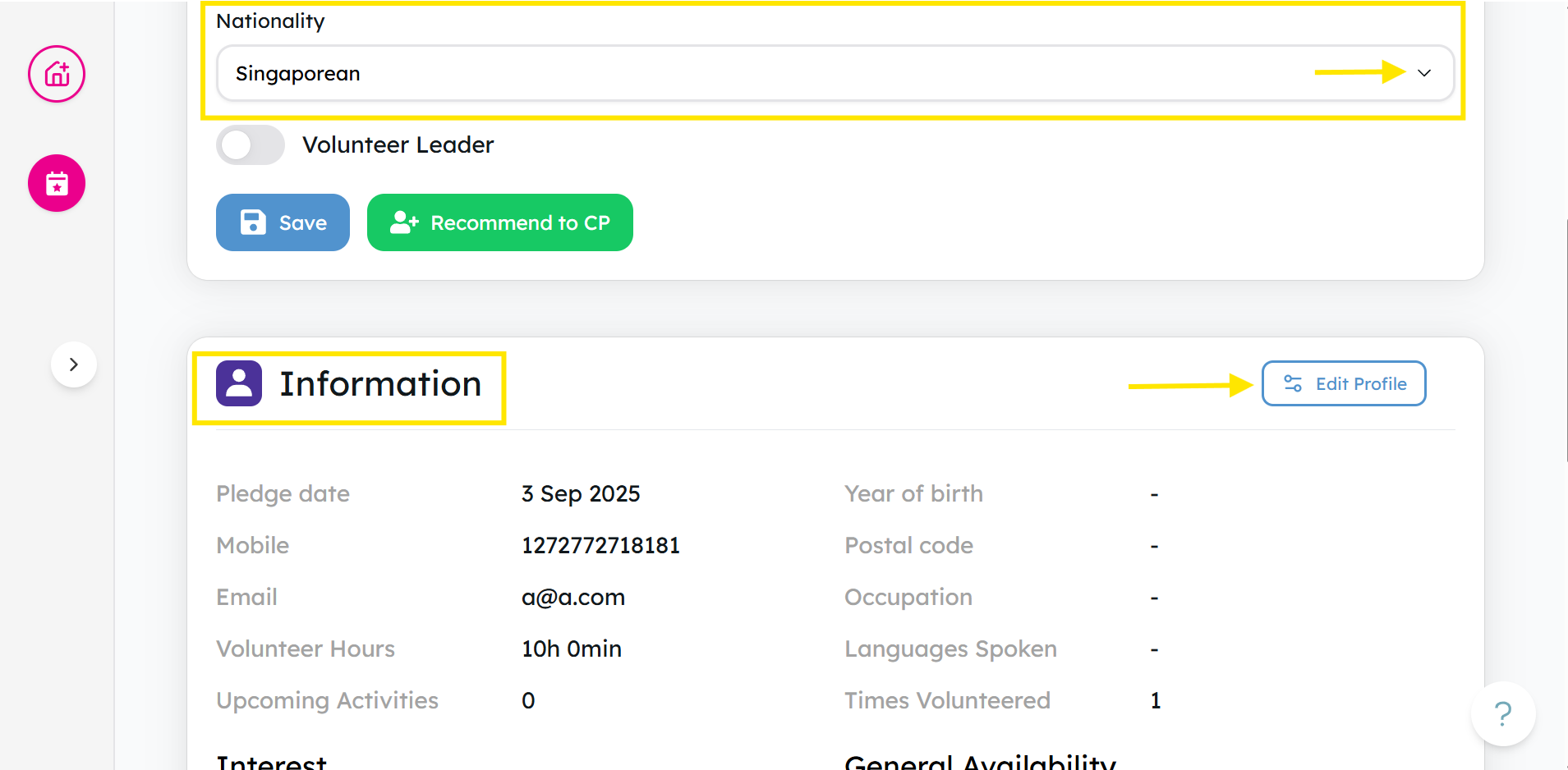
Click Nationality to update a volunteer’s nationality, or select Edit Profile to make further changes.
-
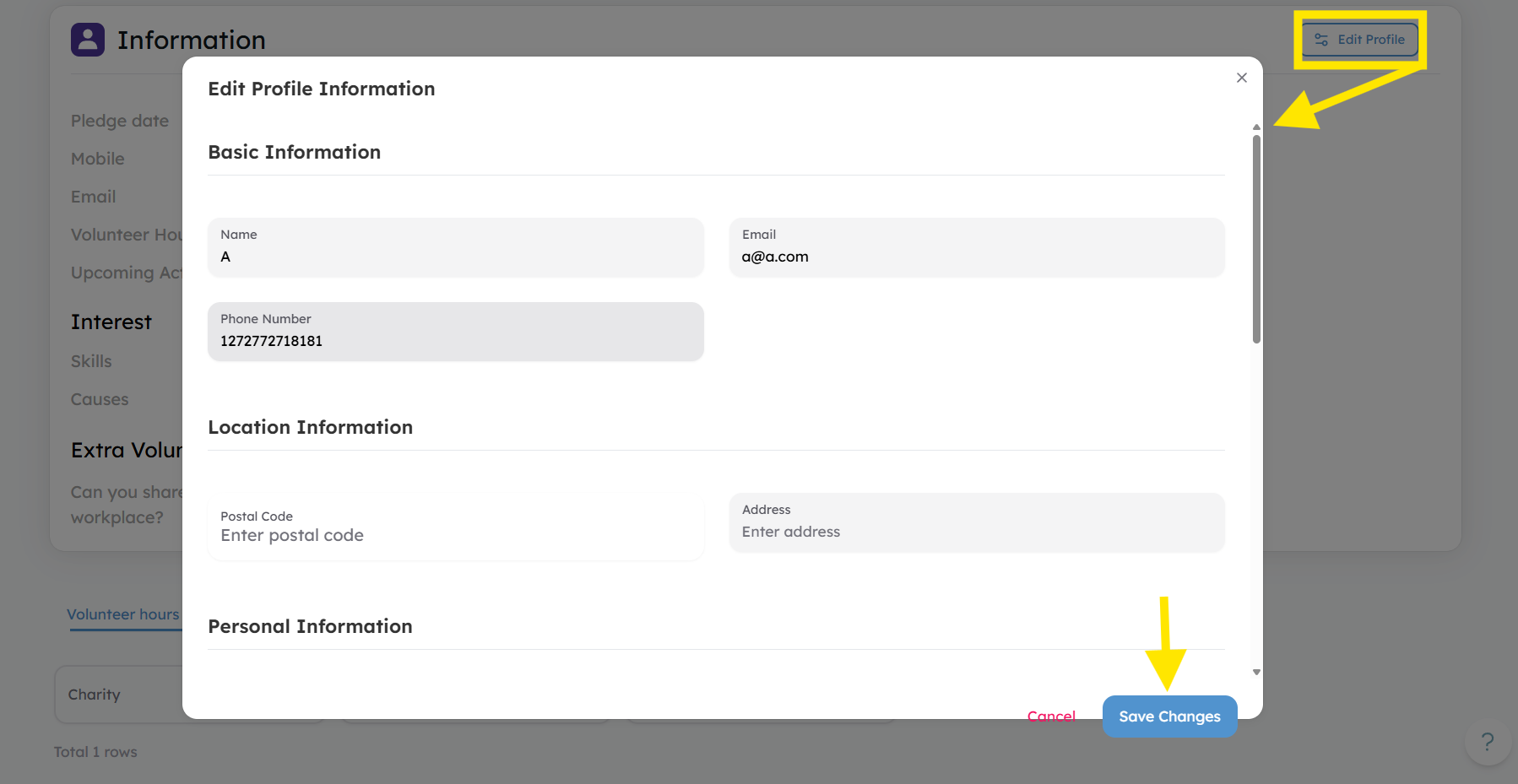
Edit the volunteer’s basic details, location, personal information, or preferences as needed. When finished, click Save Changes to update their profile.
Updating VC Status, Adding Notes, Setting as Volunteer Leader
-
Go to the Volunteers tab and use the filters to find the volunteer. Once located, click their name to open the profile.
-
Click the dropdown arrow to select and update their VC Status.
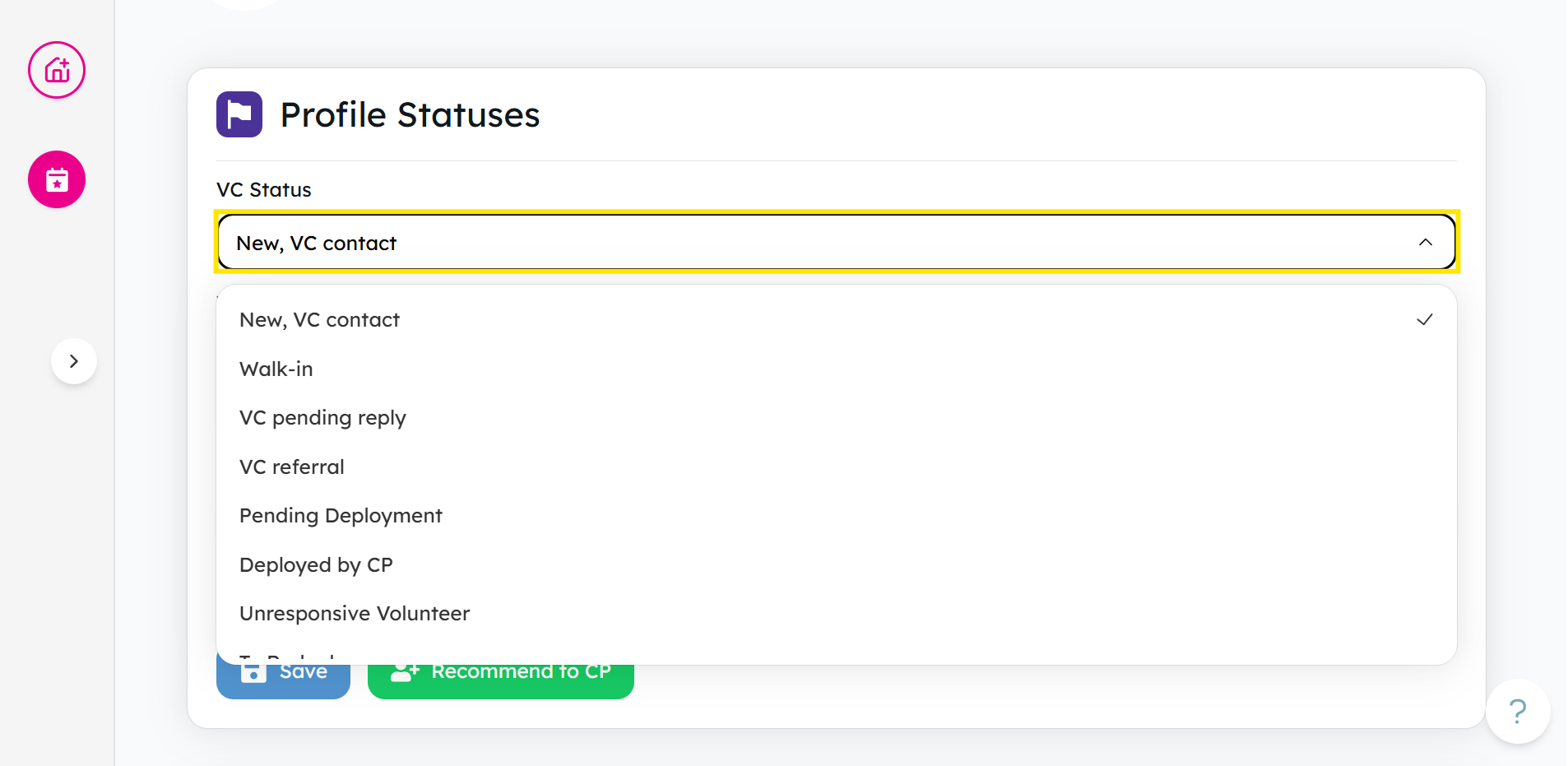
For more details about VC Status, check out this guide.
-
You can add notes at the VC Notes part.
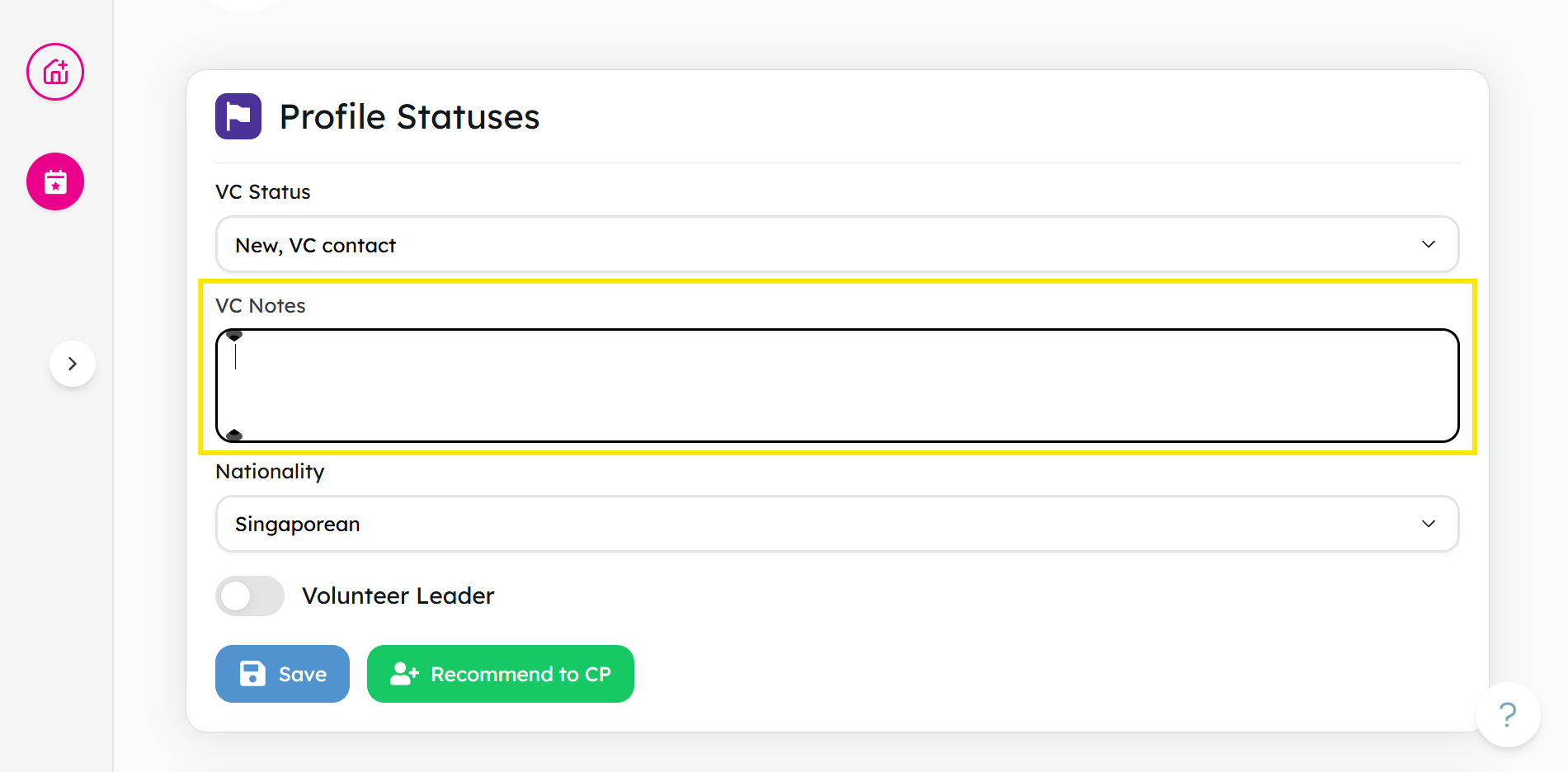
-
Toggle the button to make them a Volunteer Leader. For more information about volunteer leaders, click here.
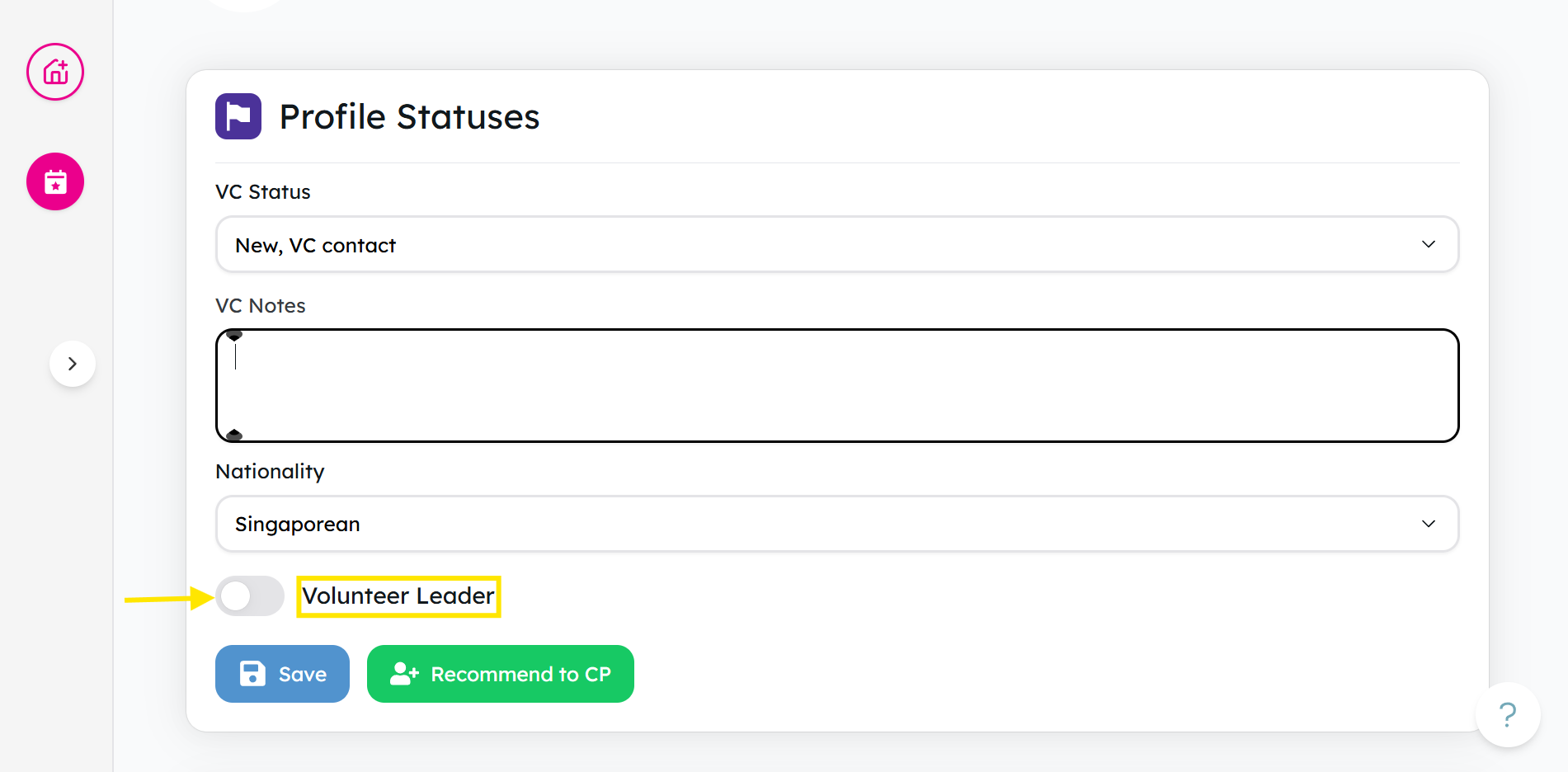
It is possible to recommend a volunteer for relevant activities to charities and community partners, especially if they have a relevant skill, knowledge, or are generally a suitable match.
To find out more about how to recommend to a community partner(CP), click here.
Review Notes from Community Partners (CPs)
-
From the Activities tab, click on the activity name.
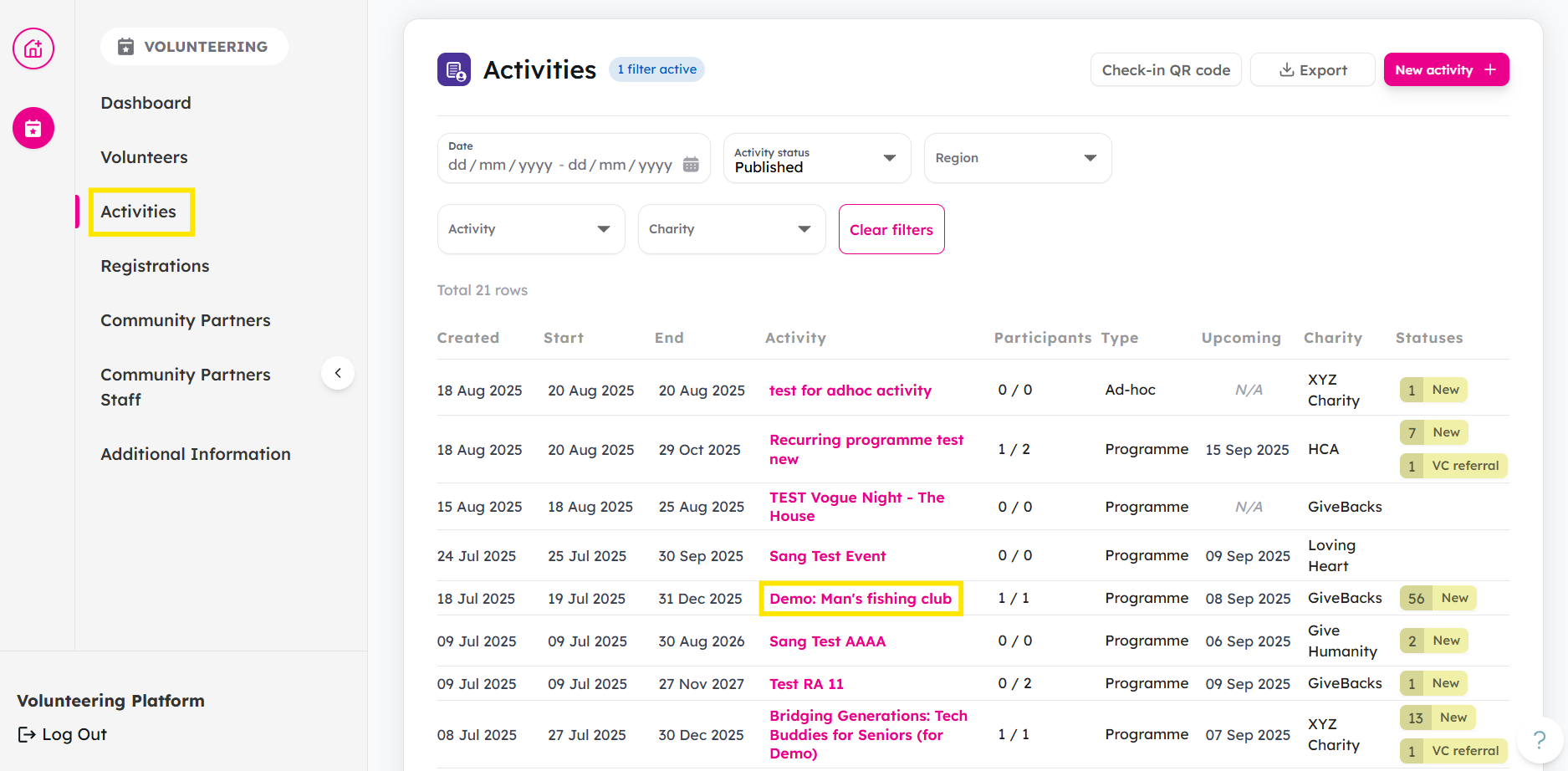
-
Choose an activity session.
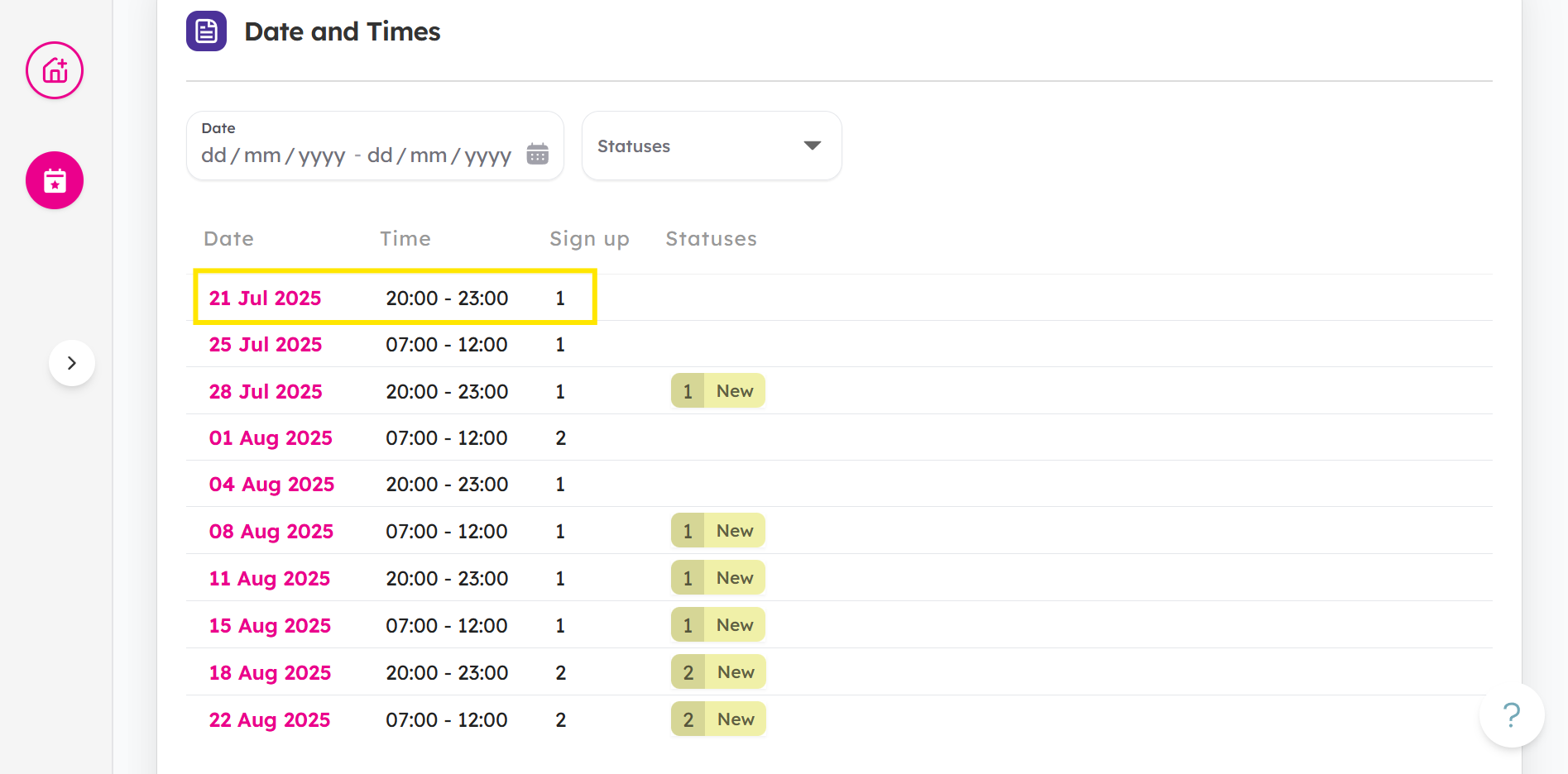
-
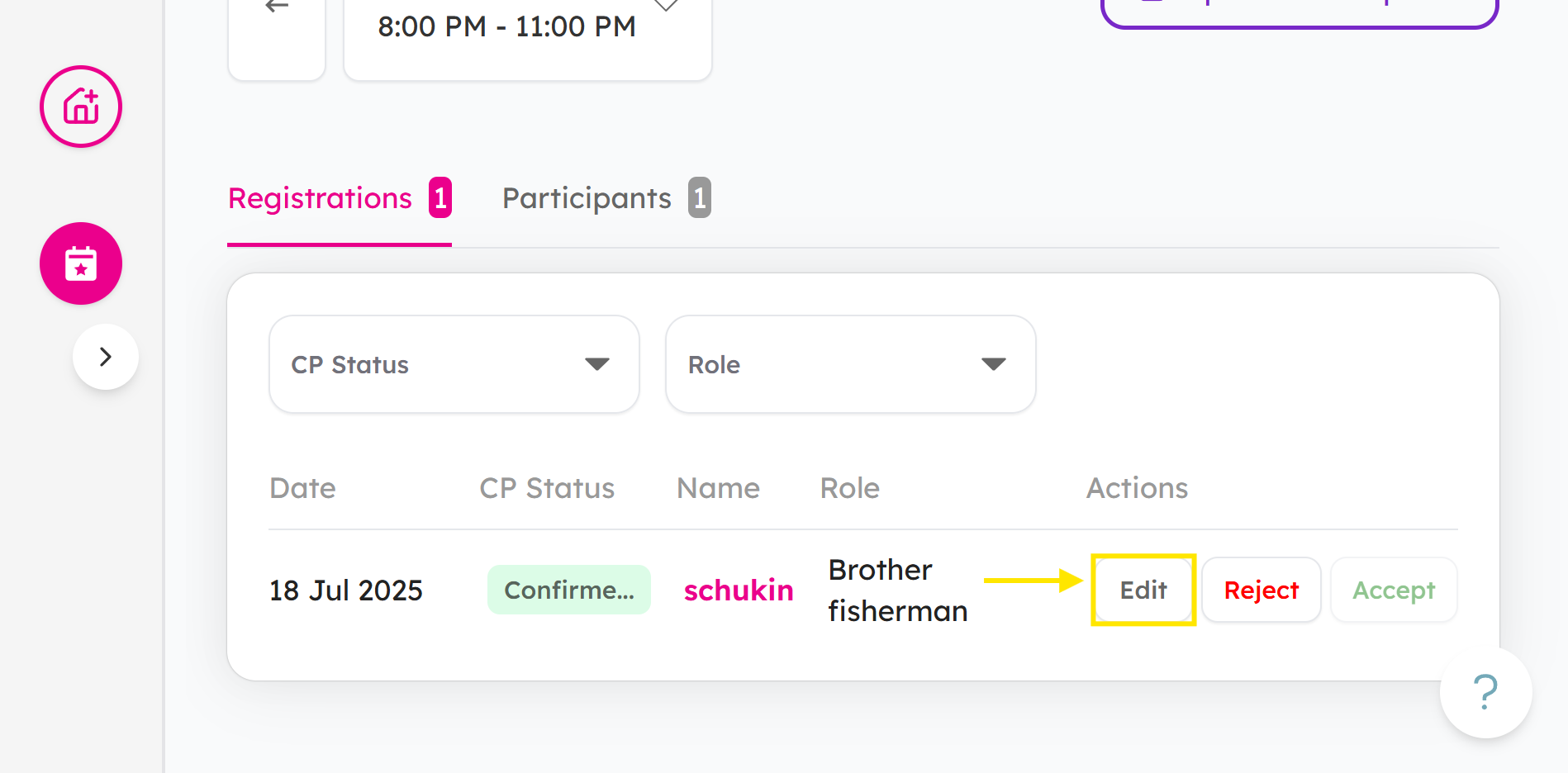
Find the participant and click Edit.
-
You can view the volunteer's CP Status and CP Notes.
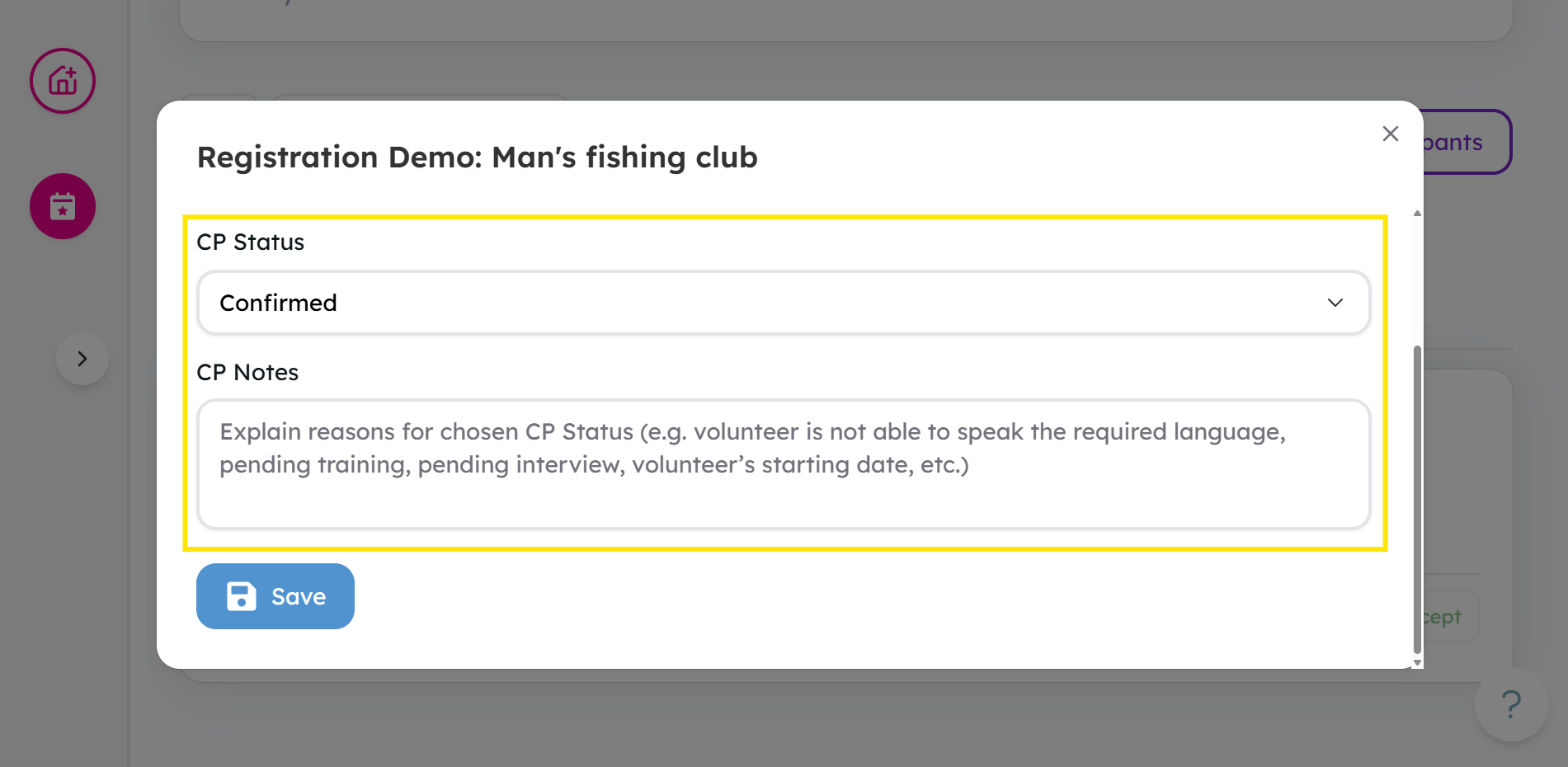
For more details about CP Status, check out this guide.
Ready to assess and update a volunteer profile? Go to the Volunteers Tab and try it now!
If you encounter any issues or have questions, don't hesitate to reach out to us at: [email protected].
Your feedback matters, so feel free to drop us a line anytime!