.png)
Activity Types Explained: Ad-hoc vs Programme vs Flexible Programme
When you add Date & Time for a new volunteering activity, you’ll need to choose between three activity types: Ad-hoc, Flexible or Programme. This choice affects how you set up dates — and how volunteers sign up.
💡 Tip: Think of Ad-hoc as a one-time invitation, Flexible Programme as an open-ended opportunity with no fixed sessions, and Programme as an ongoing calendar invite with scheduled dates.
IN THIS ARTICLE
Quick decision guide
-
Choose Ad-hoc if…
✔️ Your activity happens on specific fixed dates and times
✔️ Volunteers only need to commit to one slot at a time
✔️ Example: Food Distribution on 10 Oct, 5–7pm
-
Choose Programme if…
✔️ Your activity runs on a recurring basis (daily, weekly, bi-weekly, or monthly)
✔️ Volunteers may commit to the whole programme or select certain dates
✔️ Example: Weekly Tutoring every Wednesday evening from Oct–Dec
-
Choose Flexible Programme if ...
✔️ Your activity does not have a fixed schedule
✔️ Volunteers will be managing their own hours
✔️ The activity runs within a date range, rather than specific sessions
✔️ Example: Befriender support with flexible timing
For Ad-Hoc Activity
As the activity creator (Charity Staff/Volunteer Centre Admin)
- You may only select the date and time of your activity if you choose this option.

- You can create multiple schedule slots.

As a Volunteer
When a volunteer is signing up for an ad hoc activity, they are able to select the time slot they'd be able to commit to. They can choose multiple time slots as well.

Steps to take (Ad-hoc Activities)
- Select Ad-hoc as your activity type

- Add your activity's date

Note: You may add more than one activity date and time. This is usually done for example to segregate between different sessions, or multi-day ad hoc events.
- Click Create to confirm.
For Programme Activity
As the activity creator (Charity Staff/Volunteer Centre Admin)
- You can select the date and time of your activity select and when your activity will recur.

- The system will automatically create multiple entries based on your selection for volunteers to select.
- You can create additional multiple schedule slots.
As a Volunteer
When a volunteer is signing up for a programme activity, they will first select the schedule slot:

After selecting the slot, they can choose either to commit to the entire programme duration, or a custom date range within the programme

Steps to take (Programme Activity)
- Select Programmes for your activity type

- This interface will pop up. Select your preferred start date and times

- Select the interval and set the end date

Currently there are 4 types of intervals:
- Daily
- Weekly : You will be able to select which days of the week your activity will recur
- Bi Weekly: You will be able to select which days of the week your activity will recur
- Monthly
- Click Create to confirm. The system will automatically generate slots based on your selection.
For Flexible Programme Activity
As the activity creator (Charity Staff/Volunteer Centre Admin)
- You can select the date and time of your activity select and when your activity will recur.

As a Volunteer
When a volunteer signs up for a Flexible Programme activity:
- They do not choose a date or time slot during sign-up.
- Their sign-up indicates interest and participation in the programme within the overall period, not attendance on a specific day.
- Further instructions (such as how to log hours or when to participate) will usually be communicated by the charity directly.

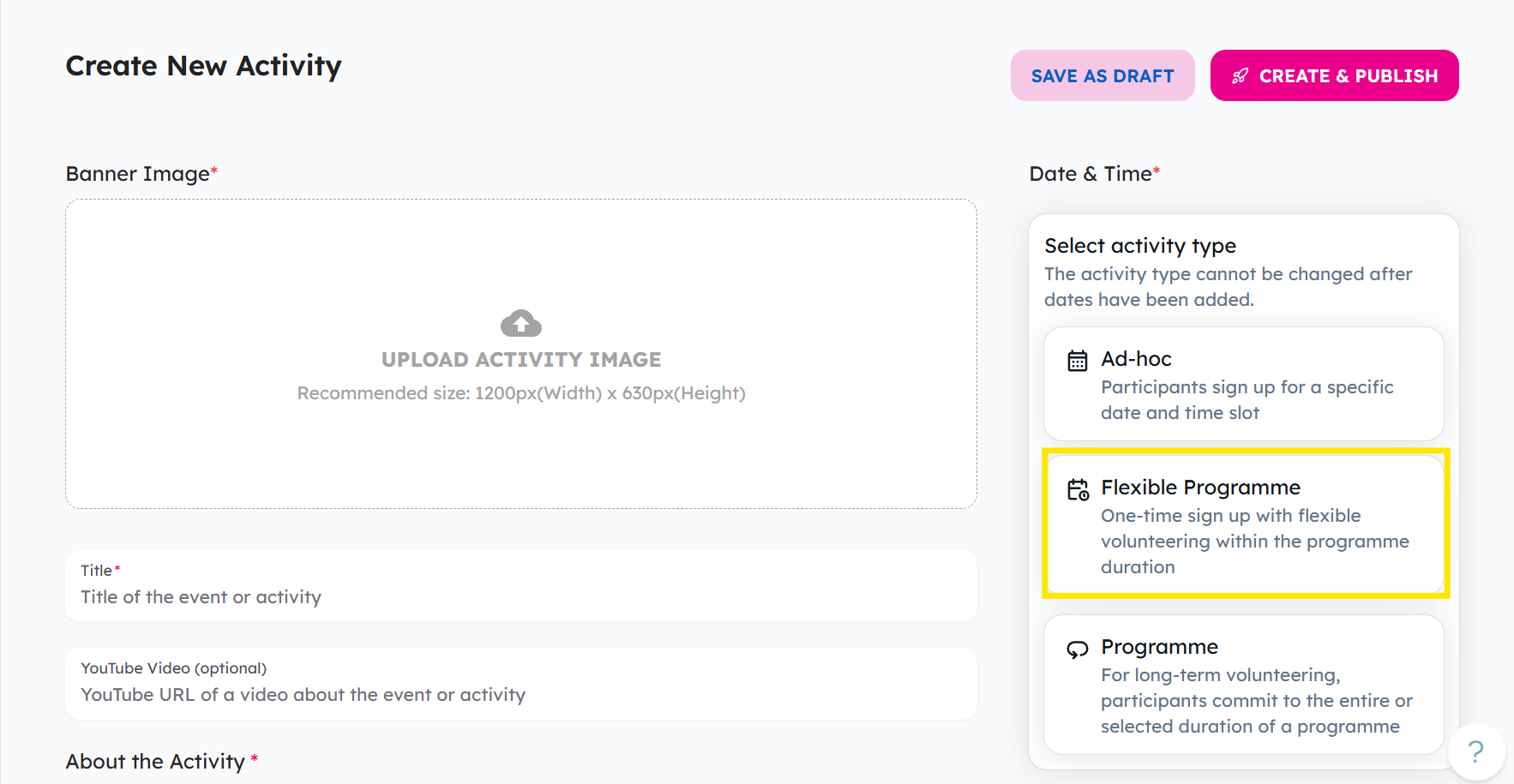
Steps to take (Flexible Programme Activity)
-
Select Flexible Programme as your activity type.
-
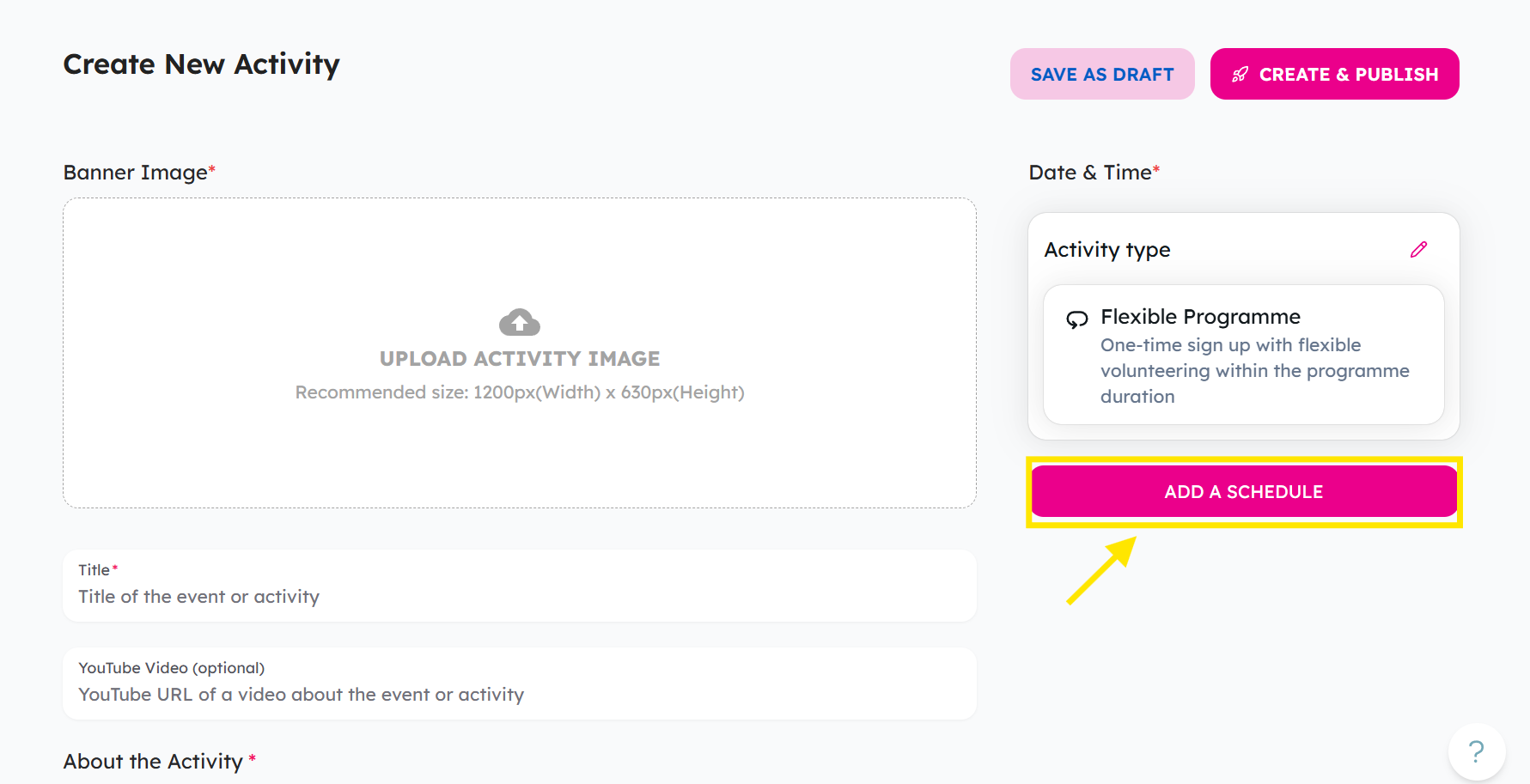
Click Add Schedule.
-
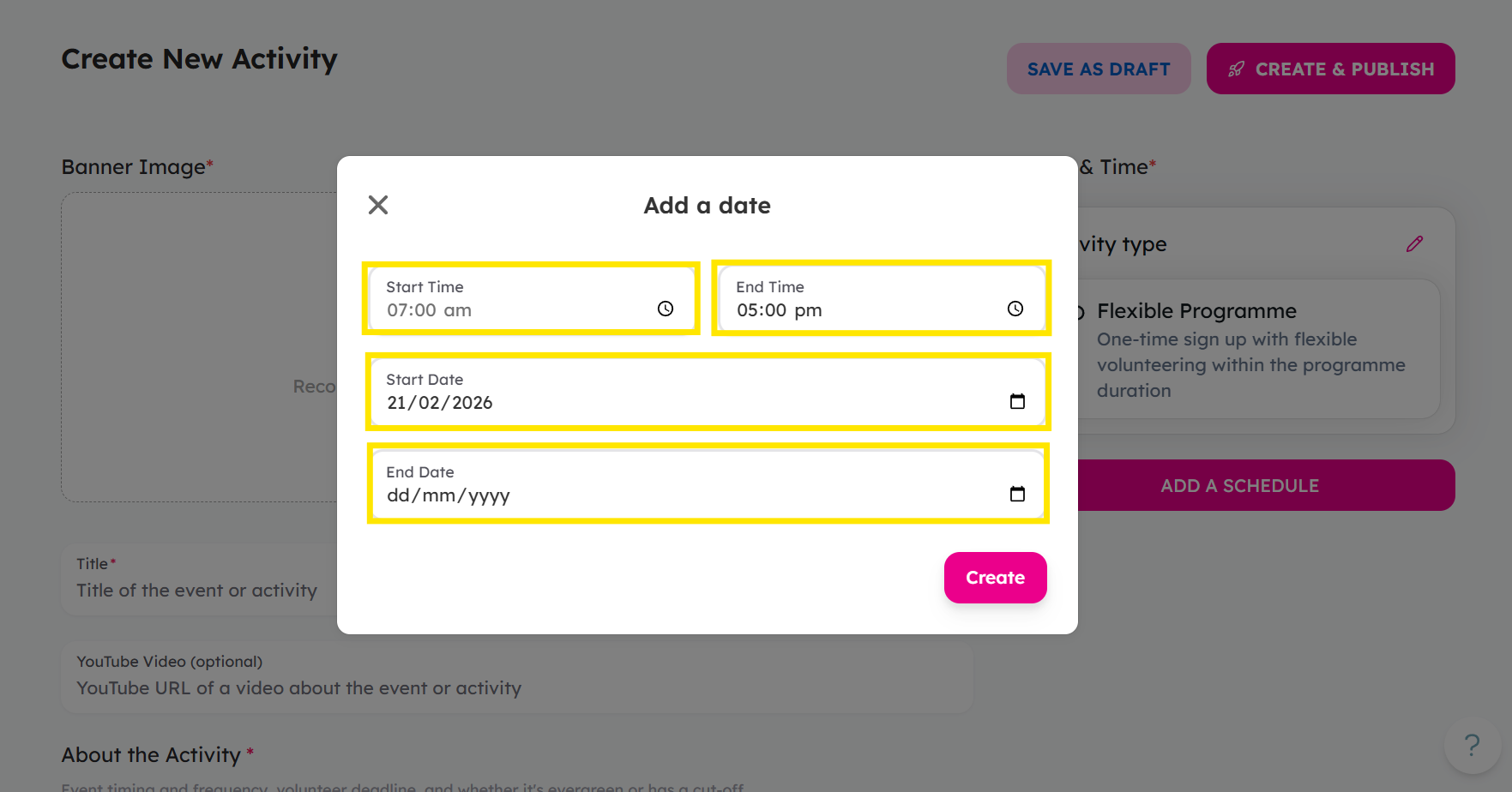
Set the start date and end date, as well as the start time and end time to define the programme period.
-
Click Create to confirm.
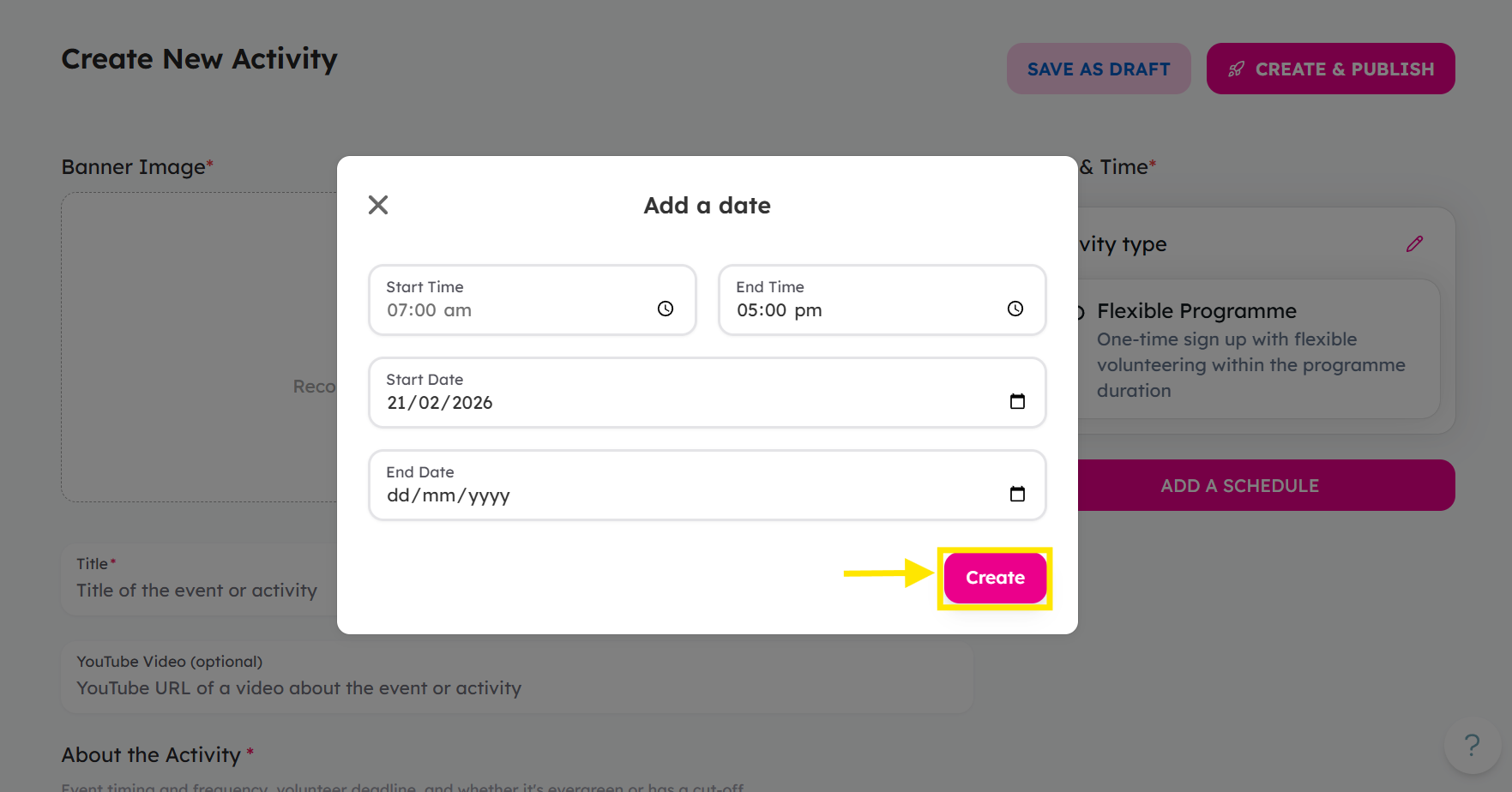
The activity will be listed as an ongoing programme, allowing volunteers to sign up without committing to specific sessions.
Ready to list your activity? Log in and create your activity here!
If you encounter any issues or have questions, don't hesitate to reach out to us at: [email protected].
Your feedback matters, so feel free to drop us a line anytime!