.png)
Assigning Volunteer to be Volunteer Leader
Charities may choose to promote a volunteer to the role of Volunteer Leader. This optional role recognizes trusted and reliable volunteers who may take on additional responsibilities. Each charity can decide when and how to assign this role.
IN THIS ARTICLE:
Assigning a Volunteer Leader
-
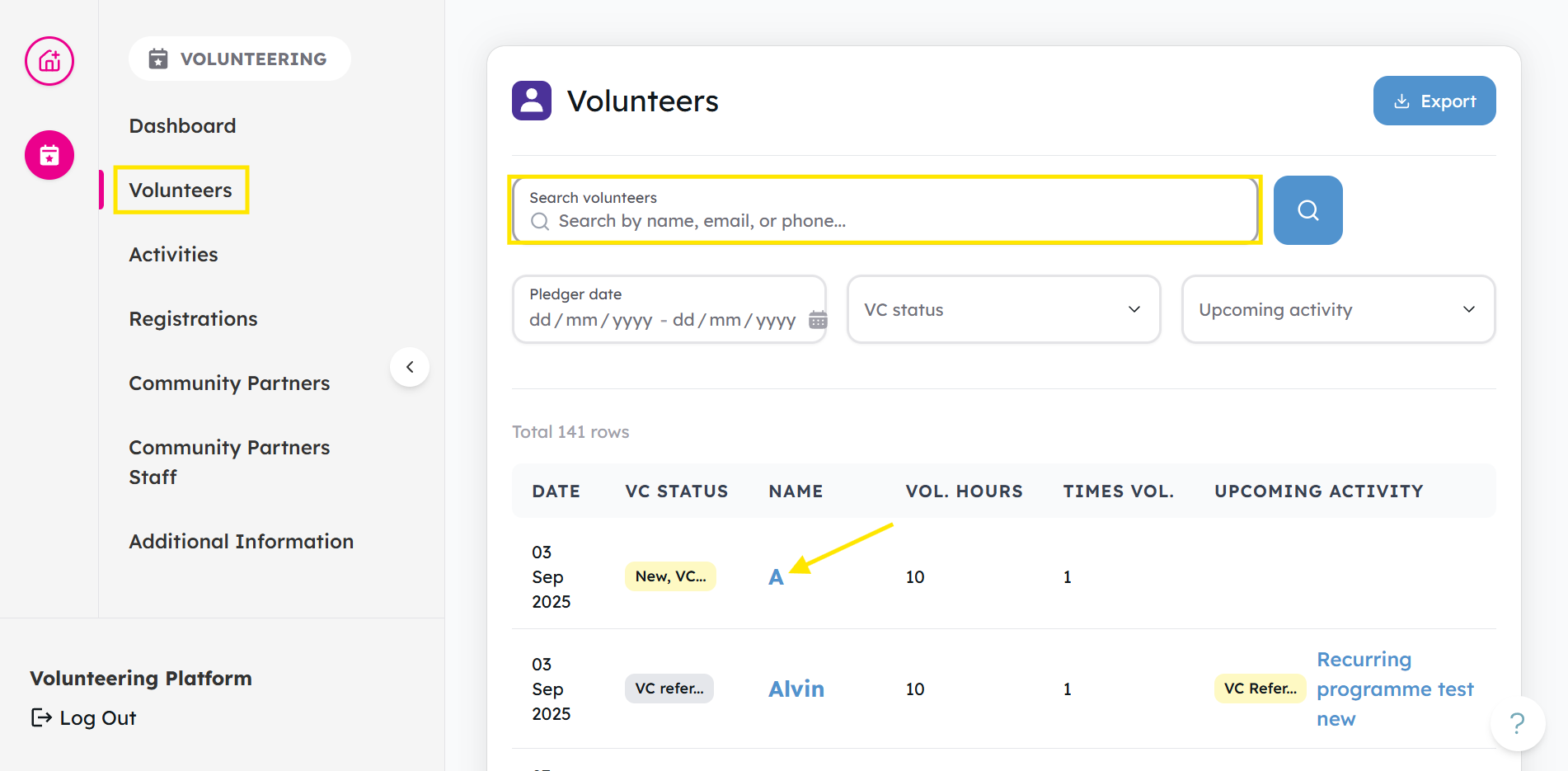
Go to the Volunteers tab. You can use the filters to find the volunteer and click their Name.
-
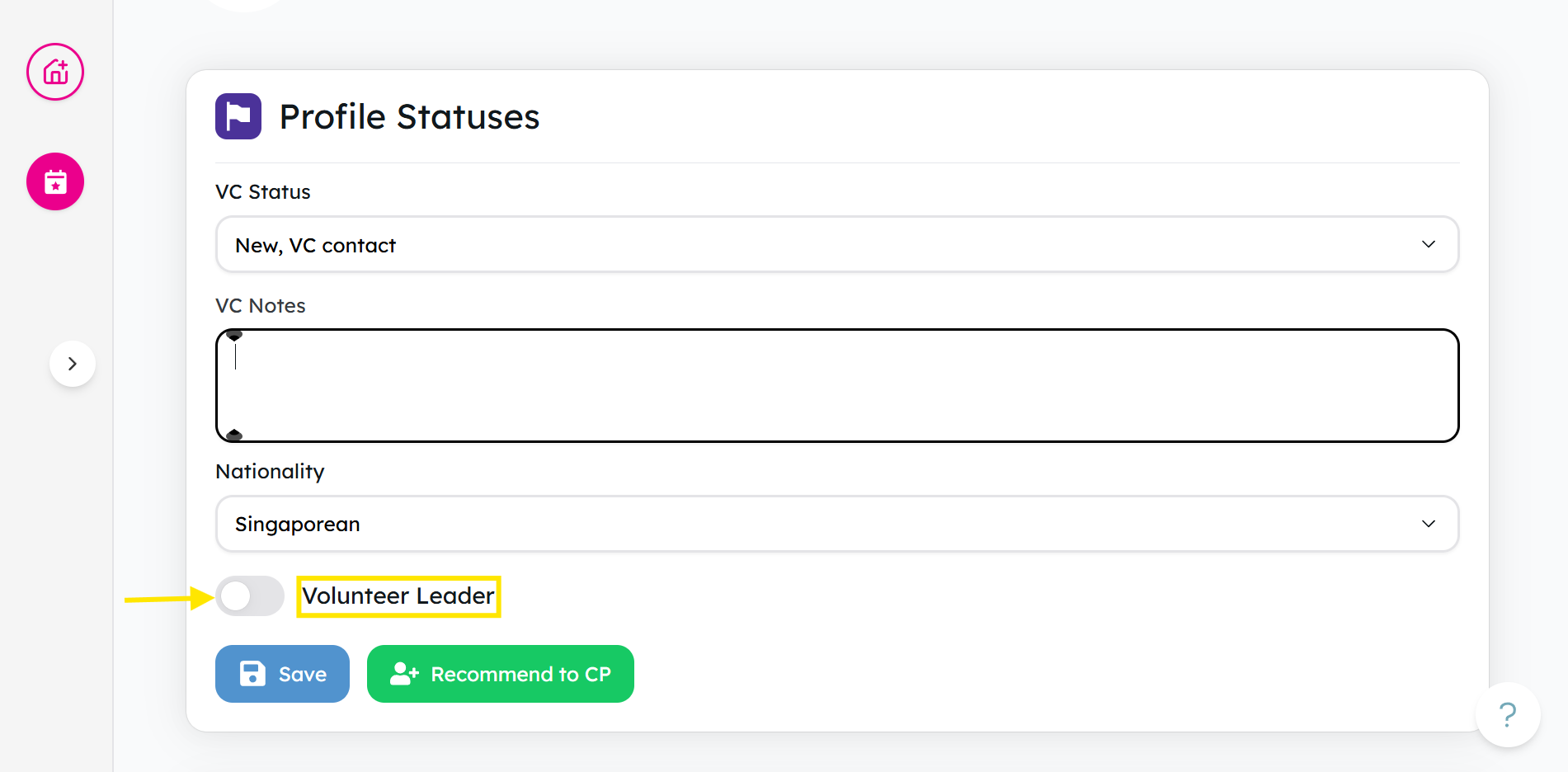
In their profile, locate the Volunteer Leader toggle. Switch the toggle on to assign them as a Volunteer Leader.
Things to note:
- The toggle is for internal tracking for charities and volunteer centres only.
- Toggling this does not change to volunteer access, permissions, or notifications.
- You can switch it off anytime if their role changes.
Ready for the next step? Learn How to Assess and Update Volunteer Information
If you encounter any issues or have questions, don't hesitate to reach out to us at: [email protected].
Your feedback matters, so feel free to drop us a line anytime!