.png)
How to sign up to be a volunteer?
Once you’ve found an activity you’d like to join, signing up only takes a few clicks.
If you are looking for volunteering opportunities instead and want to find out how, please check this article first.
Steps to sign up to be a volunteer:
-
Search directly on volunteer.give.asia on volunteer.give.asia
Check your email recommendations (sent weekly if you’ve taken the pledge)
-
On the activity page, tap Volunteer or Apply to Volunteer
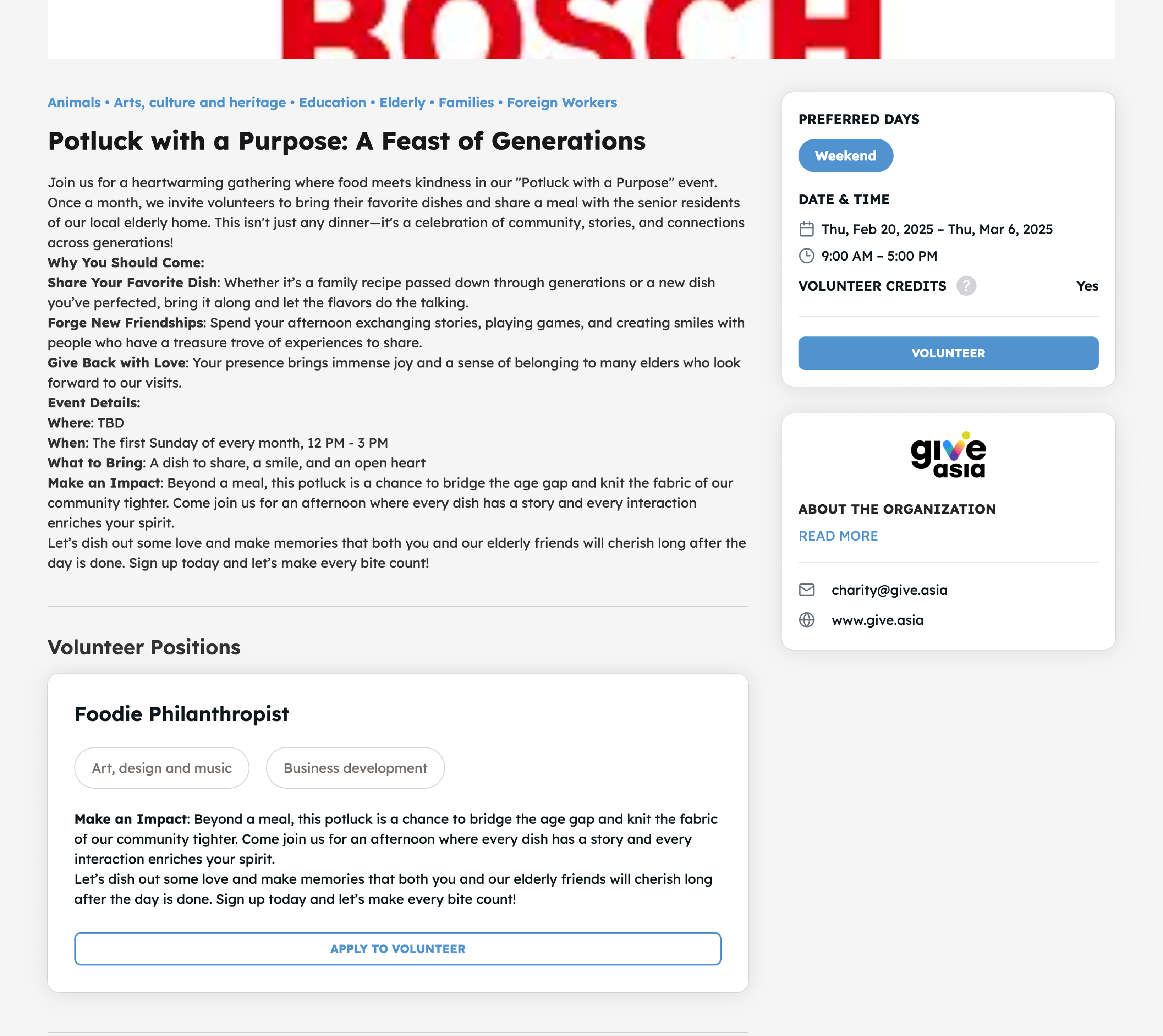
-
Choose activity slot and click Sign Up
Note: Some activities may ask for more information. Simply fill up accordingly to sign up for the volunteer activity!
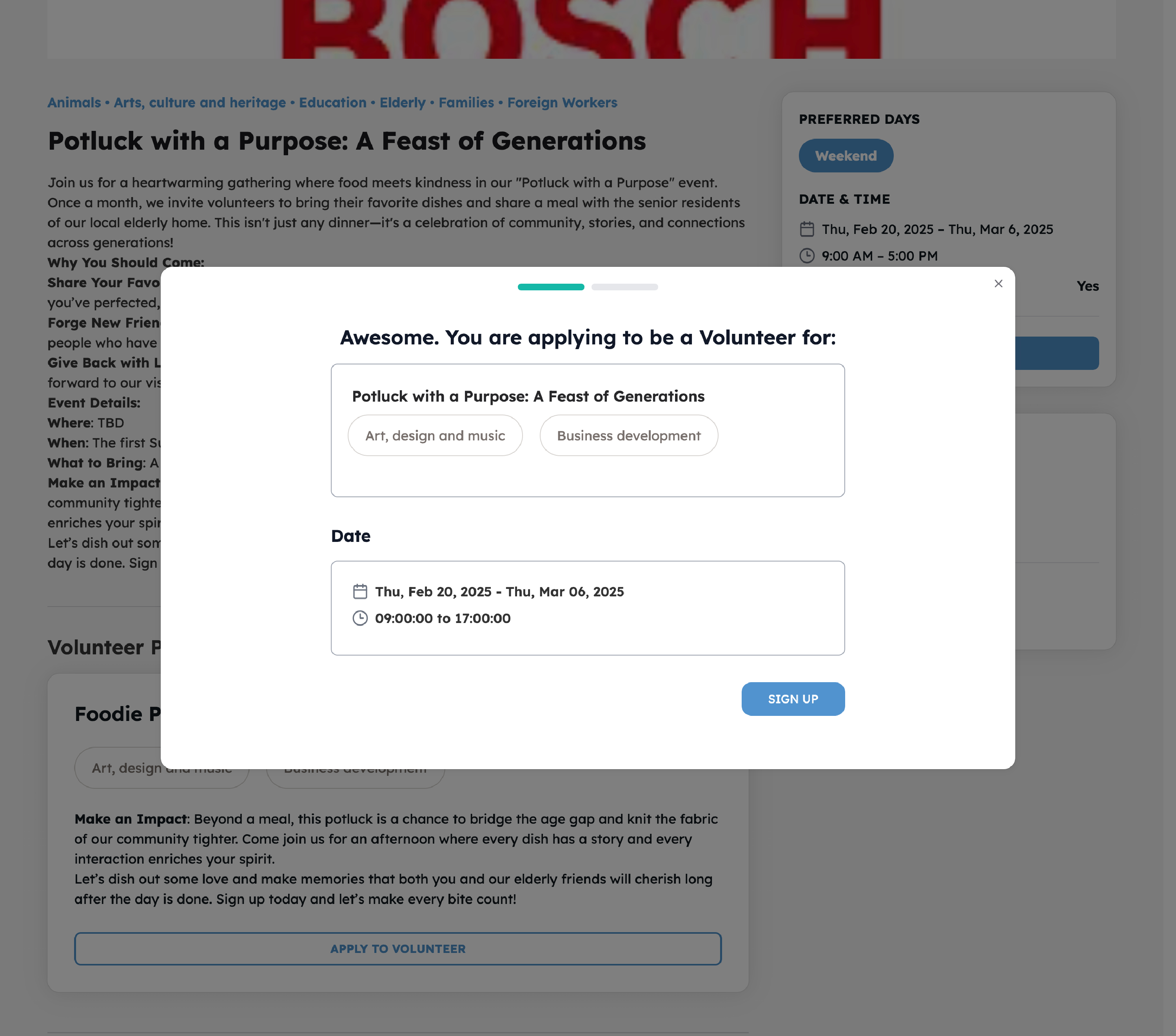
-
You've signed up!
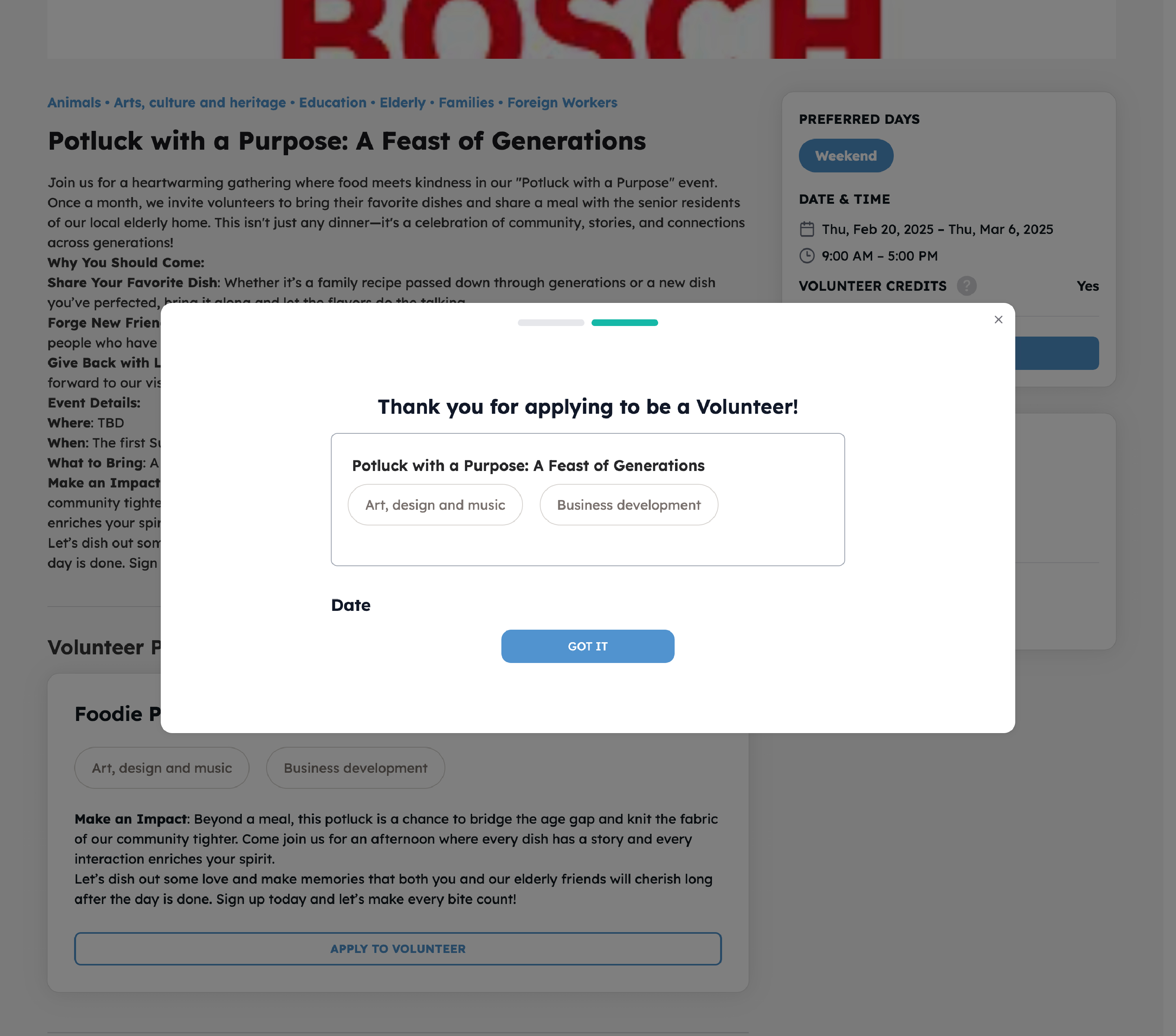
You will also receive an email notification once you've signed up
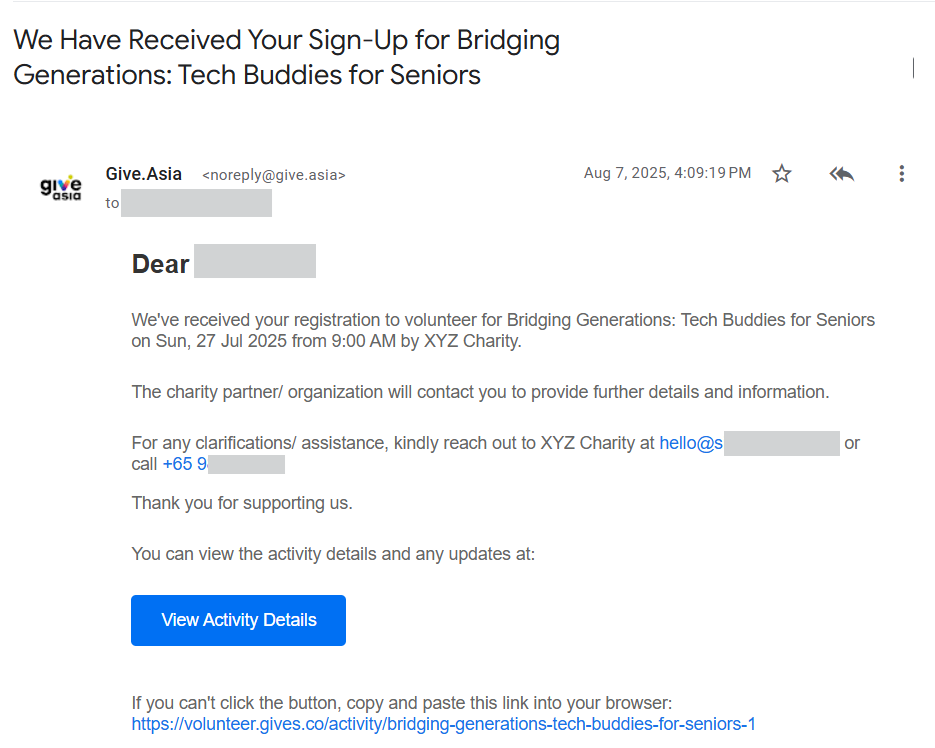
What happens after I've signed up to volunteer for an activity?
Once you've signed up to volunteer, your application will notify the activity organiser. They may reach out to you directly based on your profile information to find out more.
If you are accepted, you will receive an email. Here's how it looks like:

Next Step: Check out this article next about logging your volunteer hours via photo reviews!
If you have been rejected, you will receive an email too. Here's how it looks like:

Still keen to volunteer? You can consider browsing for more opportunities, or update your profile to refine your matching experience.