.png)
Leave a review and Log hours after activity
After each activity, taking a few minutes to log your volunteering hours and leave a review can make a big difference. Not only does it help you keep track of your impact, but it also helps the organization improve future activities and lets other volunteers know what to expect.
You can also log your hours during the activity by checking in via QR Code
Leave a Review After Activity
-
Go to the activity page and scroll down to the Volunteer Reviews section. Write your review, then click Post. Once posted, your review will be published publicly and visible to other volunteers.
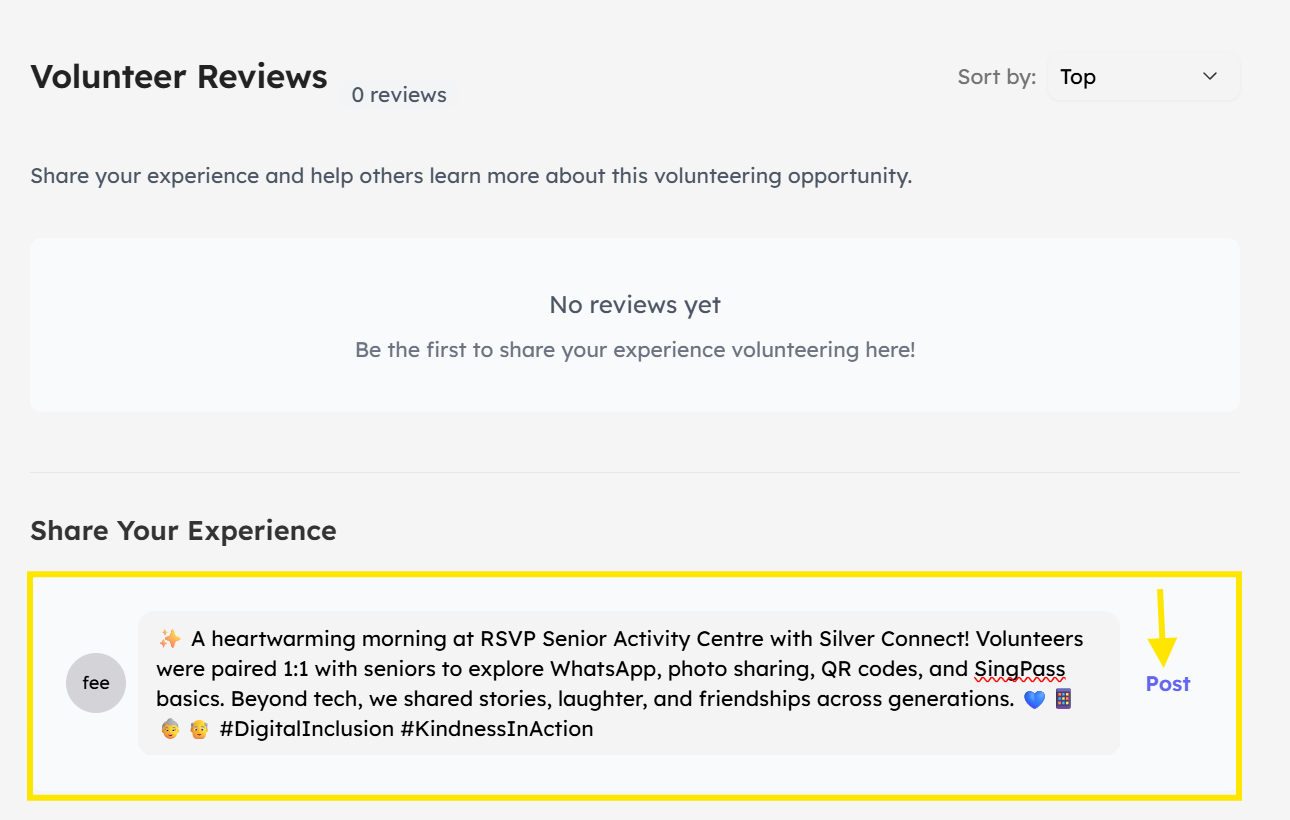
-
Other volunteers can reply to, like, or dislike your review. You can also delete your own comment at any time.
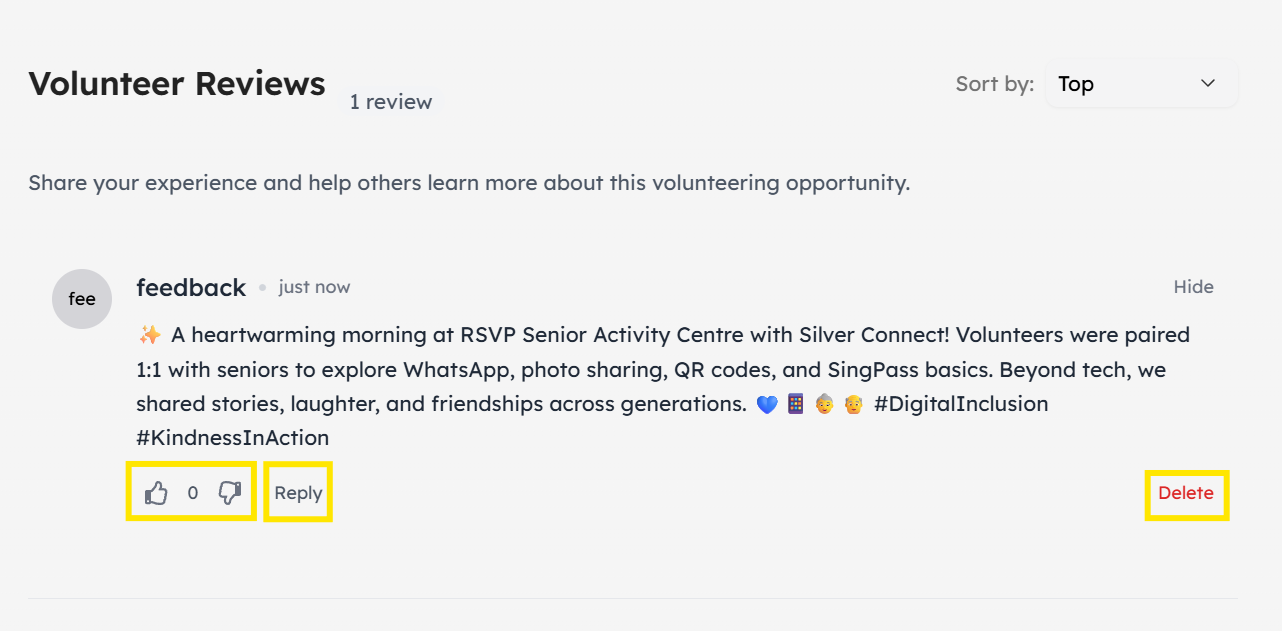
Log Hours After Activity
-
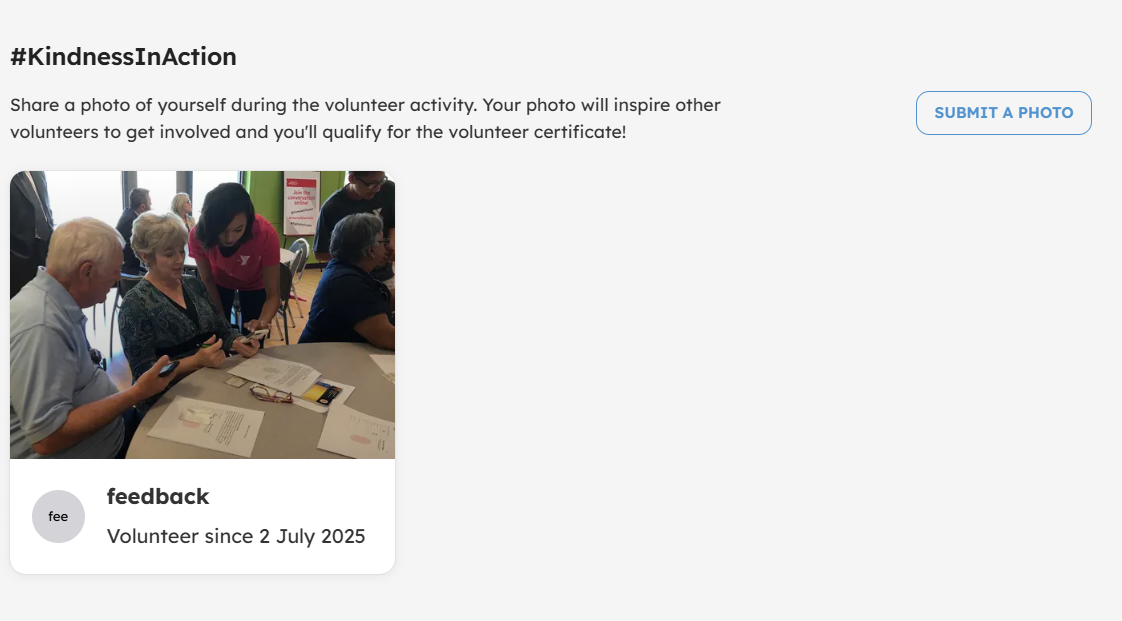
From the activity page, click Submit A Photo.
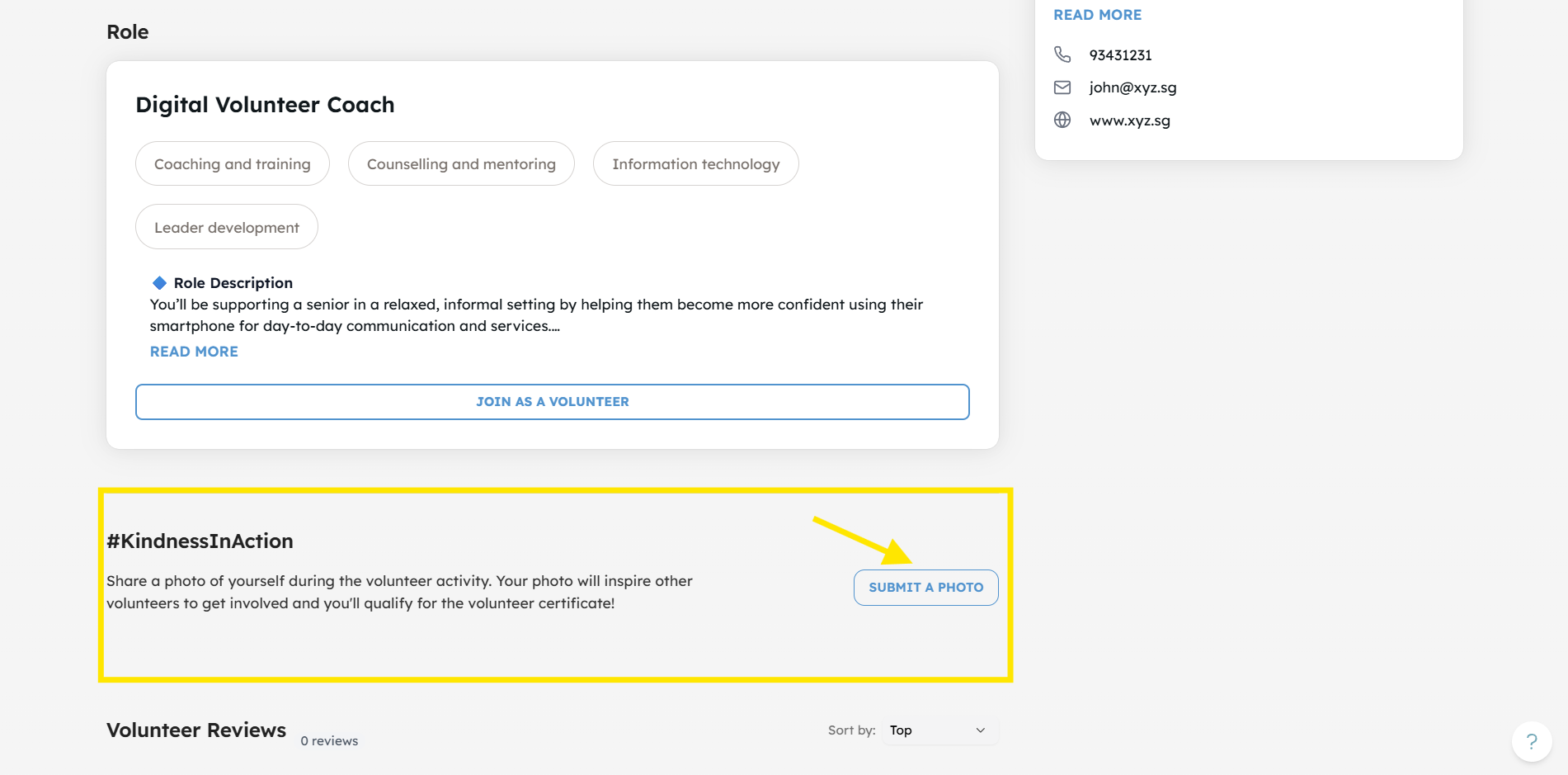
-
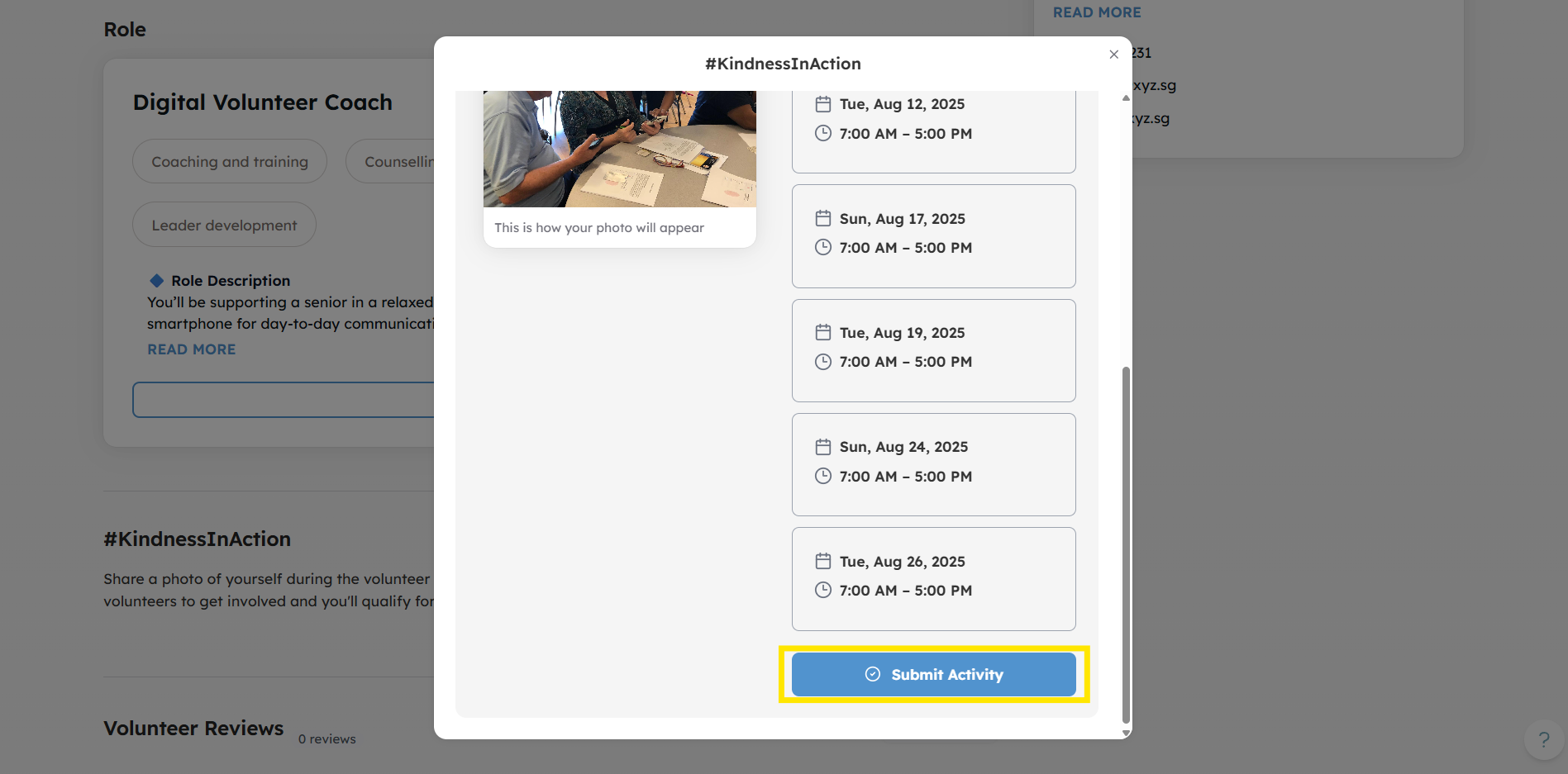
Volunteers can upload a photo from the activity, input the hours they volunteered and specify which schedule they attended.
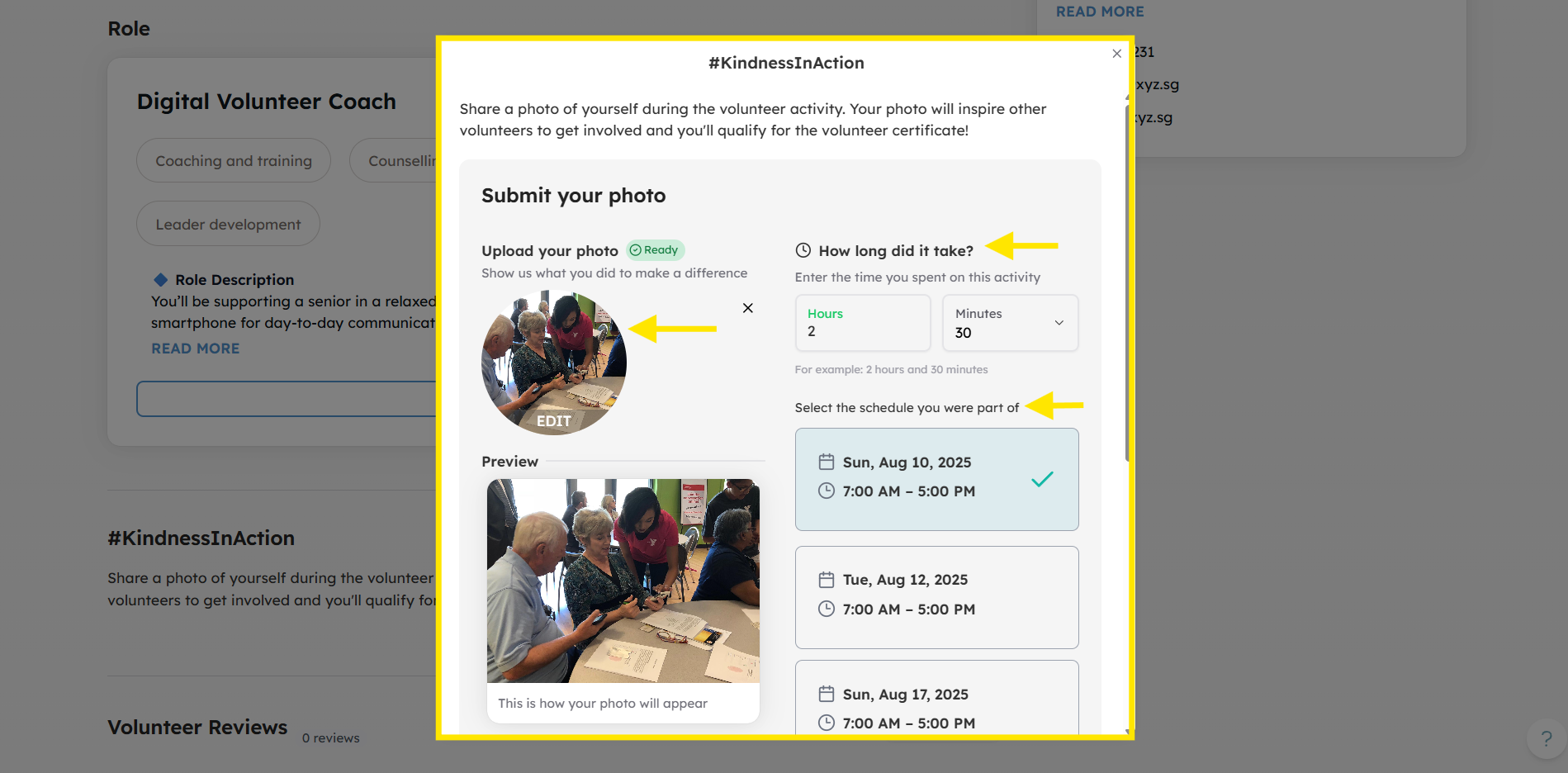
-
Click Submit Activity to log hours.
-
You're done!
By logging your hours and leaving a review, you contribute to a transparent, reliable, and engaging volunteer community. Plus, it helps you track your own progress and earn points or awards for your contributions.
Admins may remove a review if it does not comply with guidelines or goes against protocol. Don’t worry, this will not affect your logged volunteer hours.
Experience the Joy of Volunteering - Visit Volunteer.Give.Asia Now
If you encounter any issues or have questions, don't hesitate to reach out to us at: [email protected].
Your feedback matters, so feel free to drop us a line anytime!