.png)
Adding and Managing Charity Staff Access (For VC Admins)
As a Volunteer Centre (VC) administrator, you can invite or assign staff to a charity or Community Partner (CP) dashboard. Remember: only VC administrators can grant staff access. If a charity requests access for their staff, ask them to provide the staff details so you can add them on their behalf. Once added, CP staff will be able to manage activities, volunteers, and registrations.
Inviting a Charity Staff to Community Partner Dashboard
-
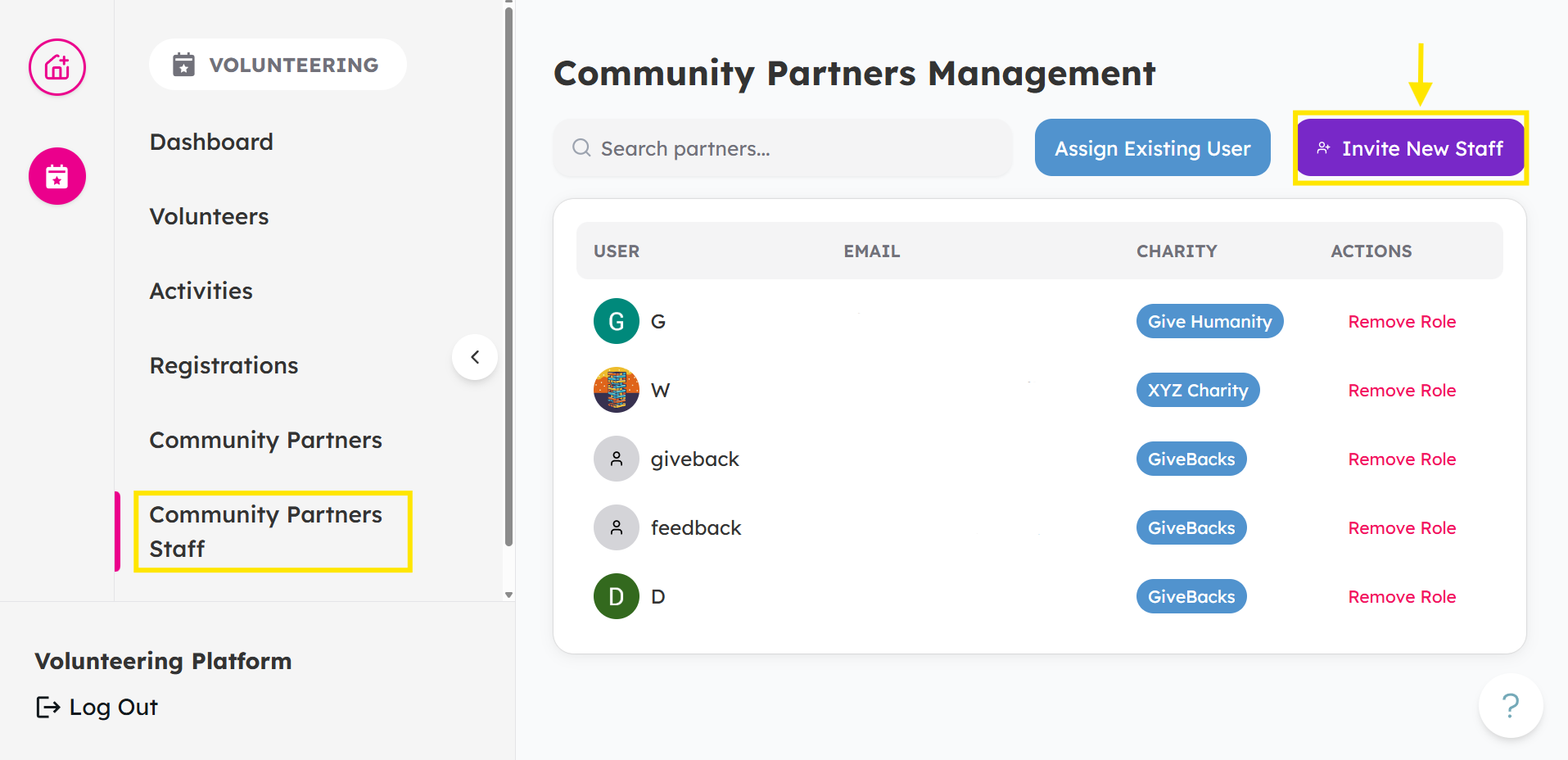
From your Dashboard, head over to Community Partners Staff and click Invite New Staff.
-
Enter Email Address and select which Charity you want to add the staff. Then, click Send Invitation.
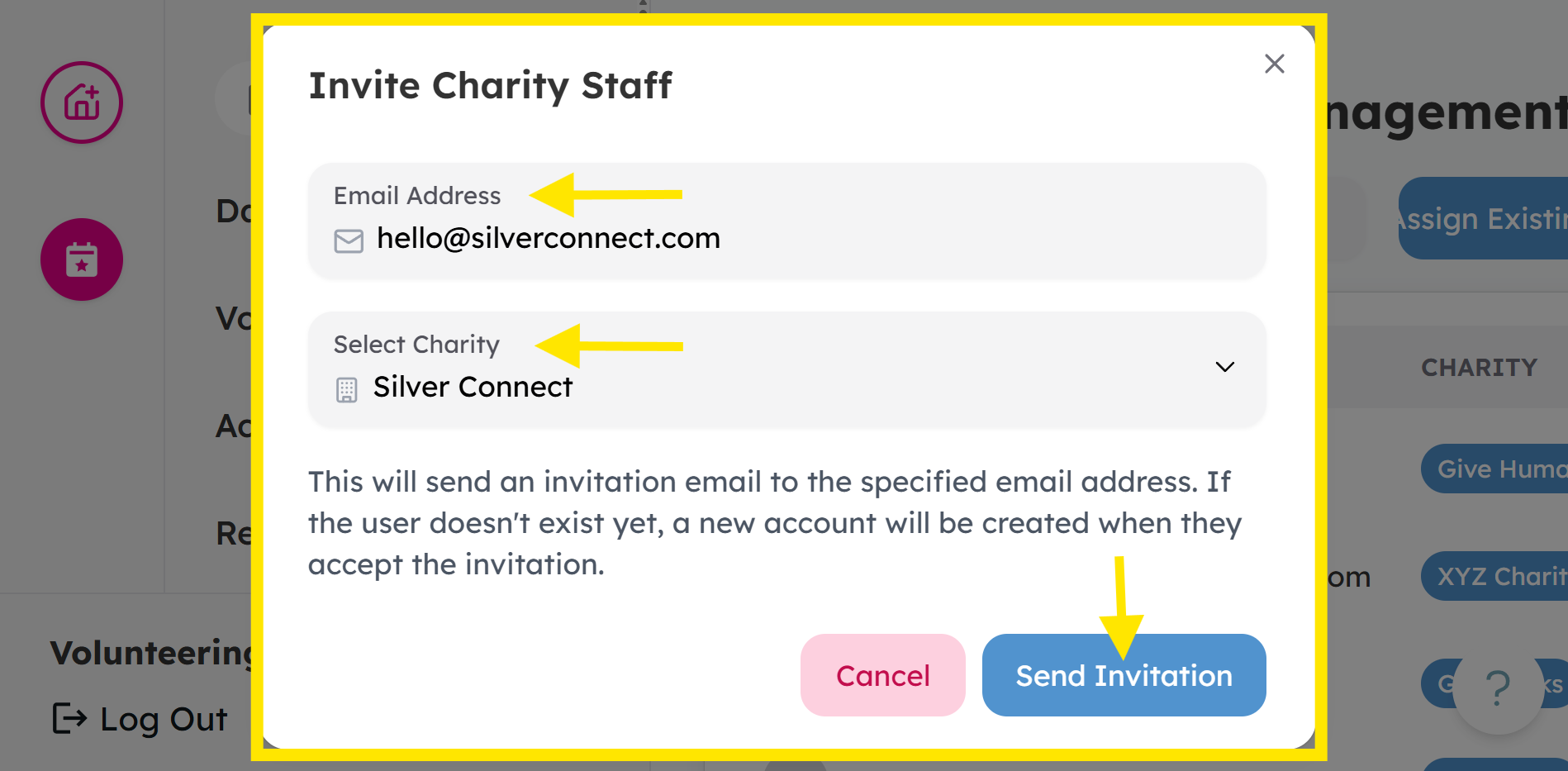
Invitation link is valid for 30 minutes, so the staff member will need to accept it within that time.
Assign an Existing User
If the staff member is already an existing user, assign them to your Community Partner (charity) by searching their email.
-
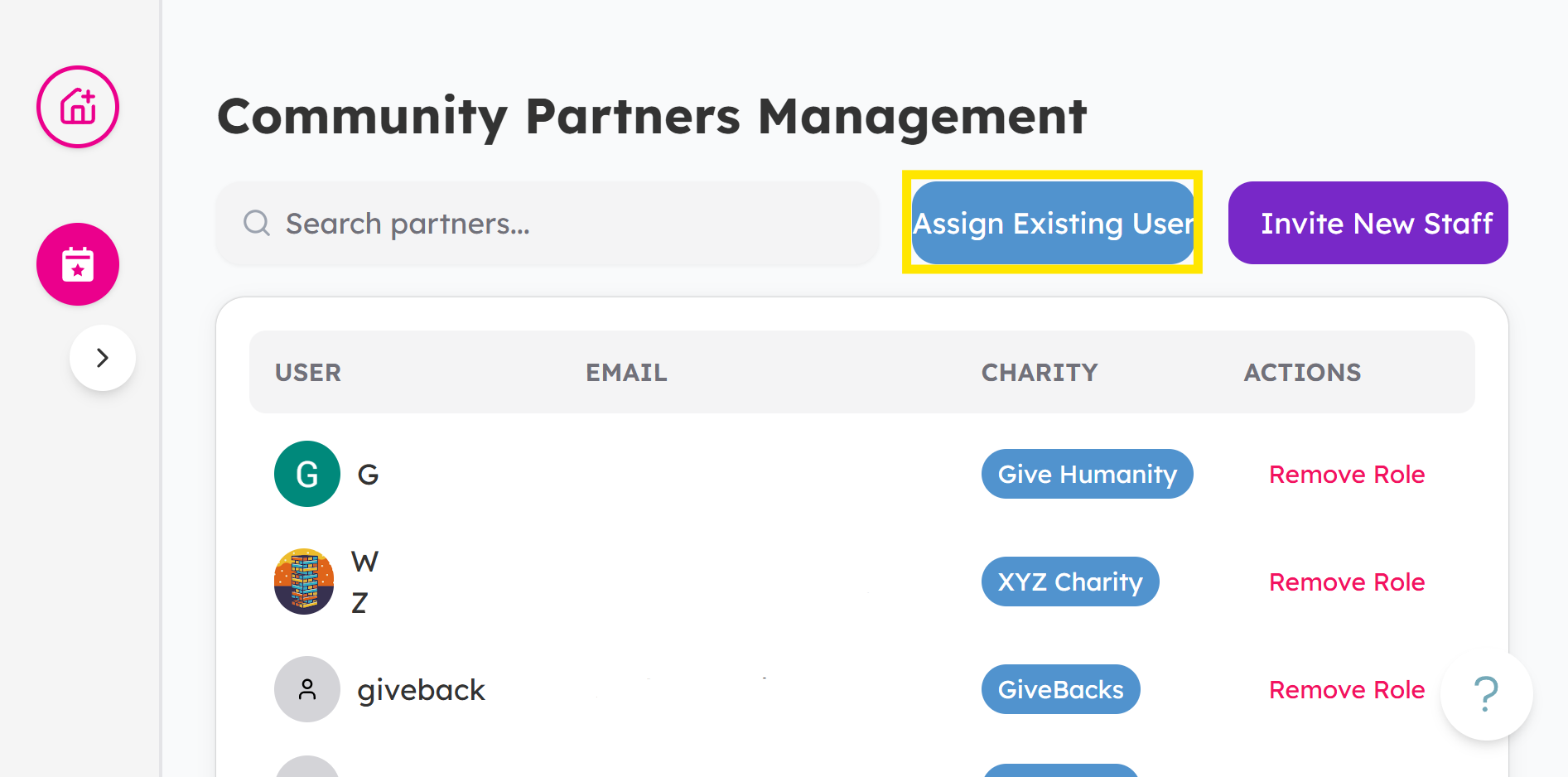
From your Dashboard, head over to Community Partners Staff and click Assign Existing User to your specific community partner.
-
Choose which Email Address and select which Charity. Then, click Assign Role.
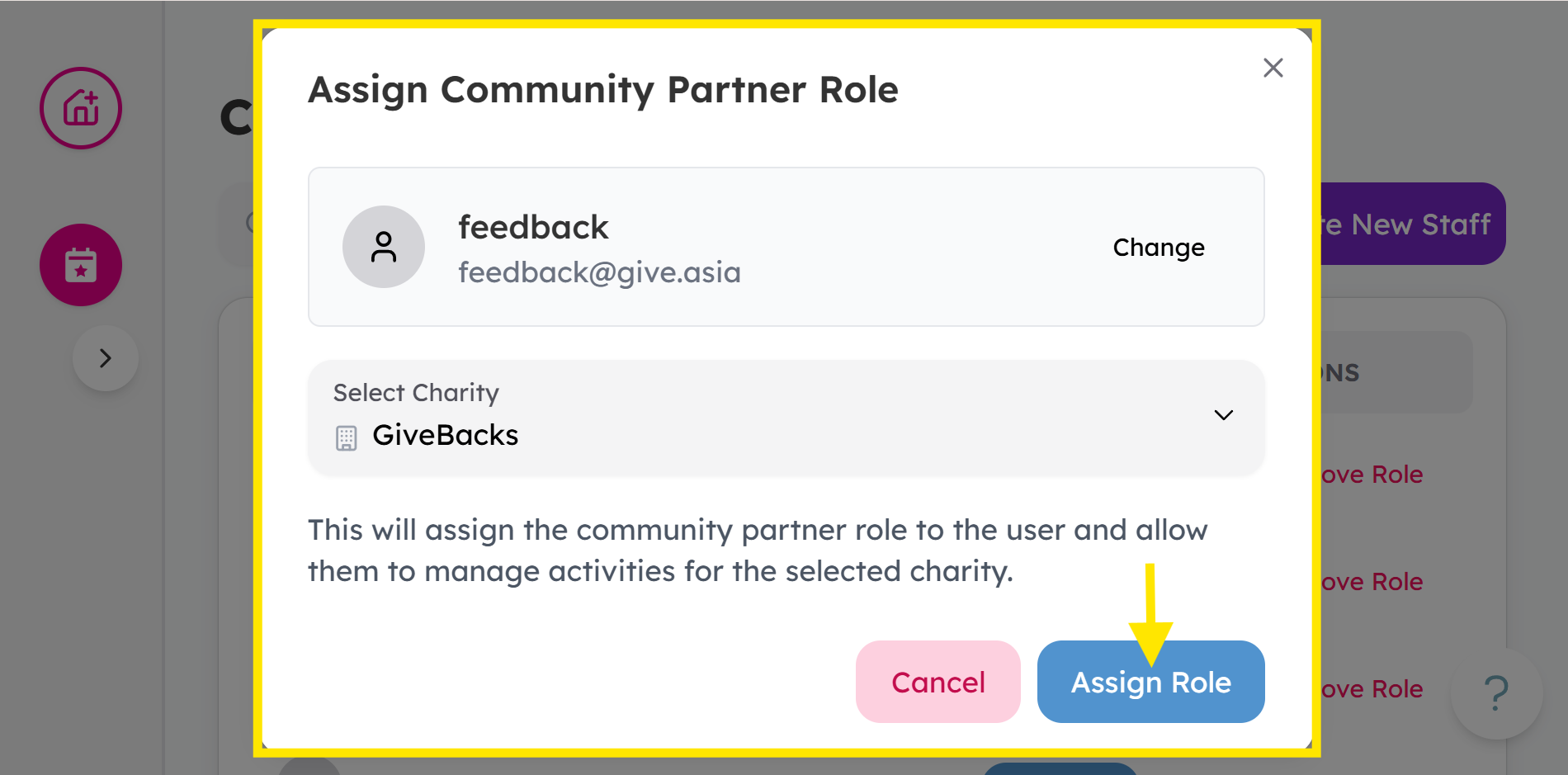
- Once you've assigned, the staff member will be able to access. To access
Check out this article next for accepting invite and logging into the platform.
If you encounter any issues or have questions, don't hesitate to reach out to us at: [email protected].
Your feedback matters, so feel free to drop us a line anytime!