.png)
How to Add, Onboard, and Offboard a Community Partner
When you as a Volunteer Centre Admin need to onboard a new community partner (CP), you can add and activate their account from the VC dashboard. This gives them CP staff access to the platform so they can create activities, manage volunteers, and track participation.
IN THIS ARTICLE:
How to Add a New Community Partner
-
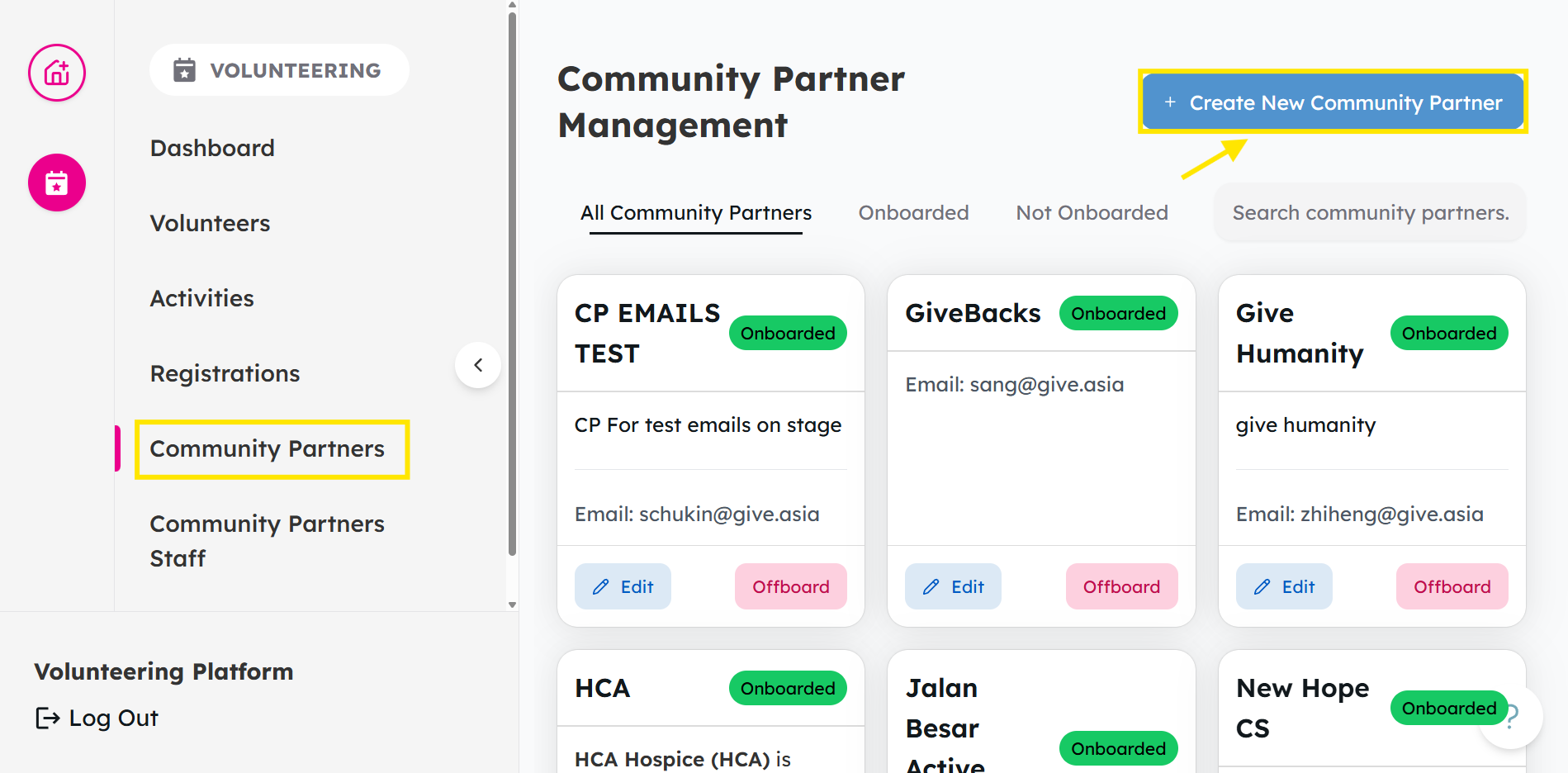
From your Dashboard, head over to Community Partners and click on Create New Community Partner.
-
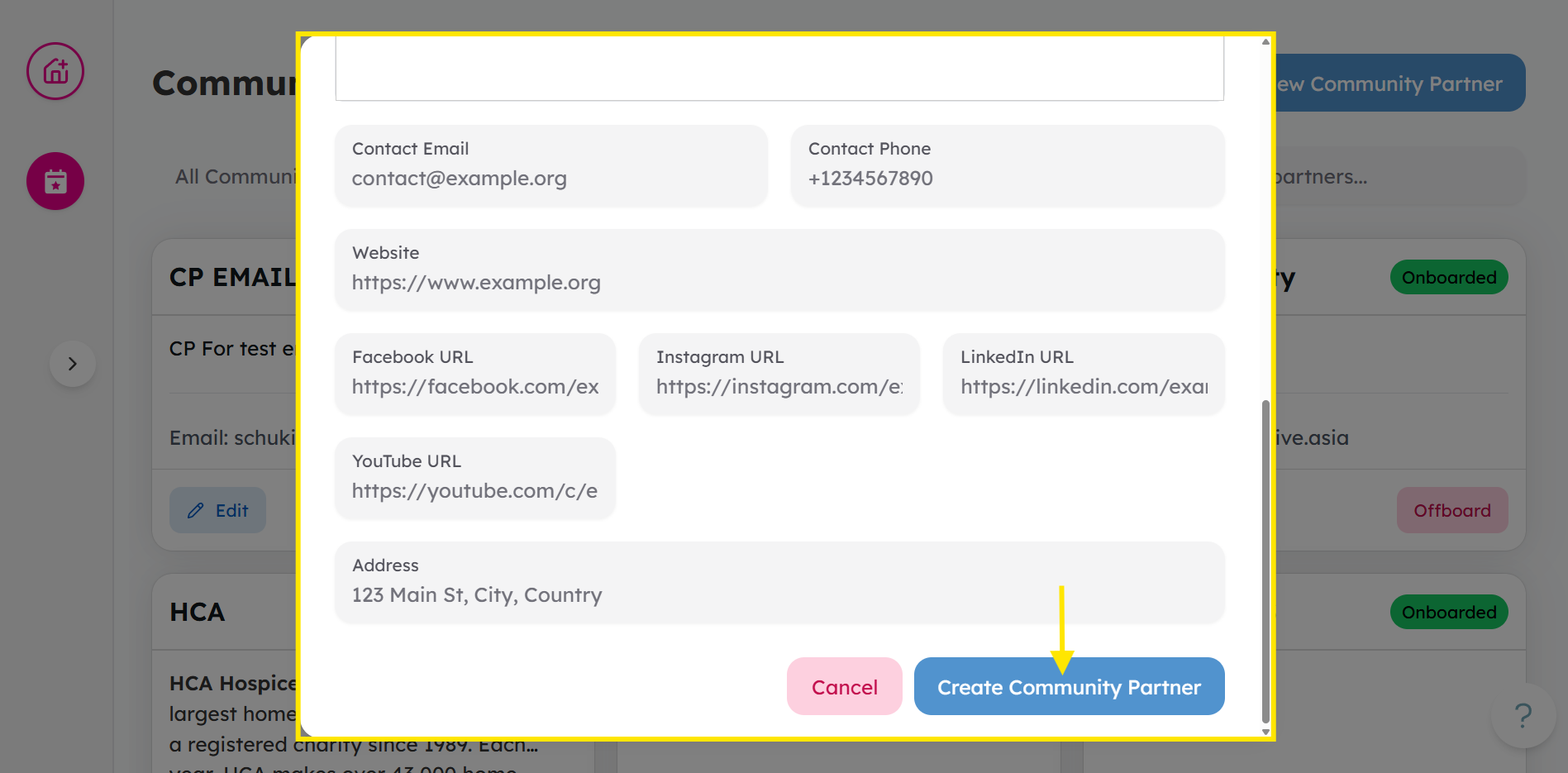
Enter Community Partner details and click on Create Community Partner to confirm.
How to Onboard a Community Partner
⚠️ Note: A community partner must be onboarded before you can proceed to the next step of adding CP staff.
-
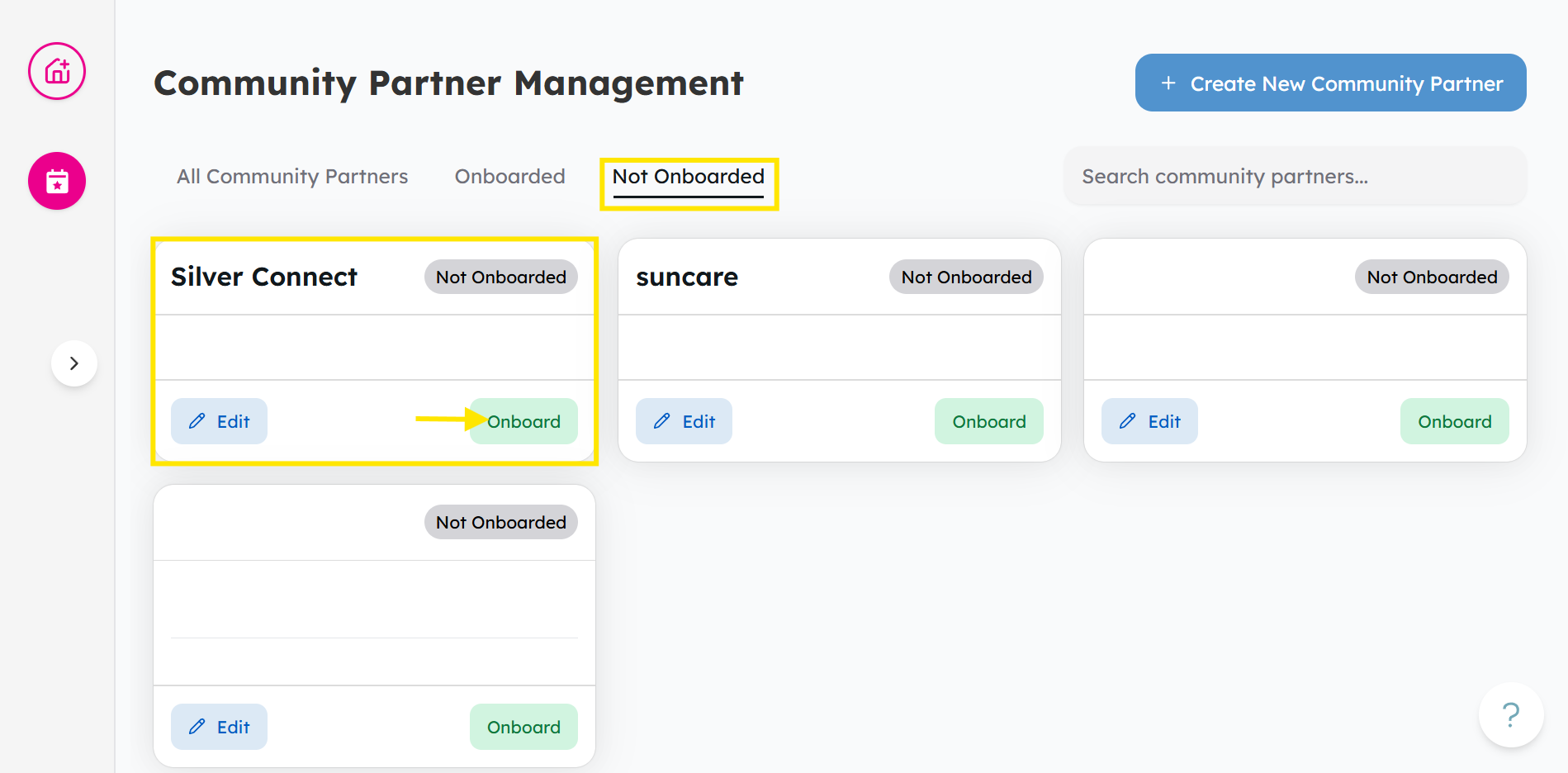
From the Community Partners tab, head to Not Onboarded, and find the charity and click Onboard.
-
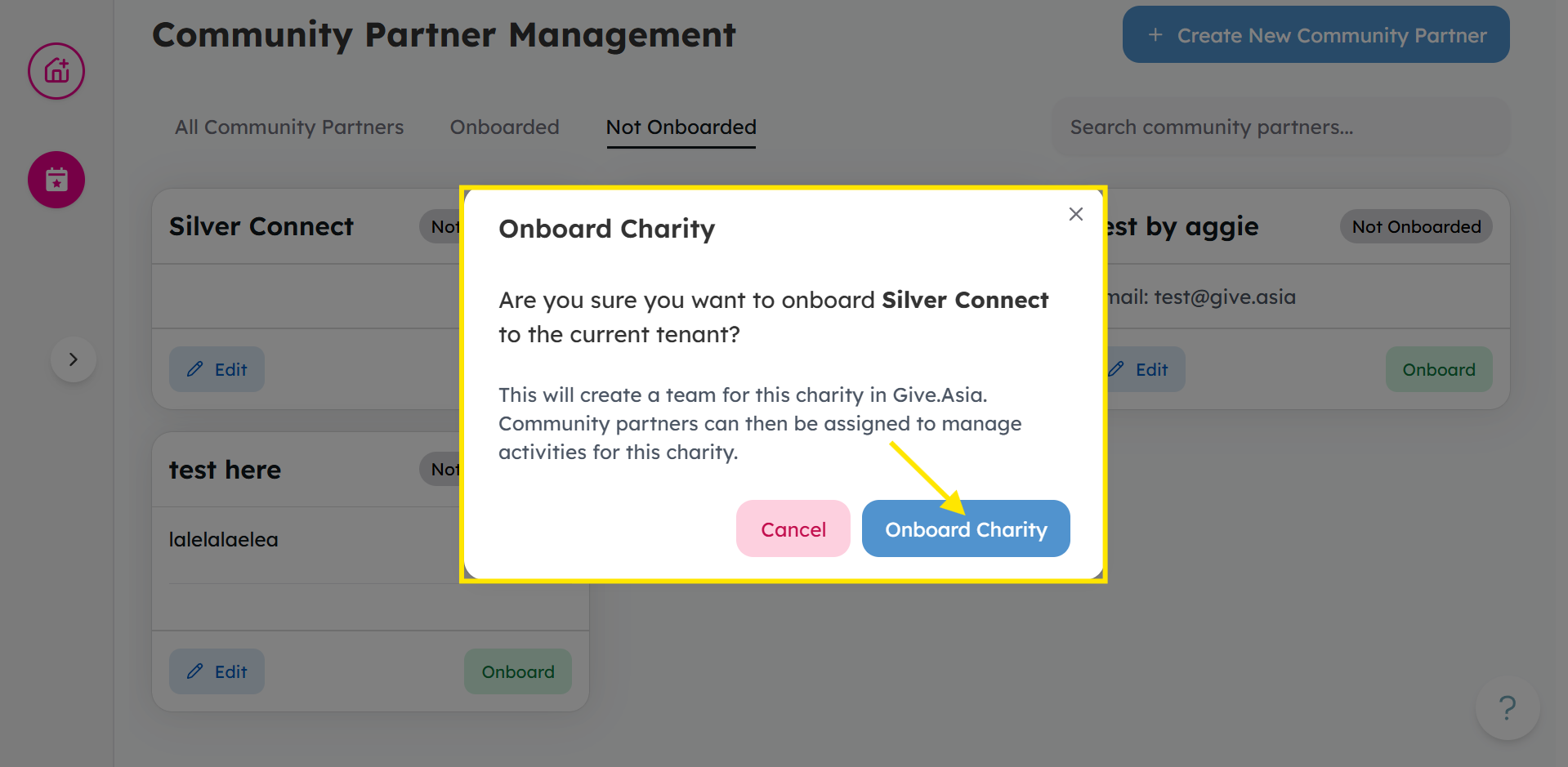
Click Onboard to confirm.
How to Offboard a Community Partner
-
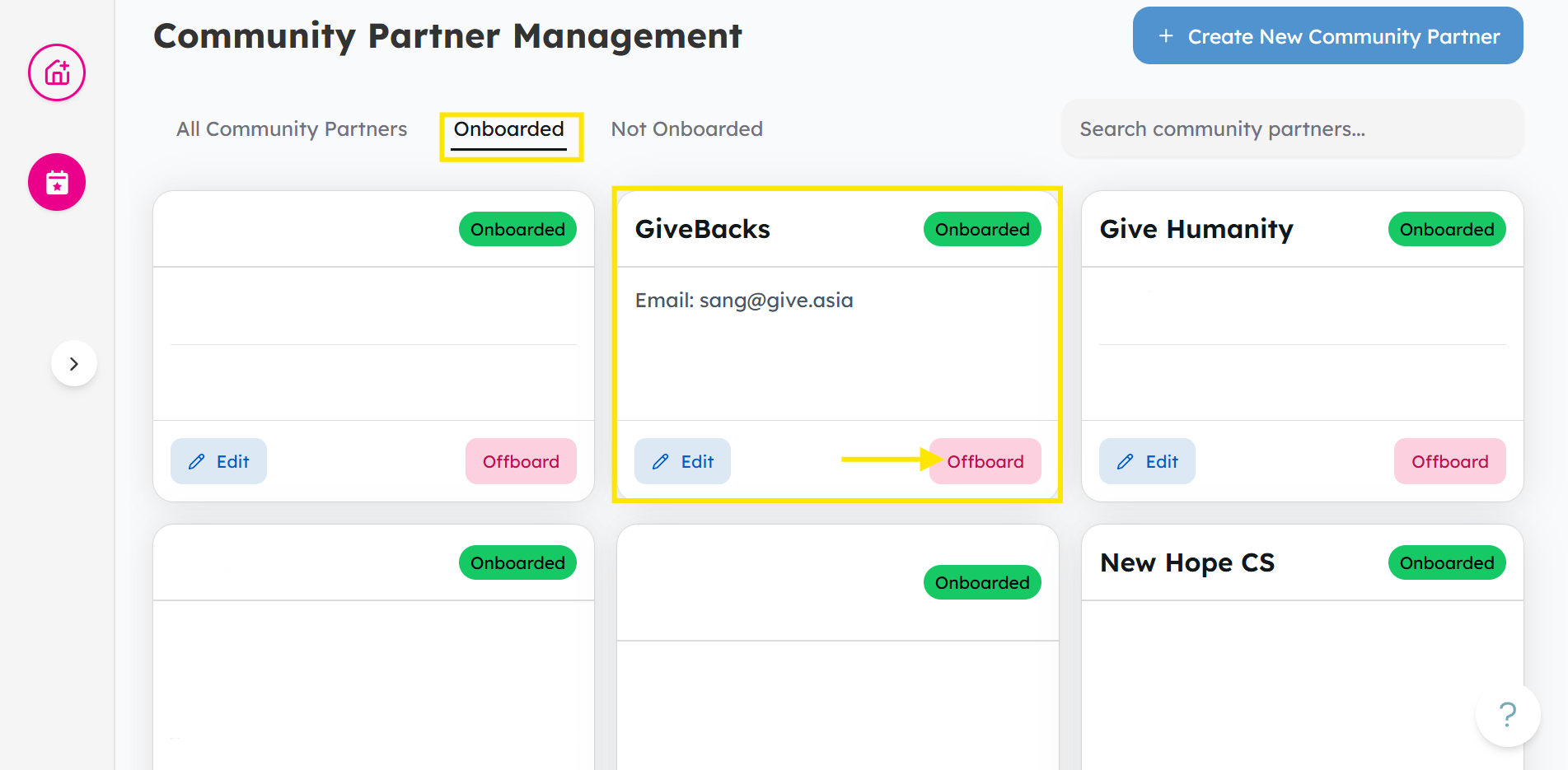
From the Community Partners tab, head to Onboarded, and find the CP and click Offboard.
-
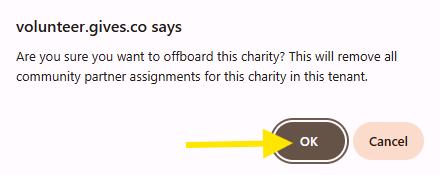
Once a pop-up appears, click OK to confirm.
Ready to add a community partner? Log in and add a charity partner now
Interested about the next step? Check out this article about inviting charity partner staff.
If you encounter any issues or have questions, don't hesitate to reach out to us at: [email protected].
Your feedback matters, so feel free to drop us a line anytime!