.png)
Tracking & Verifying Volunteer Hours
On the Give.Asia Volunteering platform, you can track, verify, and edit hours directly within your activity dashboard. Since volunteers may also log their own hours—either by checking in or by uploading a photo and inputting hours—having this verification step helps to ensure accuracy and prevent misuse of the system. This way, the data remains transparent, reliable, and meaningful for everyone involved.
Why This Matters for Volunteers:
When you verify volunteer hours, you are not just completing admin tasks — you're helping volunteers feel recognised and motivated.
- Verified hours contribute to reward points and medals, celebrating their dedication.
- Hours count toward Certificates of Participation, which volunteers can showcase for school, work, or personal milestones.
- Accurate records build trust and motivation, creating a positive volunteering experience.
Steps to take
-
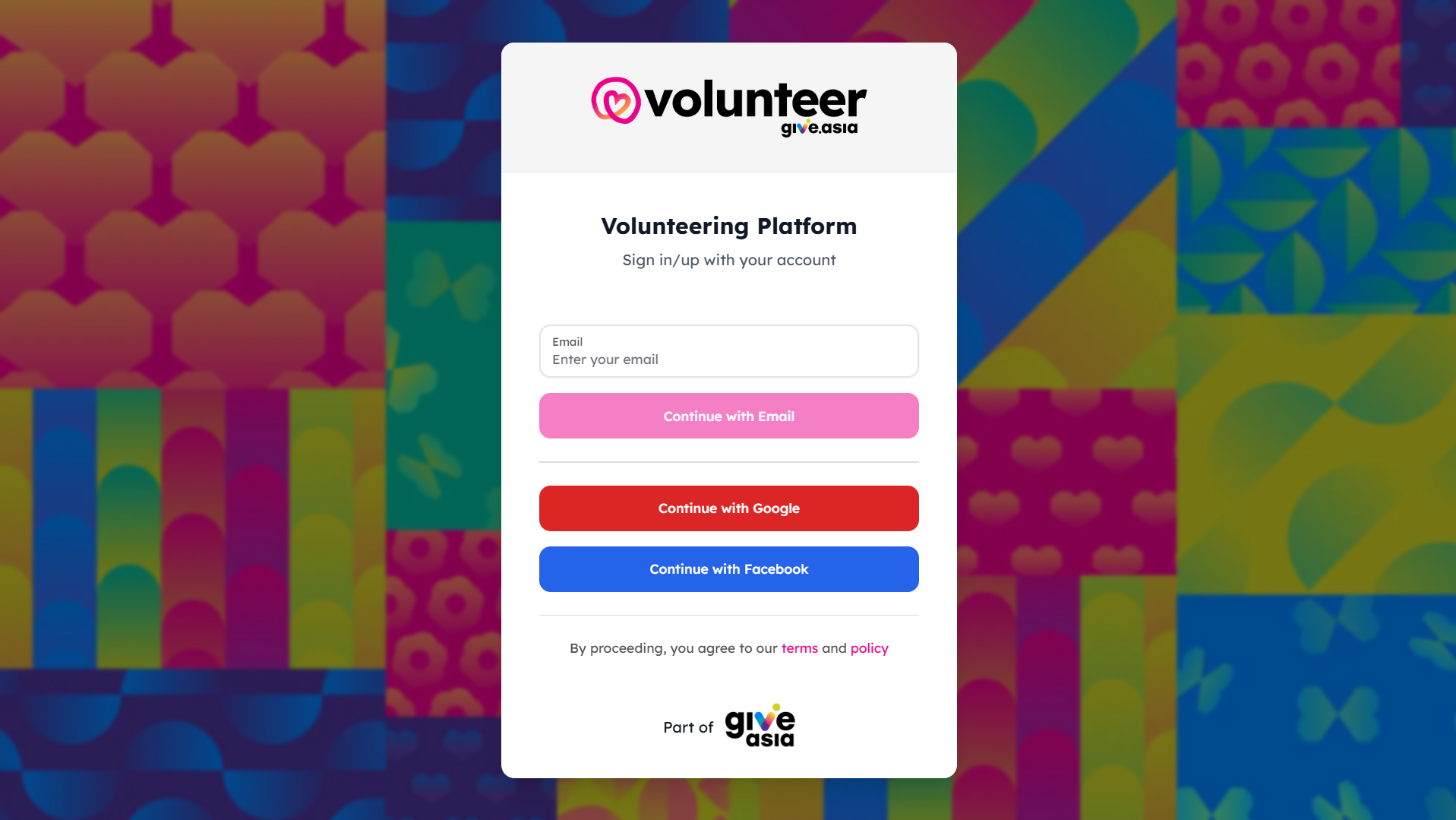
Log in to your dashboard
-
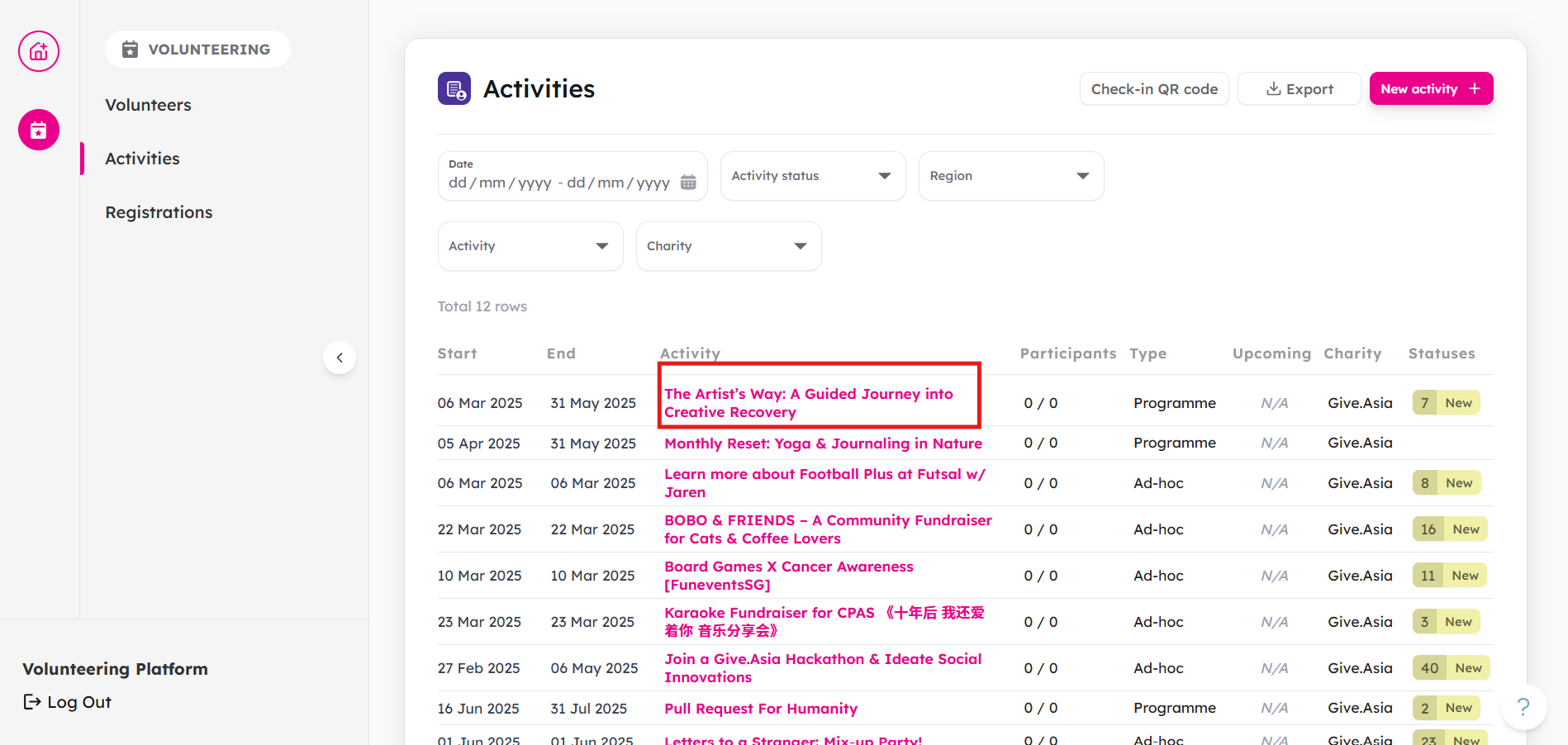
From your Activities tab, select the activity you want to manage.
-
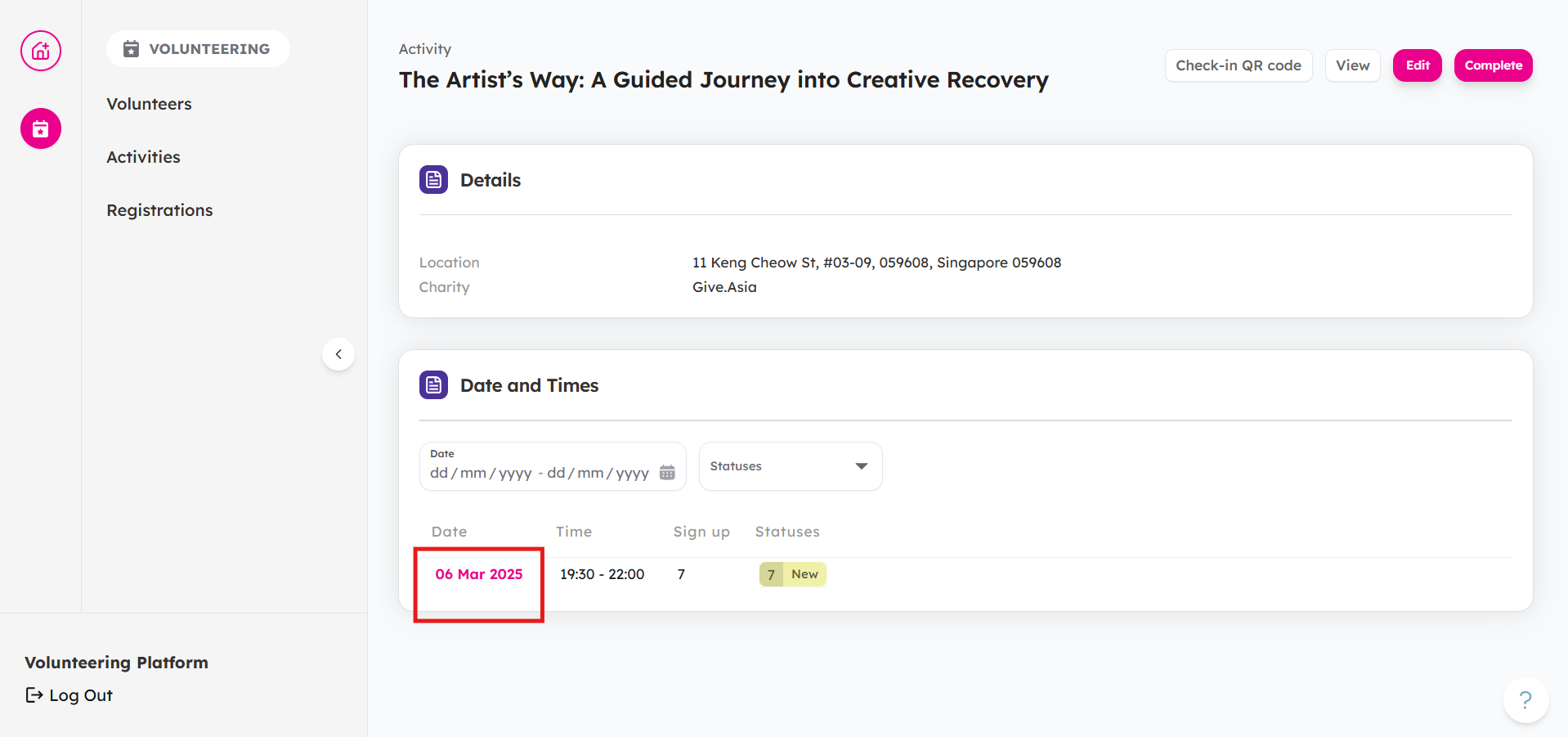
Select the date that you want to manage
-
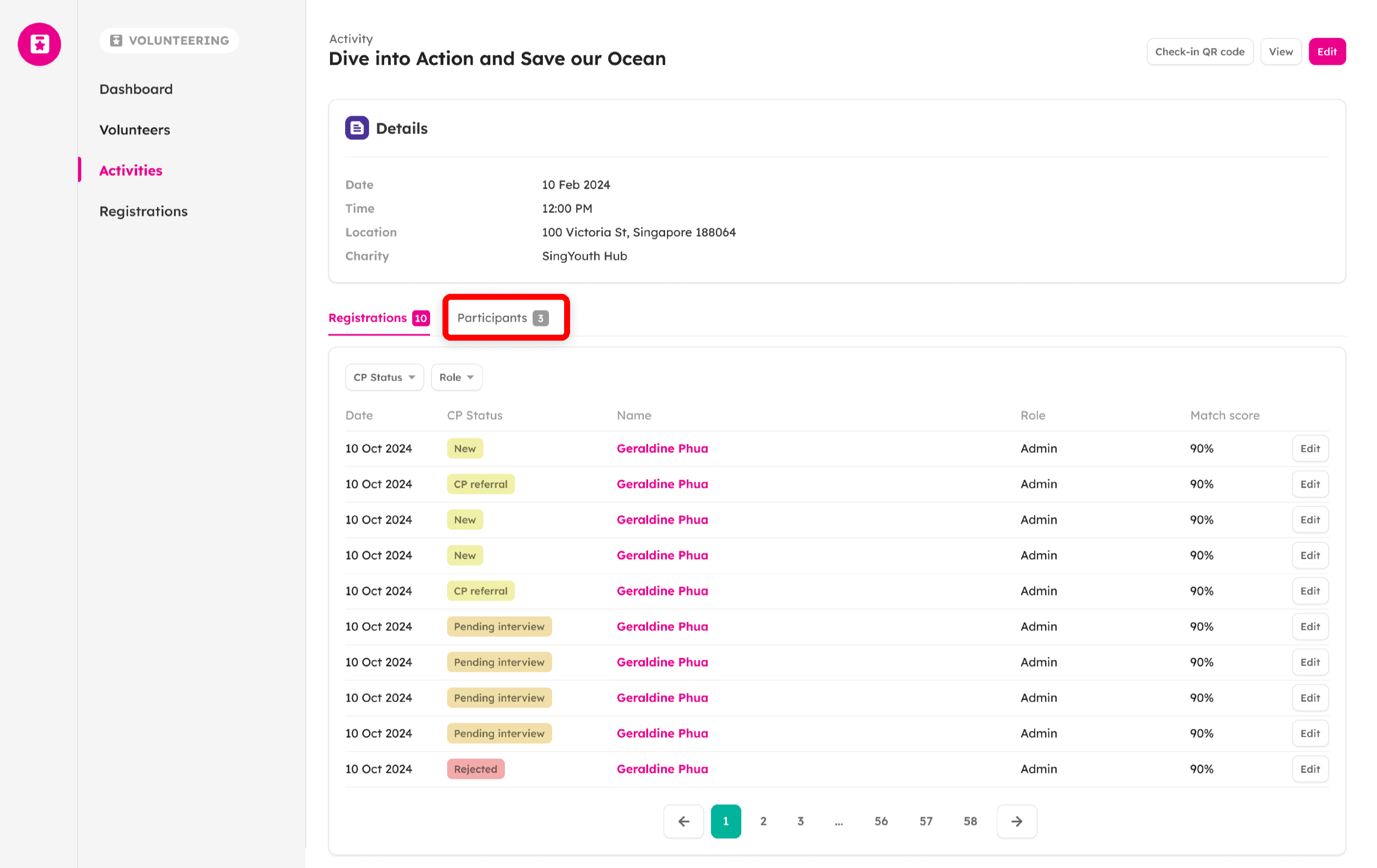
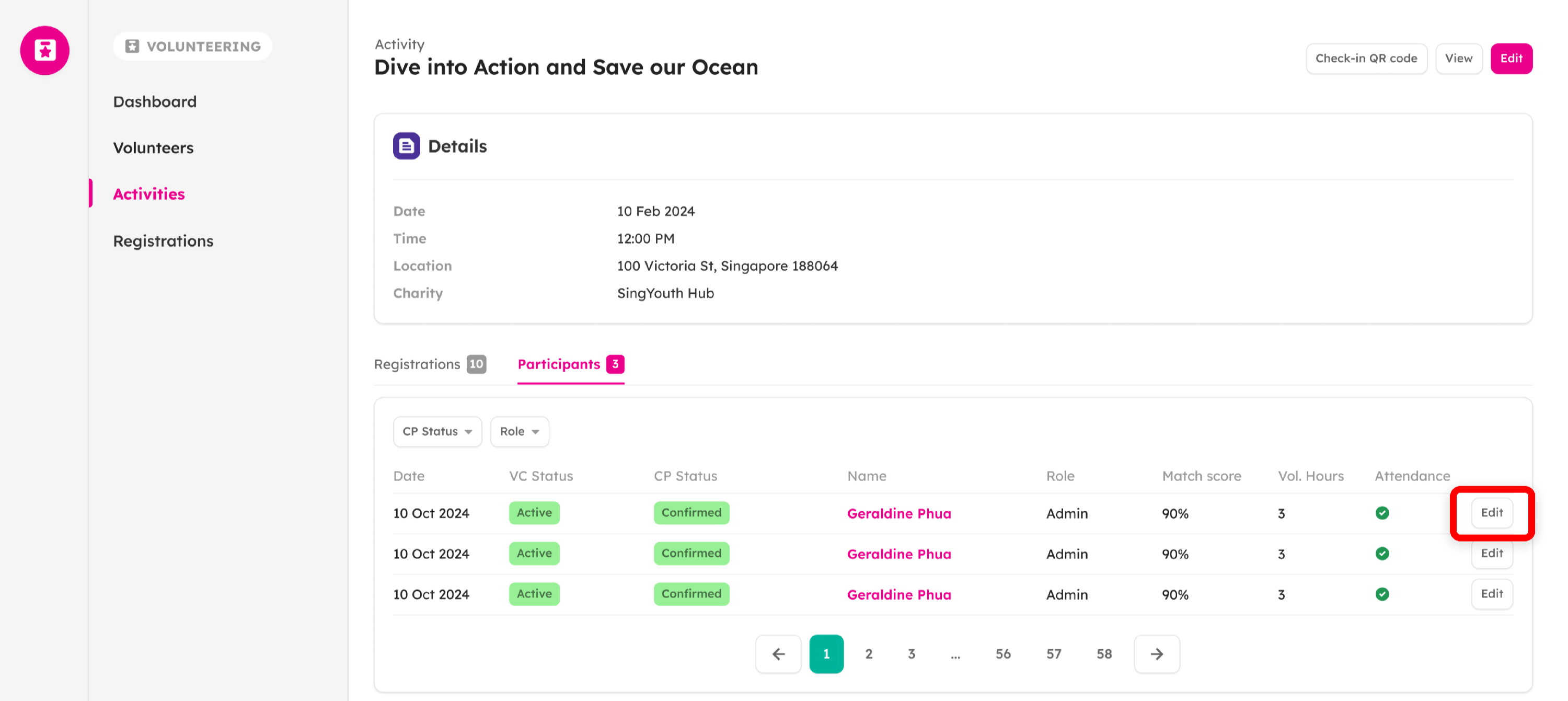
Tap on Participants
-
Tap on Edit for the volunteer whose hours you want to update
-
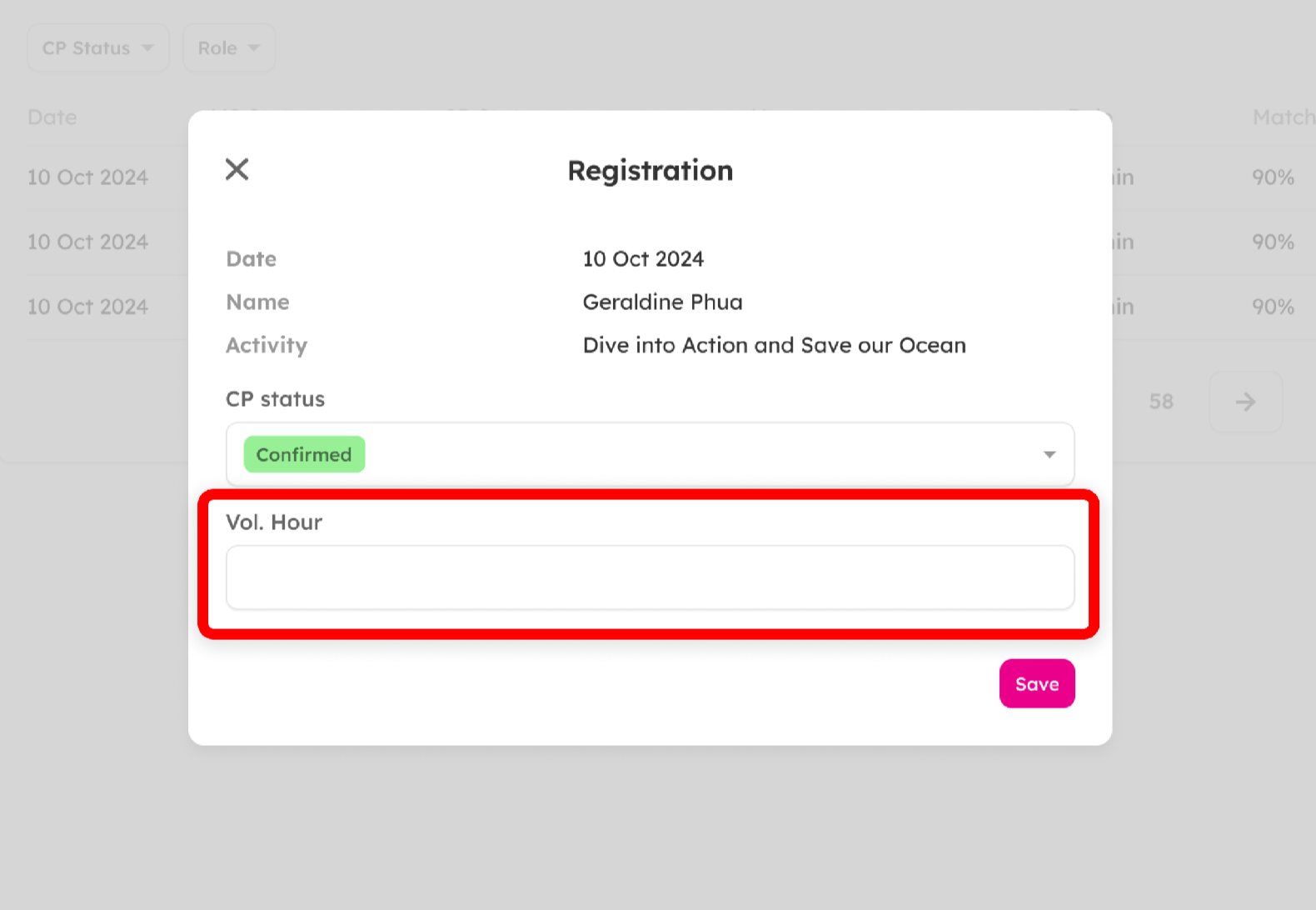
Enter volunteer hours
-
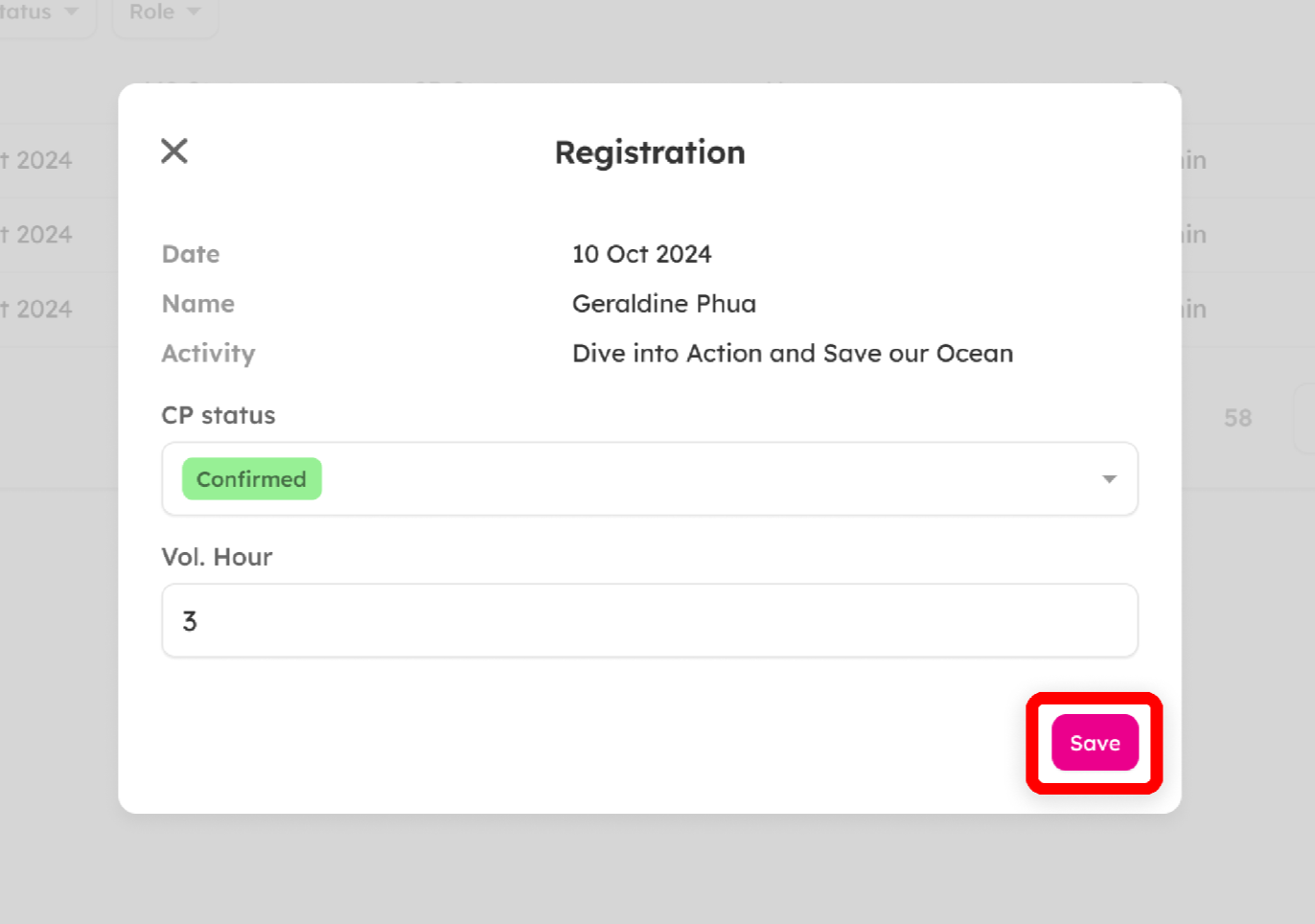
Tap Save
-
You're done!
On the volunteer's profile, the number of volunteer hours will be updated.
If you encounter any issues or have questions, don't hesitate to reach out to us at: [email protected].
Your feedback matters, so feel free to drop us a line anytime!