.png)
4 Methods to Track Volunteer Attendance
Ensuring accurate records of volunteer participation is vital—not just for accountability, but for recognising the contributions your volunteers make and for reporting purposes. Whether you’re tracking hours for grant compliance, creating impact reports, or simply celebrating dedication, recording attendance helps you maintain clarity, transparency, and trust.
IN THIS ARTICLE - 4 WAYS TO TAKE ATTENDANCE:
Using the Charity QR Code for Activity Check-In
-
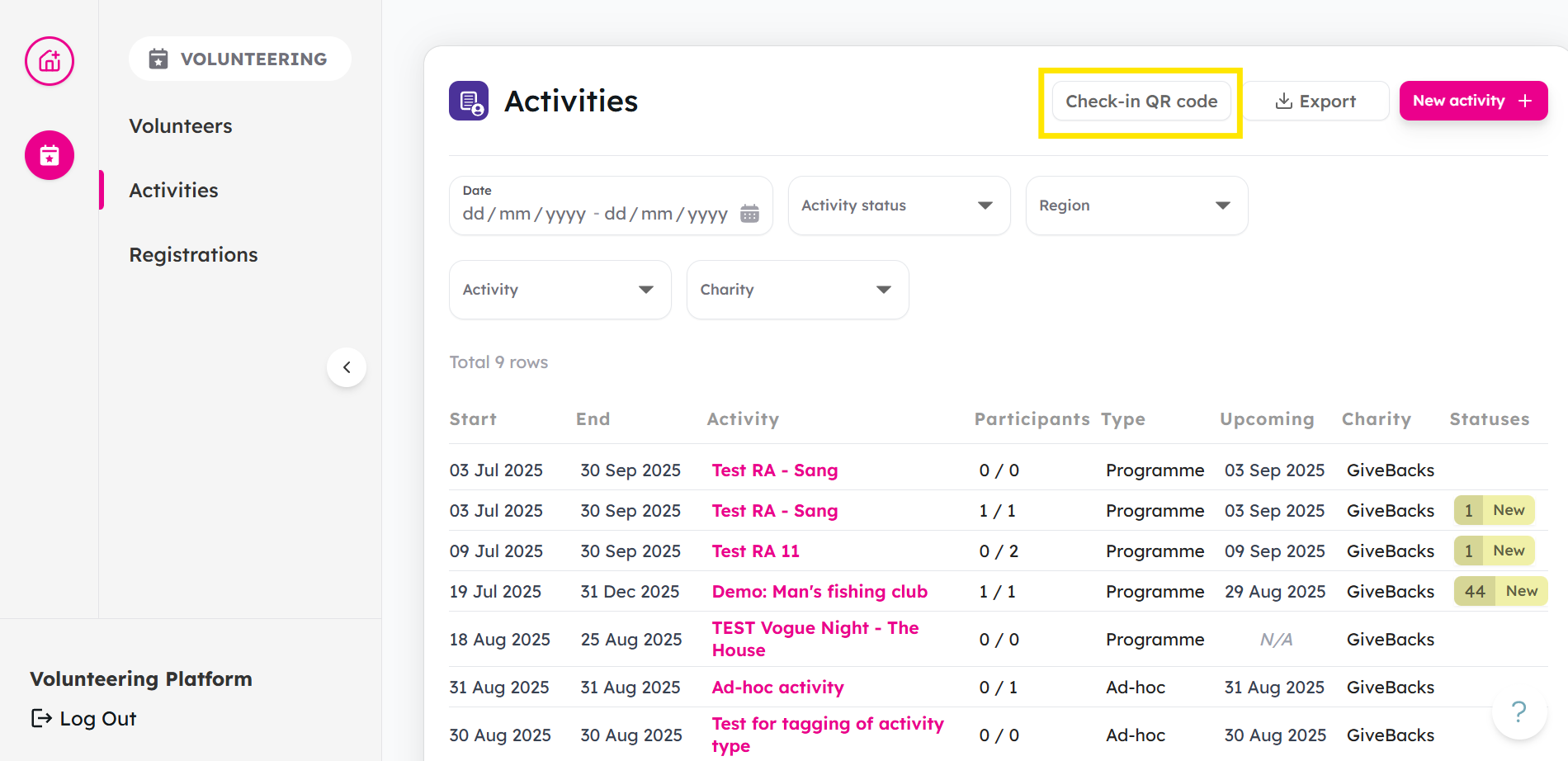
From your Activities tab, click on Check-in QR code
-
Click Download or Print.
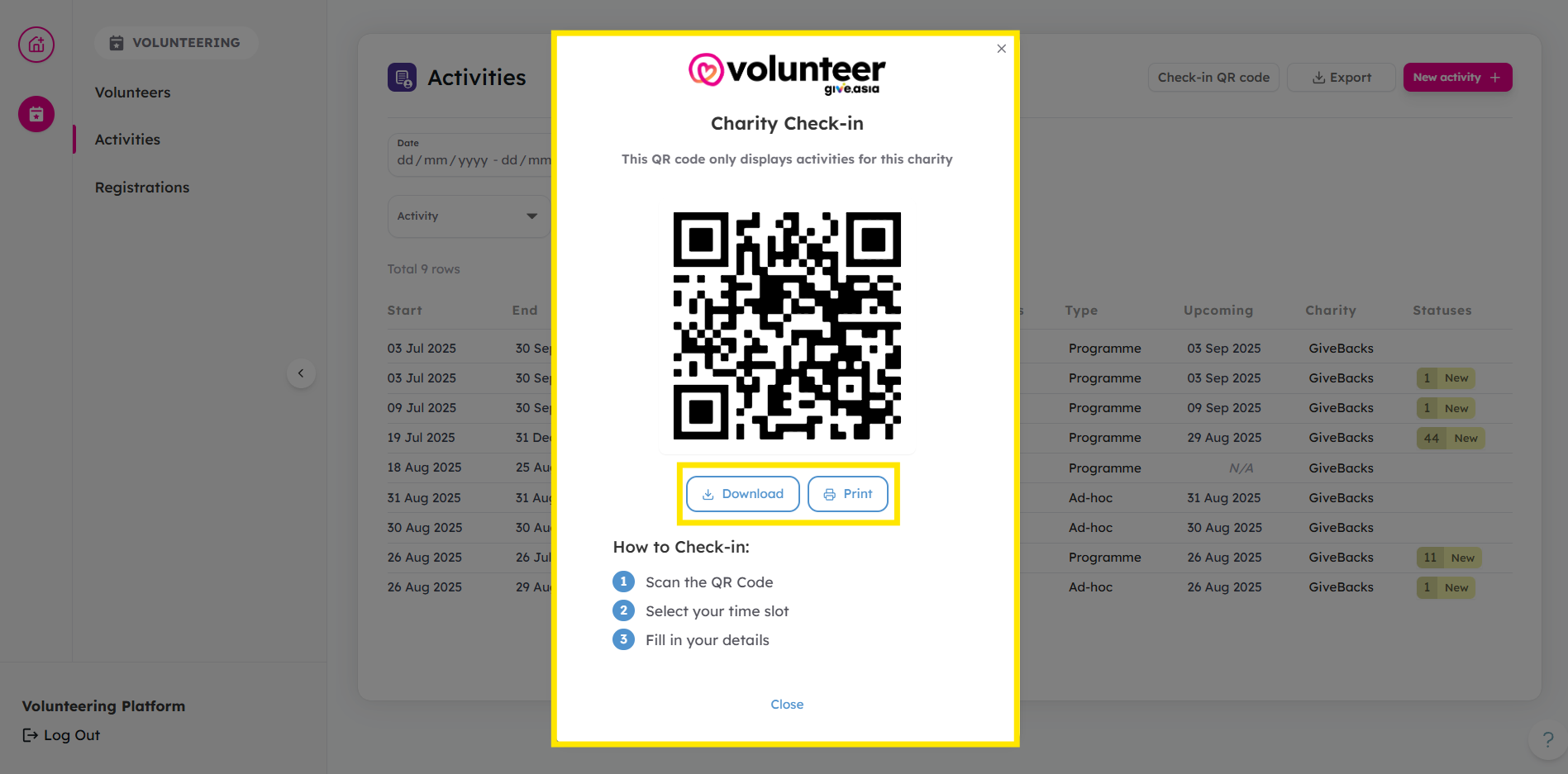
- You may place your printed QR code in a convenient place, or send the downloaded QR code to your volunteers.
For Volunteers:
- Scan the QR code
-
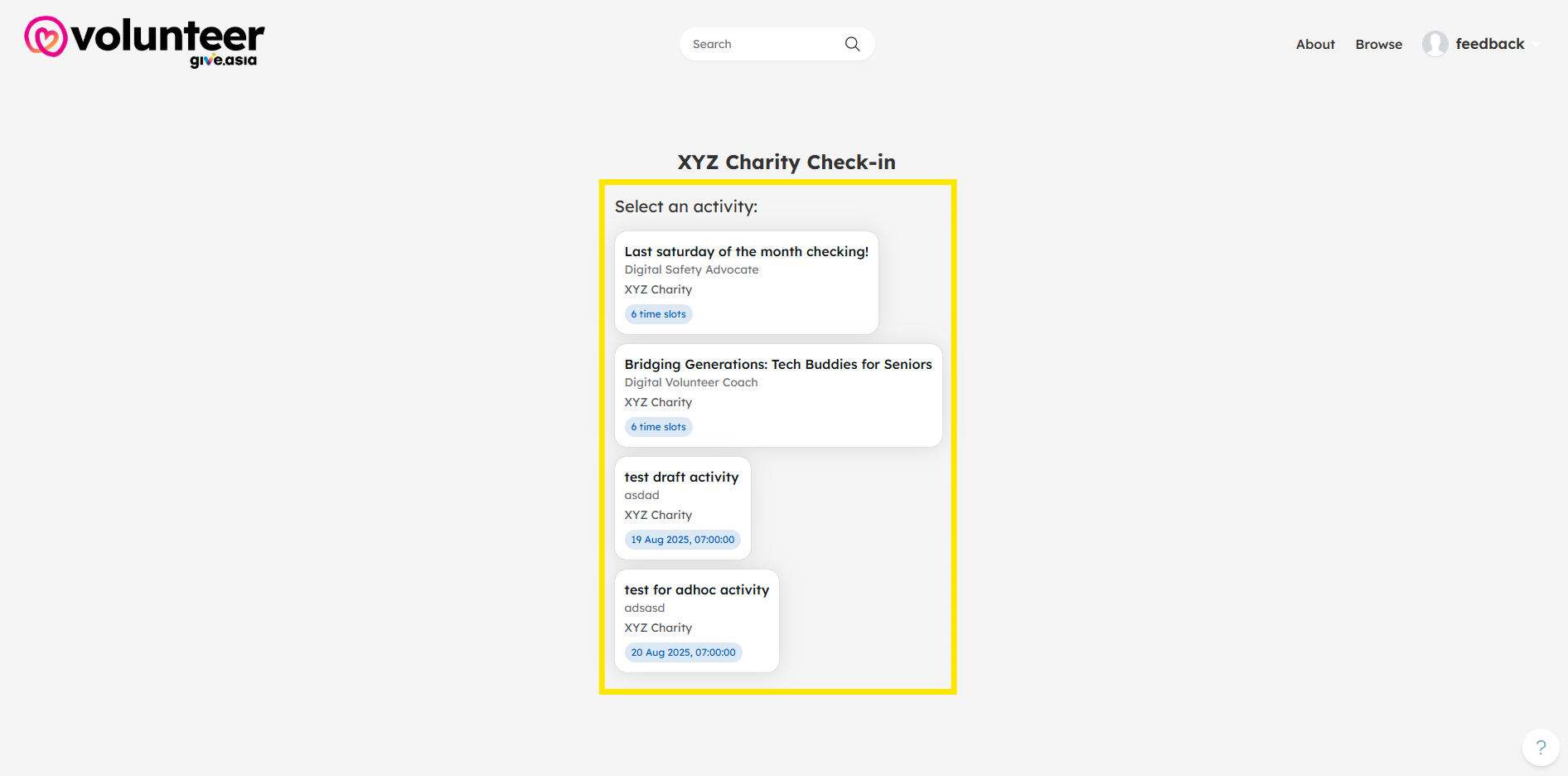
Select which Activity to attend.
-
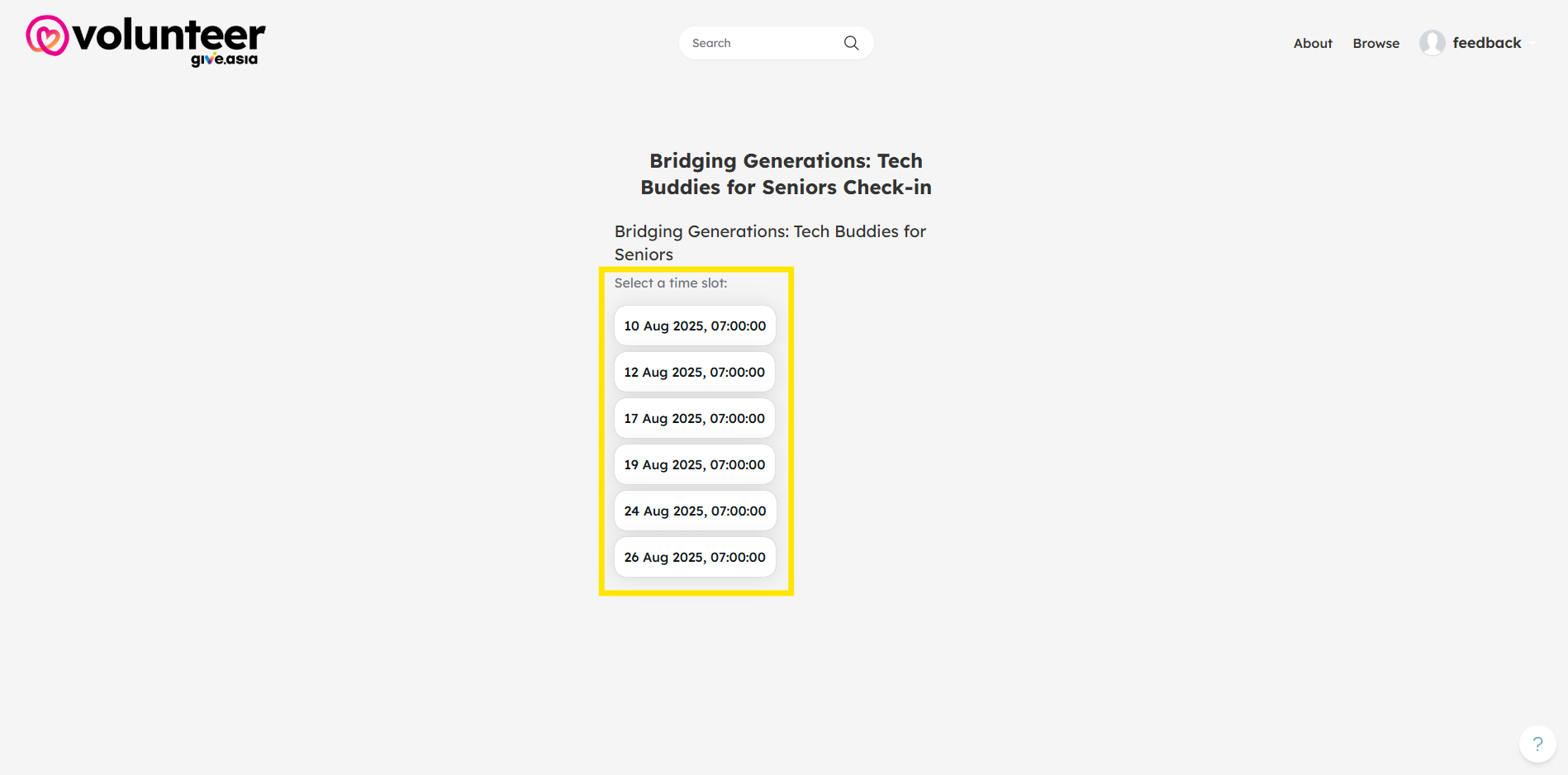
Select the time slot.
-
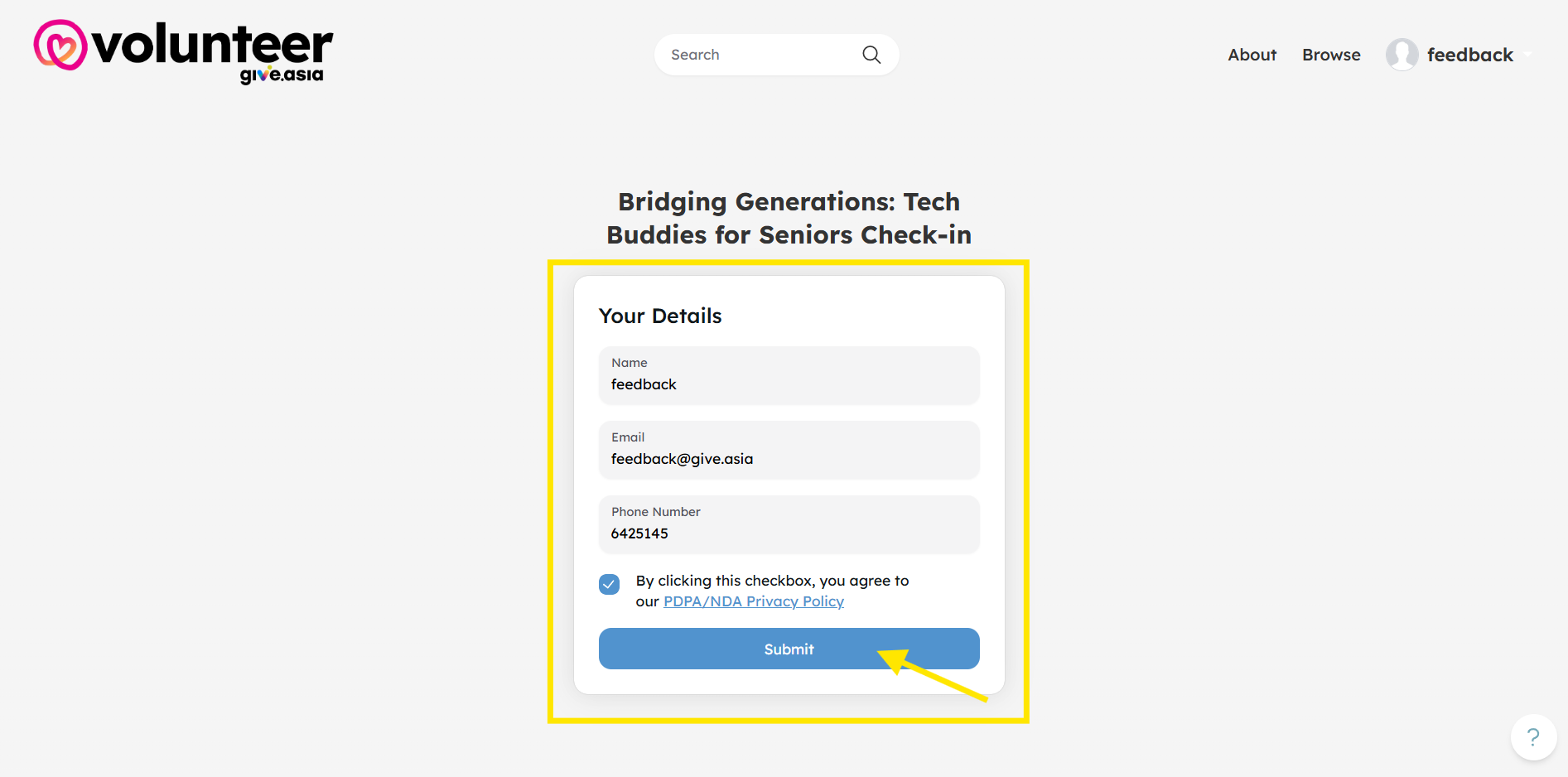
Fill in details and click Submit.
Manual Checking of Attendance
-
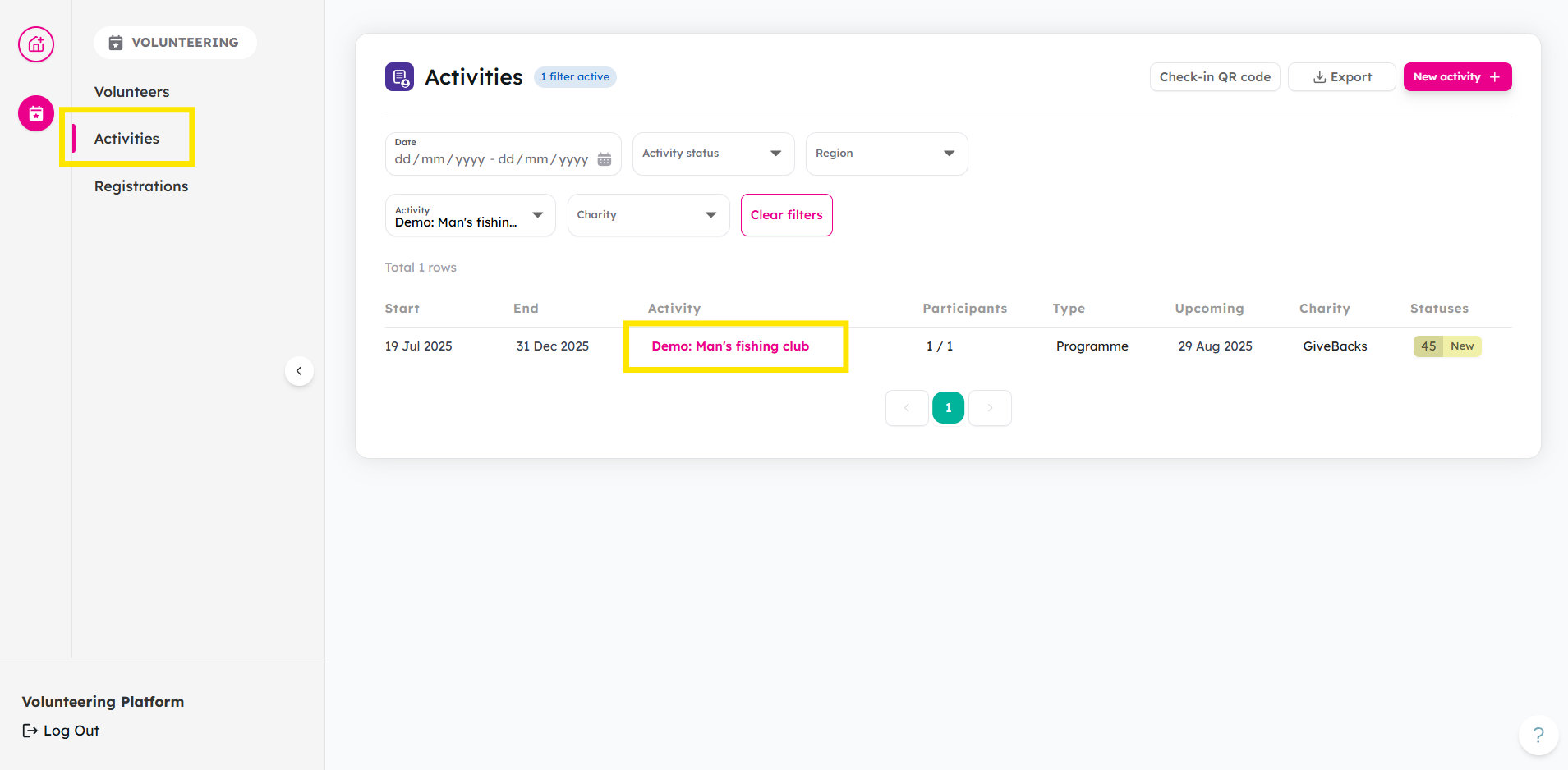
From Activities tab, use the filter to customize your search. Click on your activity.
-
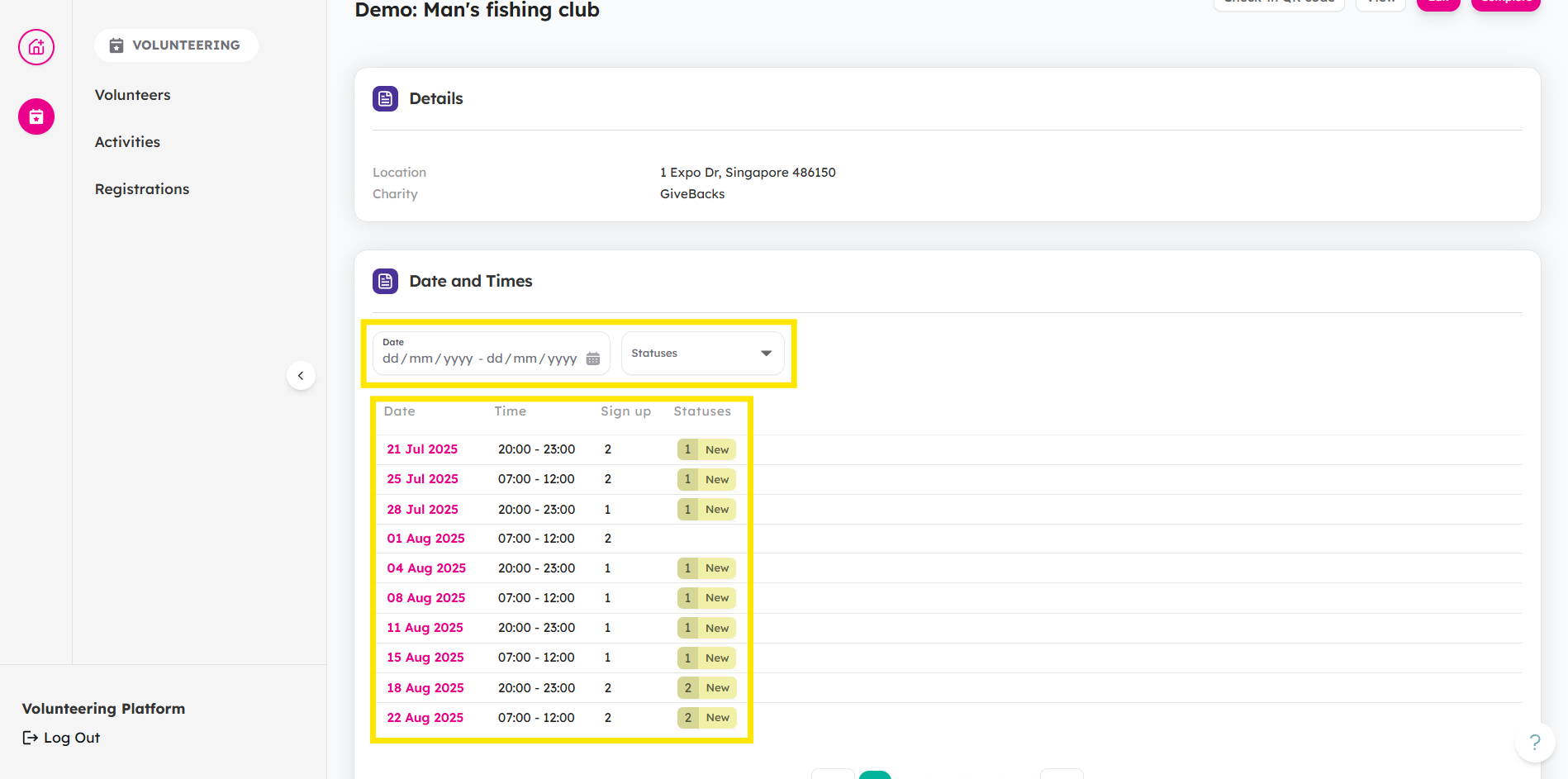
Select which session you want to check.
-
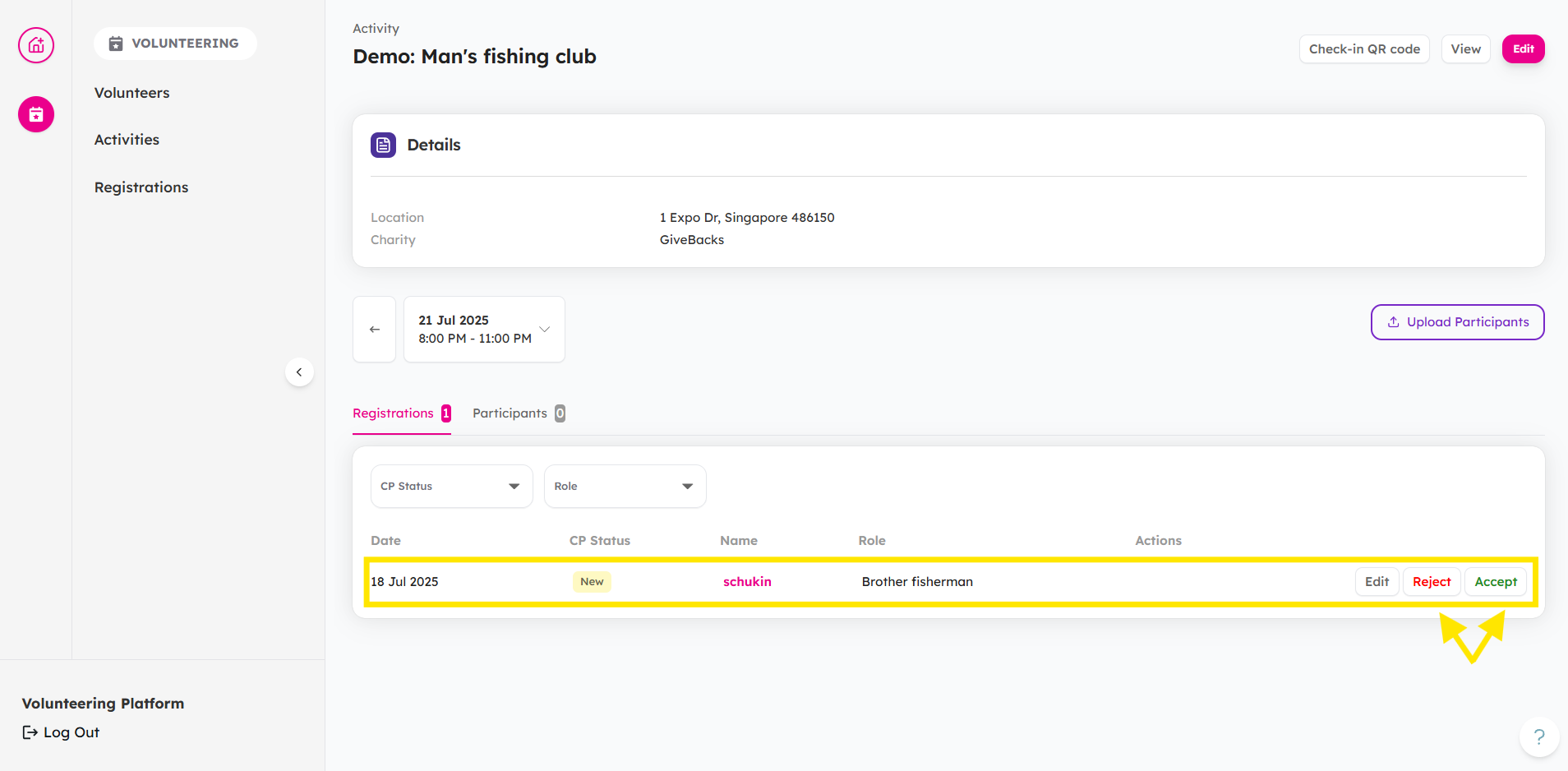
From the Registrations tab, you can choose to Accept or Reject them.
-
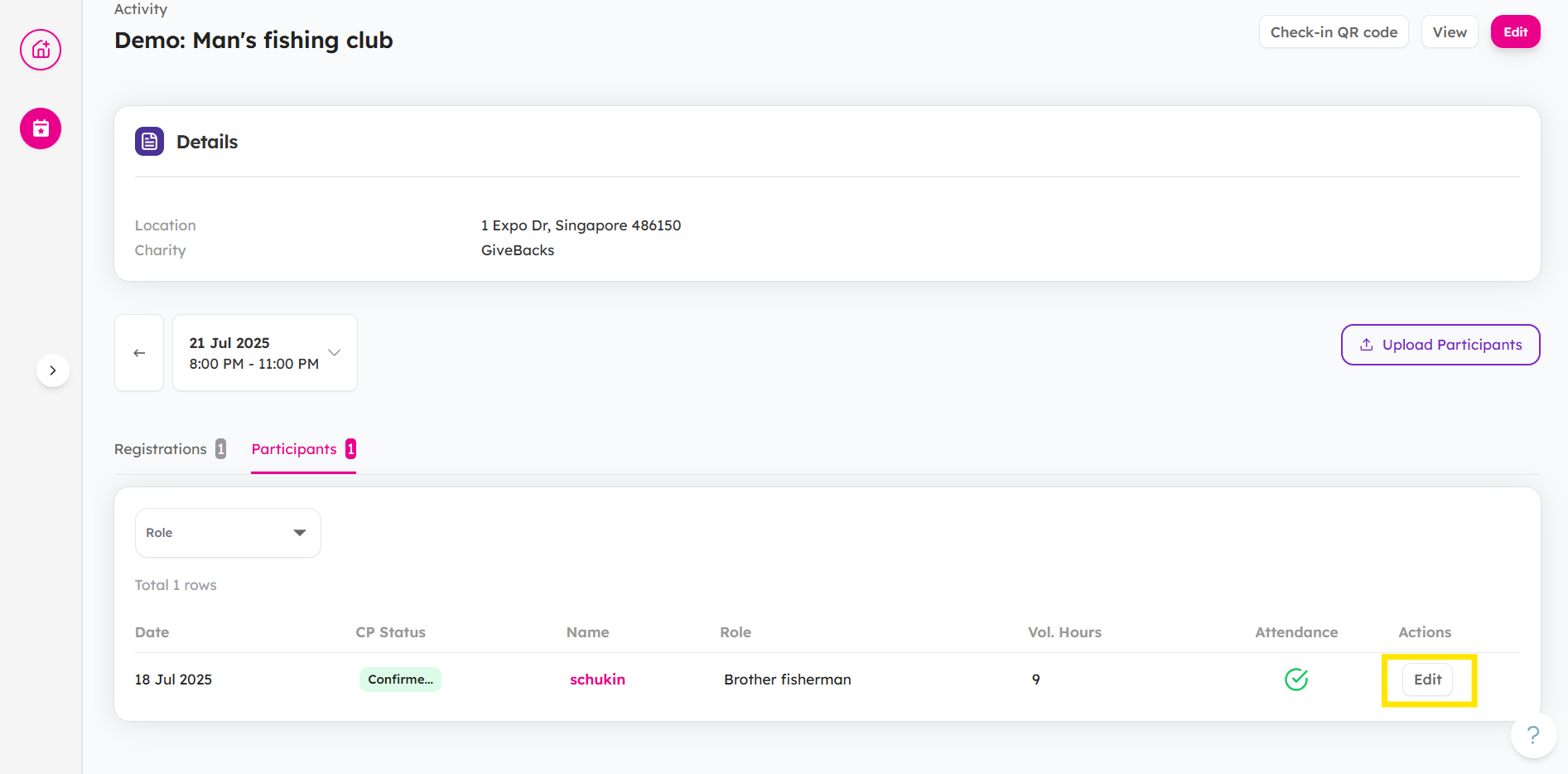
Once accepted, head to Participants tab and click Edit.
-
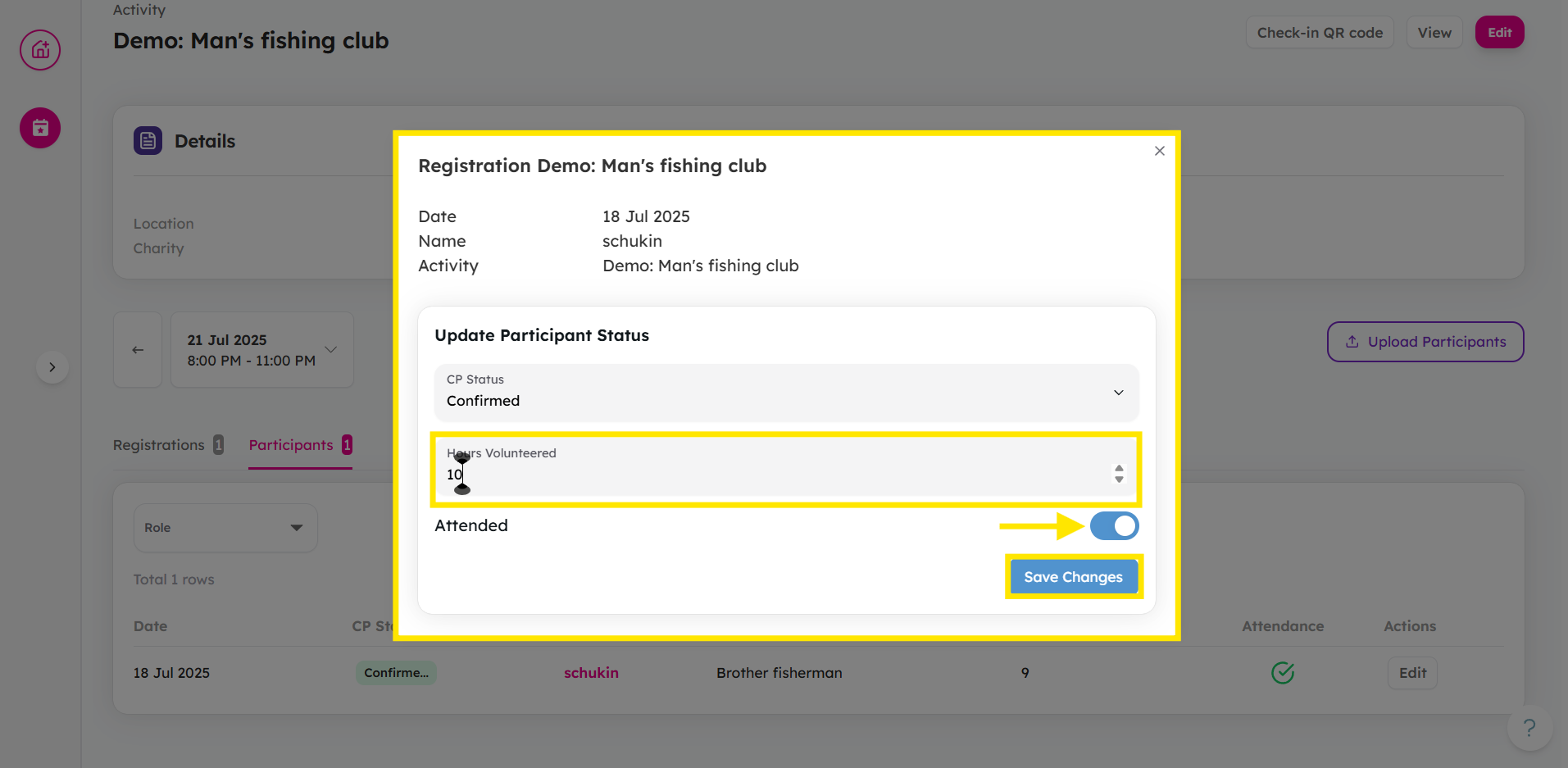
Toggle the Attended button to input Hours Volunteered. Once done, click Save Changes.
Mass Upload of Participant List
When hosting a corporate or school volunteering activity, you may have dozens—or even hundreds—of volunteers to manage at once. Instead of manually checking in each participant, the organiser can upload a pre-prepared list of volunteers from the company or school. This allows the attendance to be recorded quickly and accurately, saving time and reducing errors, while ensuring every participant’s contribution is properly tracked.
-
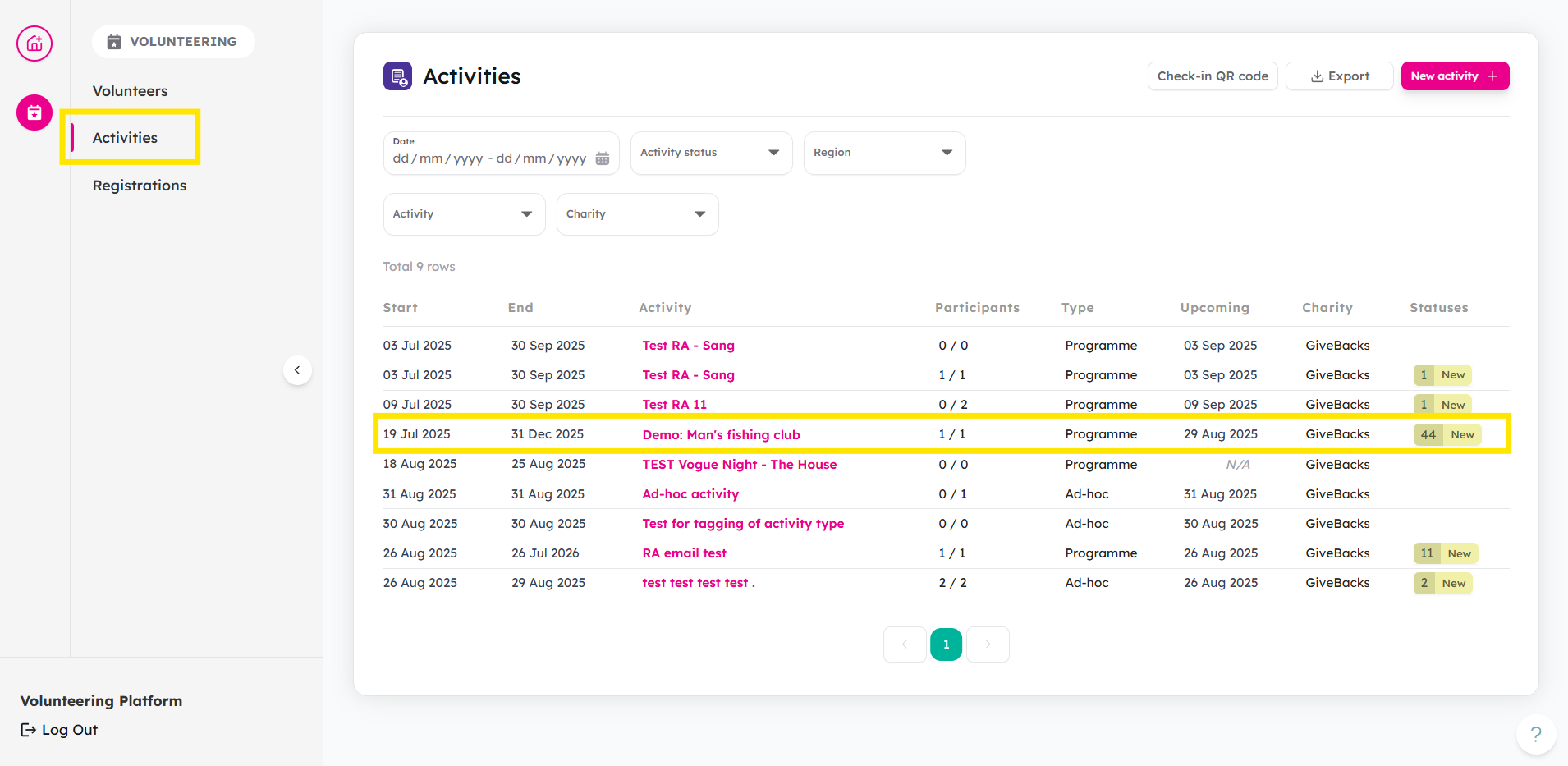
From you Activities tab, click on your activity.
-
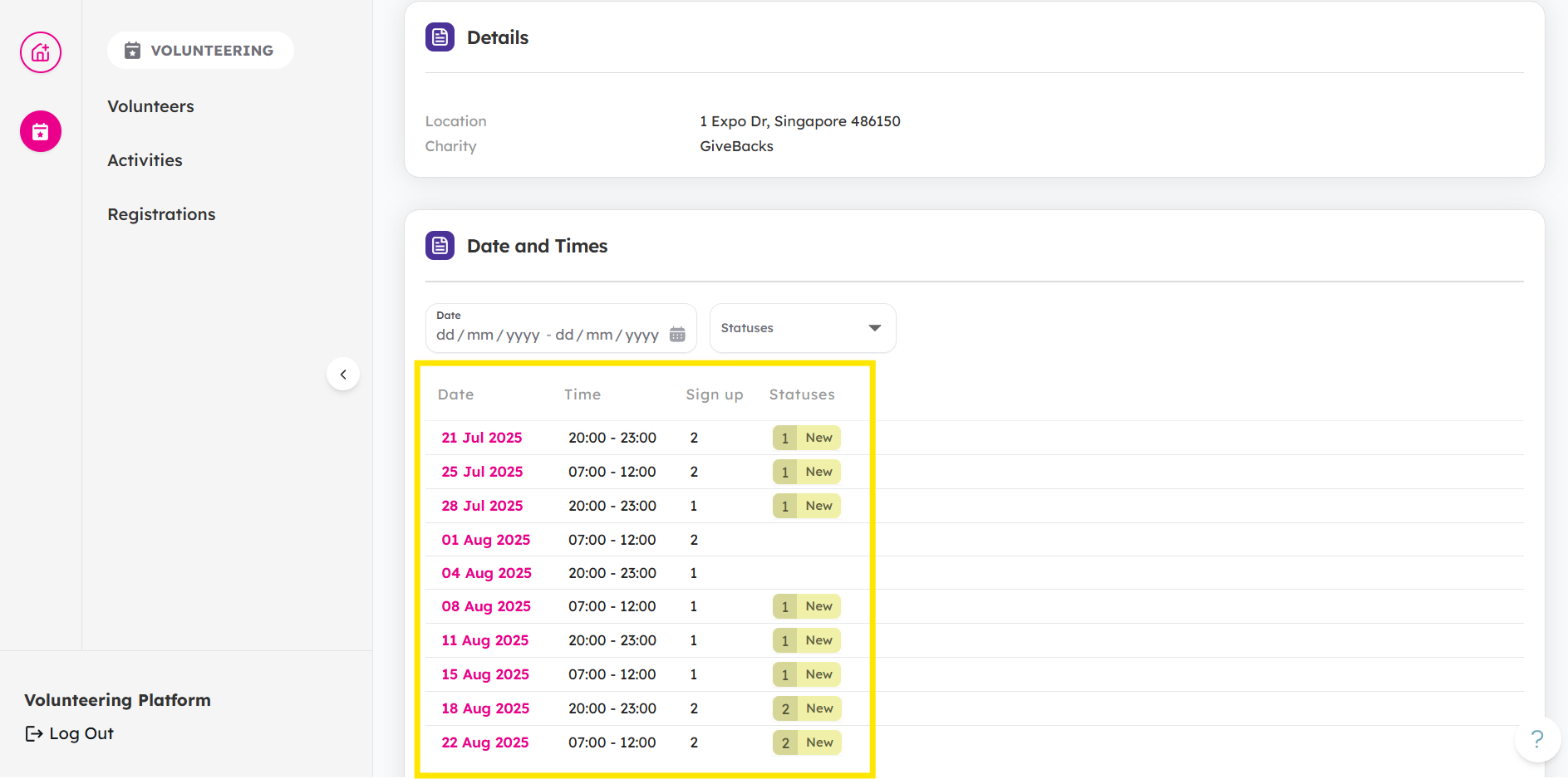
Choose a schedule.
-
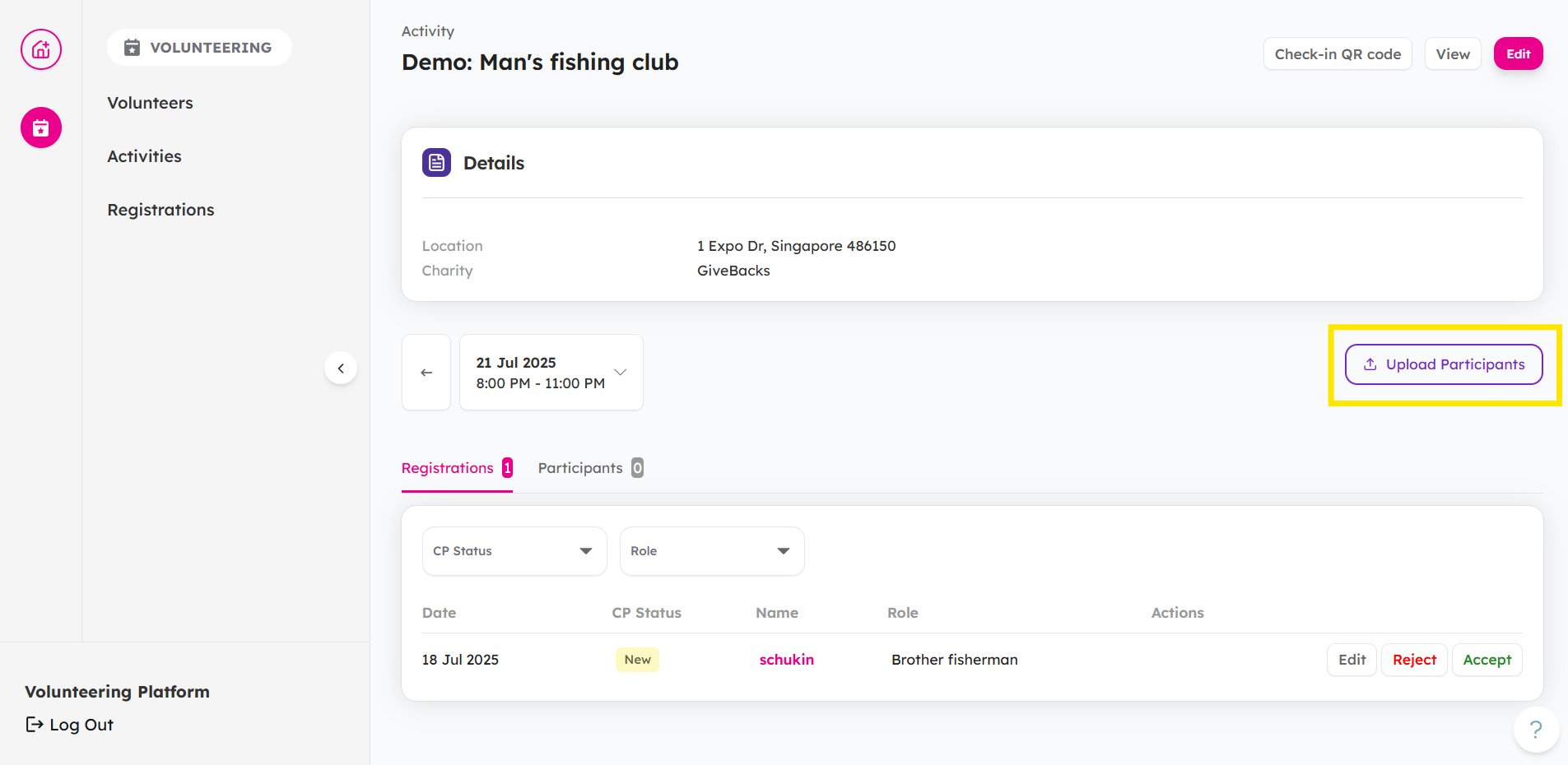
Click on Upload Participants to mass upload.
-
Upload an Excel File based on the File Requirements
You may also download the template for easy reference.
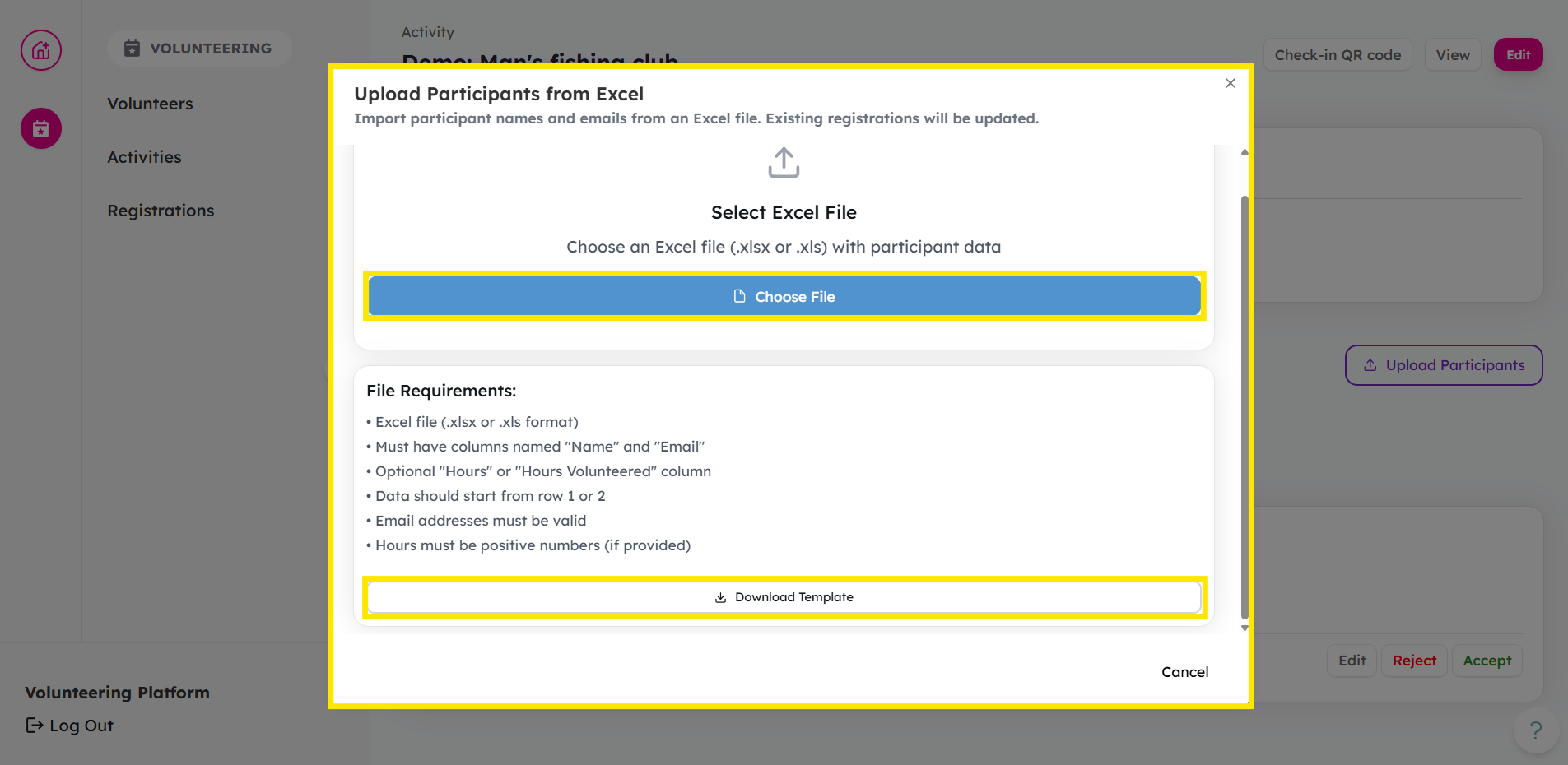
Note: The uploader takes the following details: Volunteer name, Volunteer Email (used to identify the volunteer), and Volunteer hours. For any new volunteers, volunteer.give.asia will automatically create an account for them and add an entry for the activity they had volunteered.
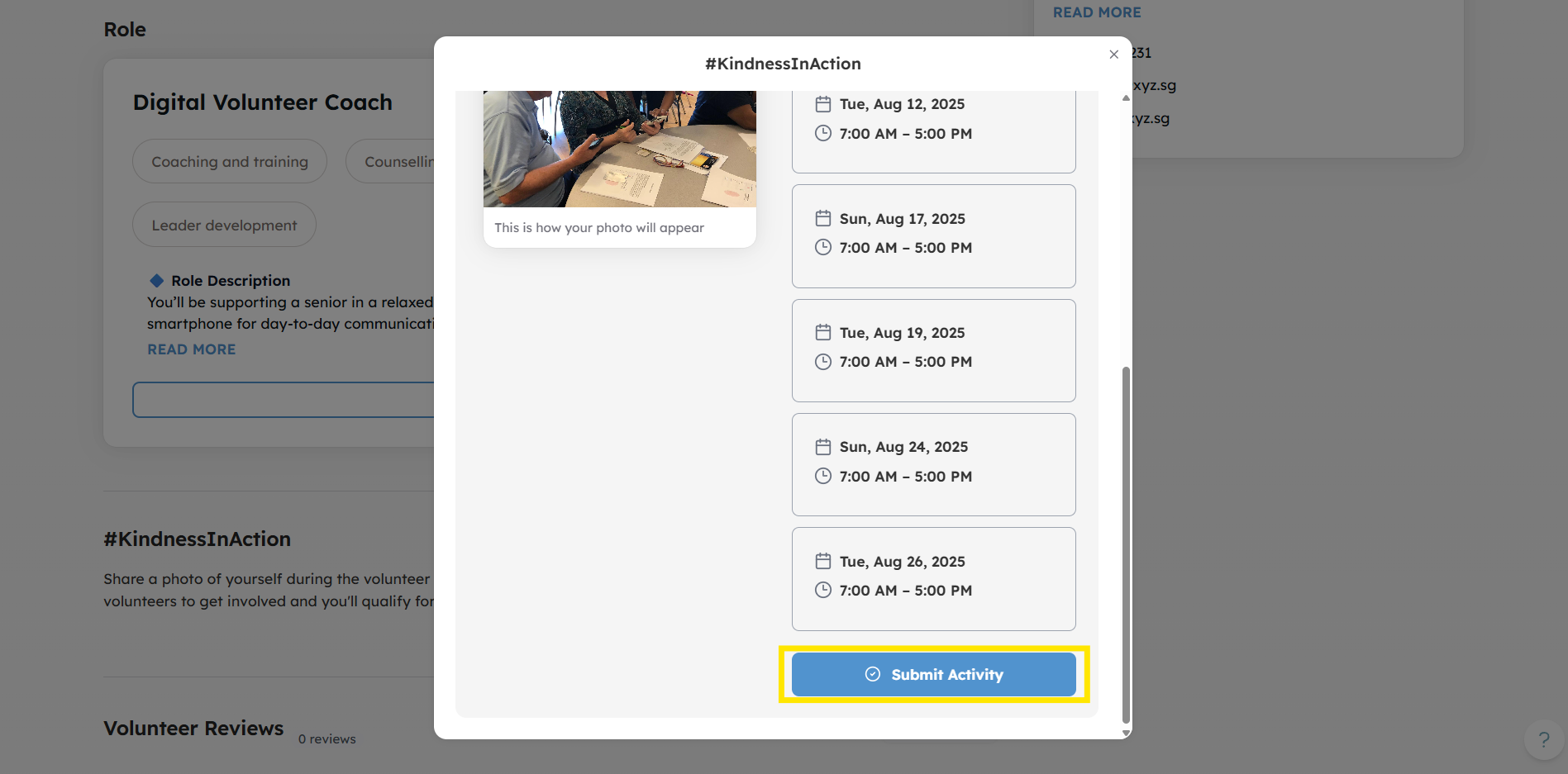
Volunteer Self Check-in using #KindnessInAction
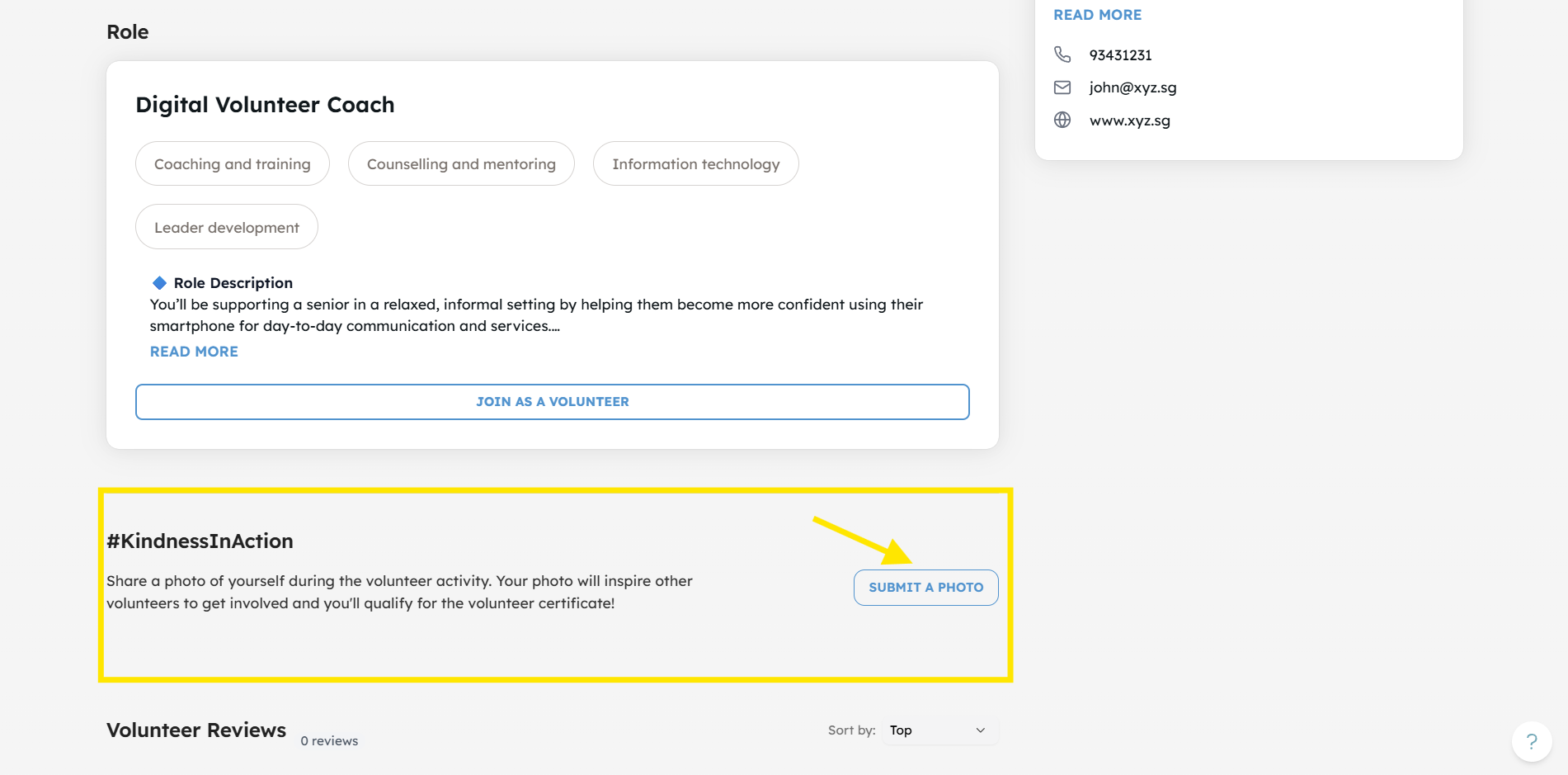
From the activity page, volunteers can self check-in using #KindnessInAction.
-
From the activity page, click Submit A Photo.
-
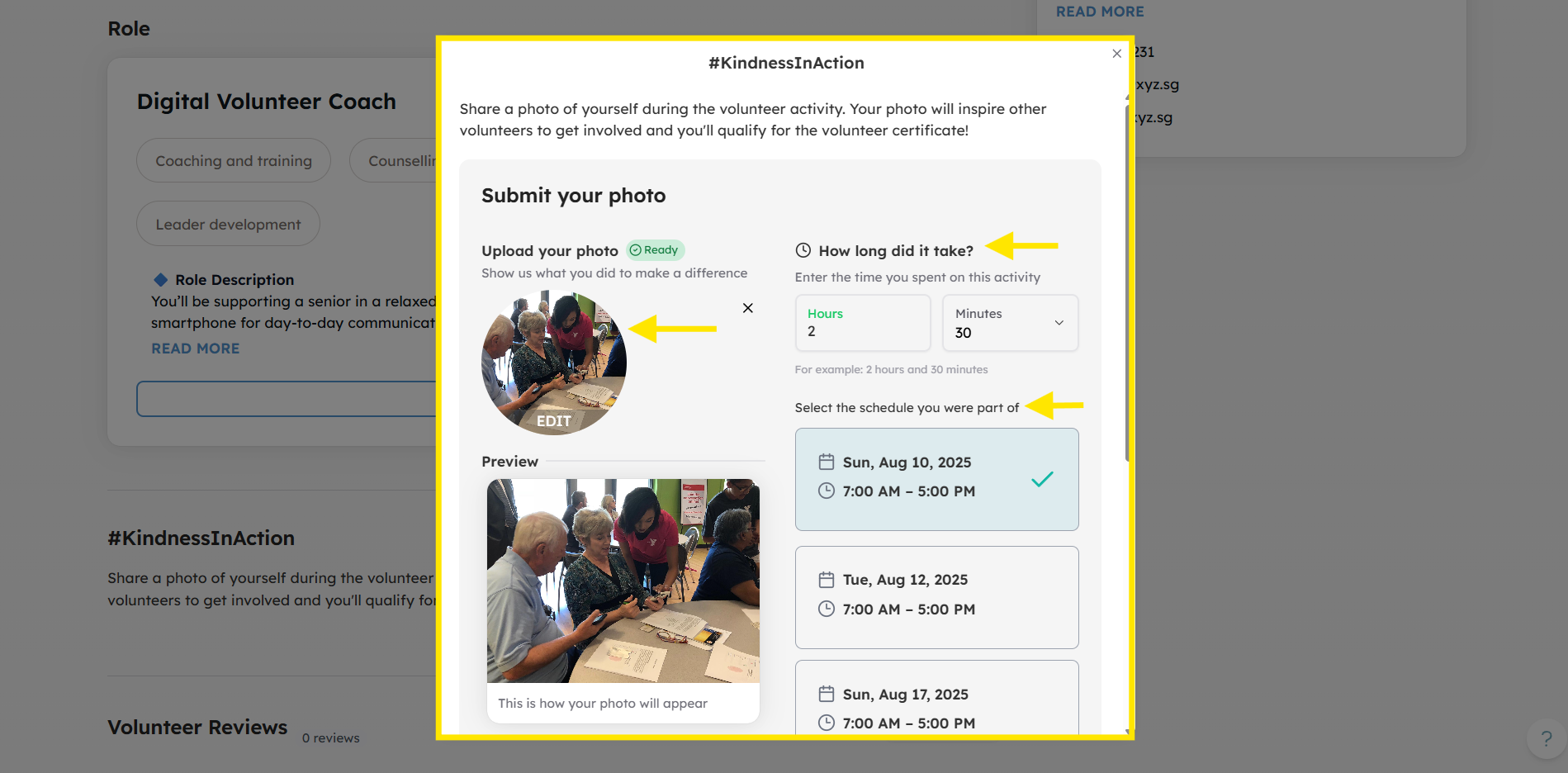
Volunteers can upload a photo from the activity, input the hours they volunteered and specify which schedule they attended.
-
Click Submit Activity to log hours.
If you encounter any issues or have questions, don't hesitate to reach out to us at: [email protected].
Your feedback matters, so feel free to drop us a line anytime!