.png)
How to Export Volunteer Lists from the Dashboard
Exporting volunteer data makes it easier to manage records, do follow-ups, and prepare reports.
This feature is available only to charity or community partner staff and Volunteer Centre administrators.
Exporting helps you quickly compile information for reporting or outreach, while keeping data accurate and up to date. Please remember to use exported data responsibly and only for volunteer-related purposes.
IN THIS ARTICLE
Steps to export volunteers
-
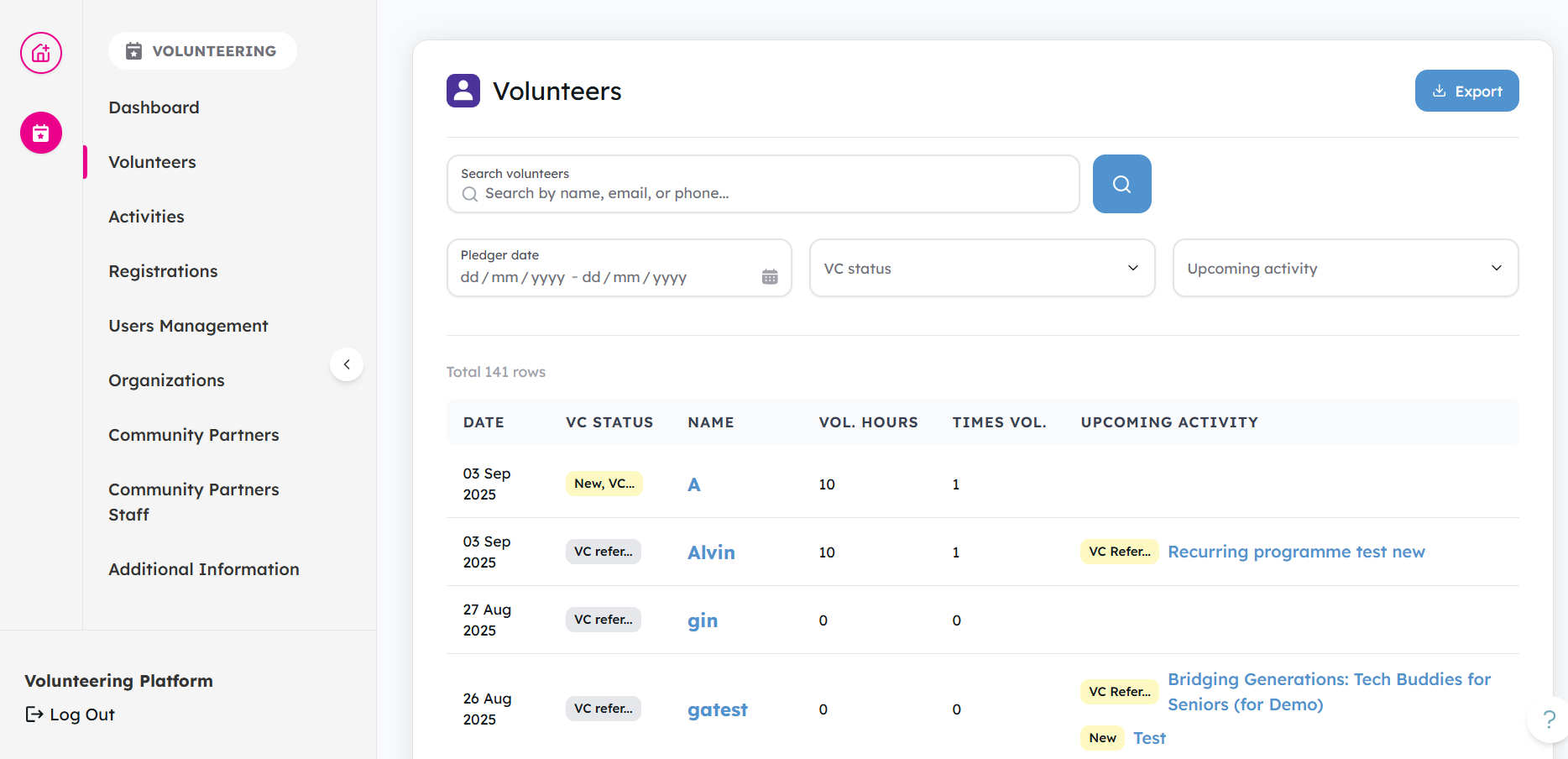
Log in to your dashboard, and go to the Volunteers tab.
-
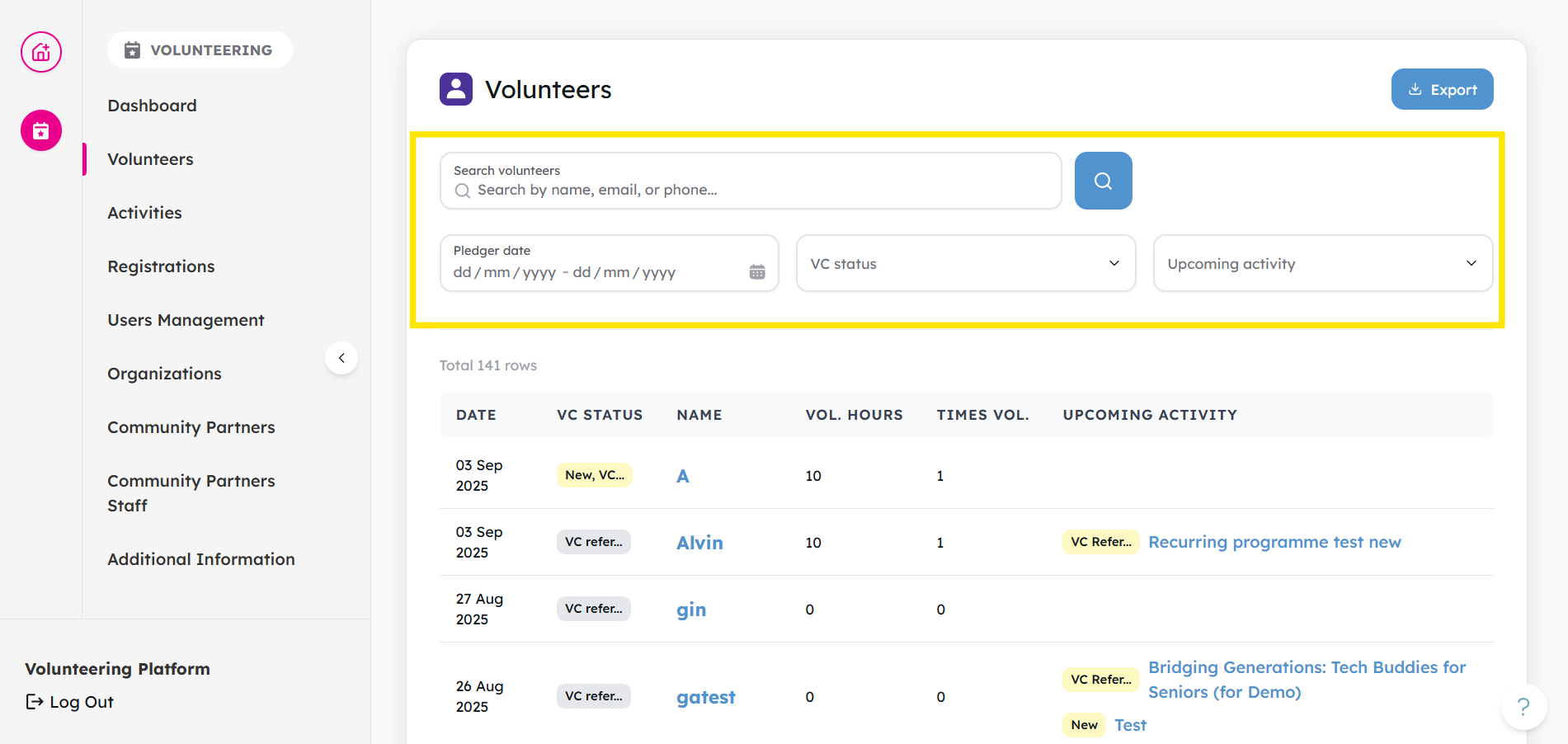
Apply any filters if needed (e.g. date, status, activity).
-
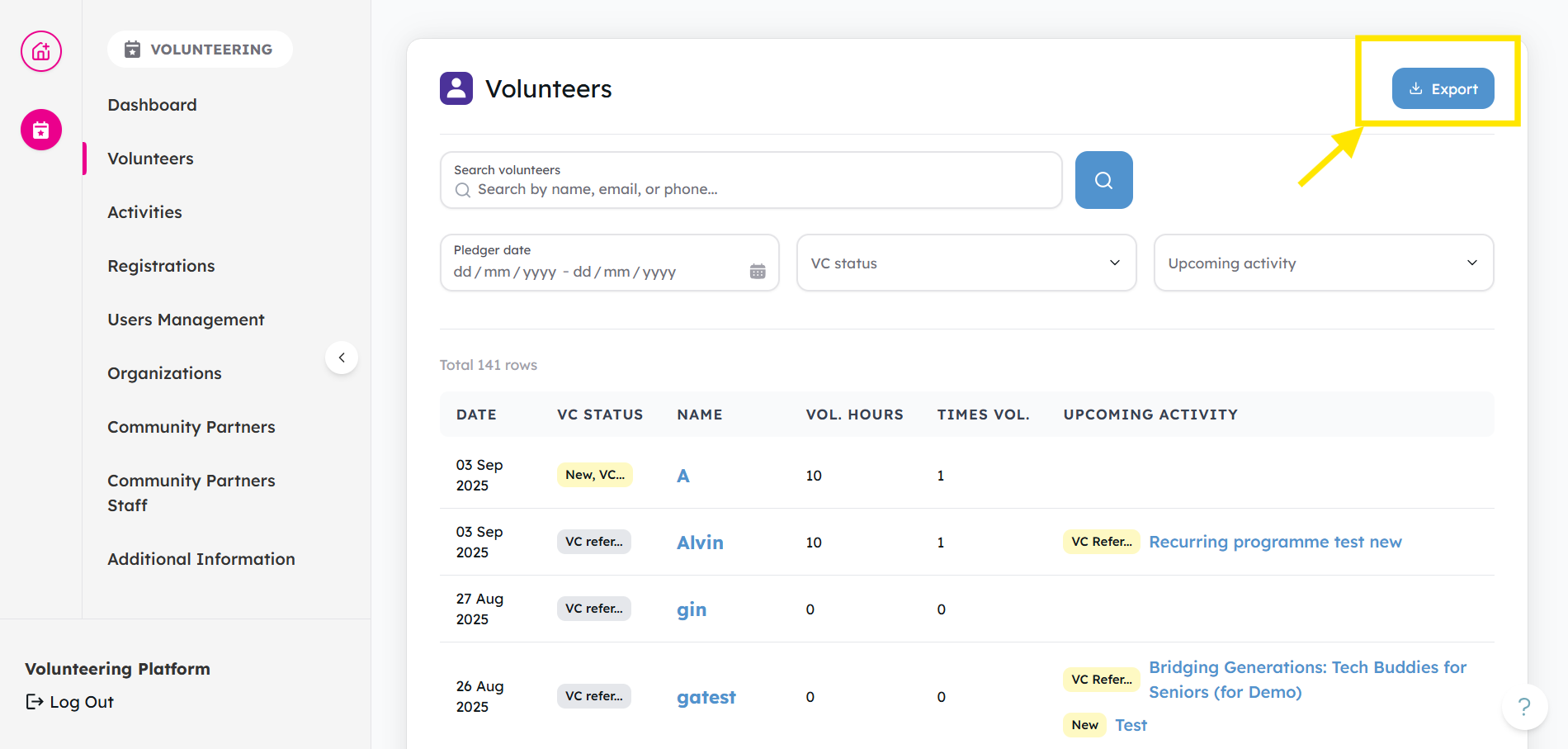
Click Export (.csv).
-
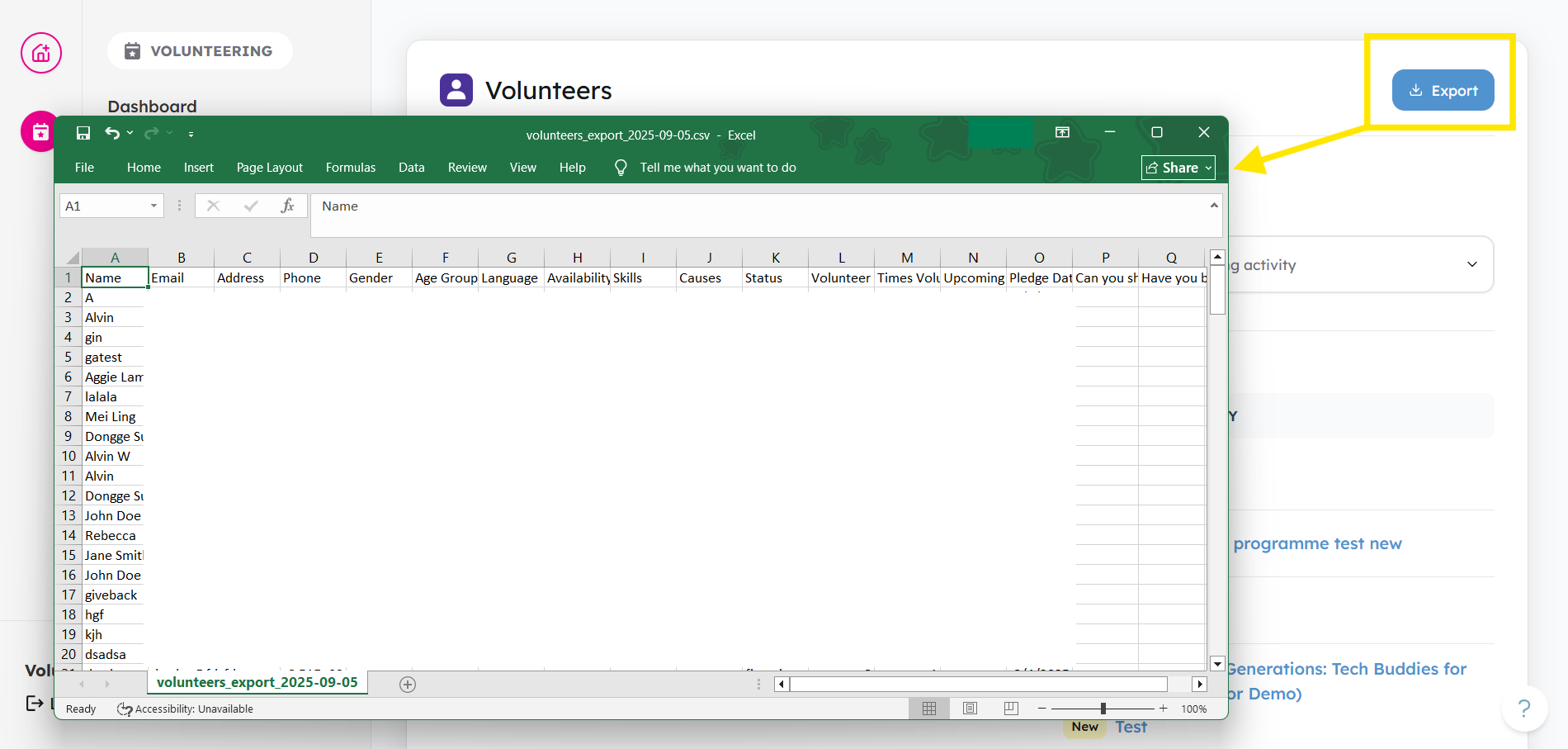
Your file will be downloaded to your computer.
Things to keep in mind
- Do not misuse volunteer data or share it with unauthorised parties.
- Data must only be used for lawful, volunteer-related purposes.
- Misuse of data may result in suspension of access or other consequences.
👉 Ready to try it out? Head over to your Volunteers tab now and export your list.