.png)
Adding Additional Questions To Volunteer Role Registration
Sometimes the default role registration questions may not give you enough information to decide if a volunteer is suitable. With the Additional Questions feature, you can add your own questions to the form. This helps you capture details such as skills, experience, or links to professional profiles—so your team can review and deploy volunteers more effectively.
IN THIS ARTICLE:
How to add additional questions?
-
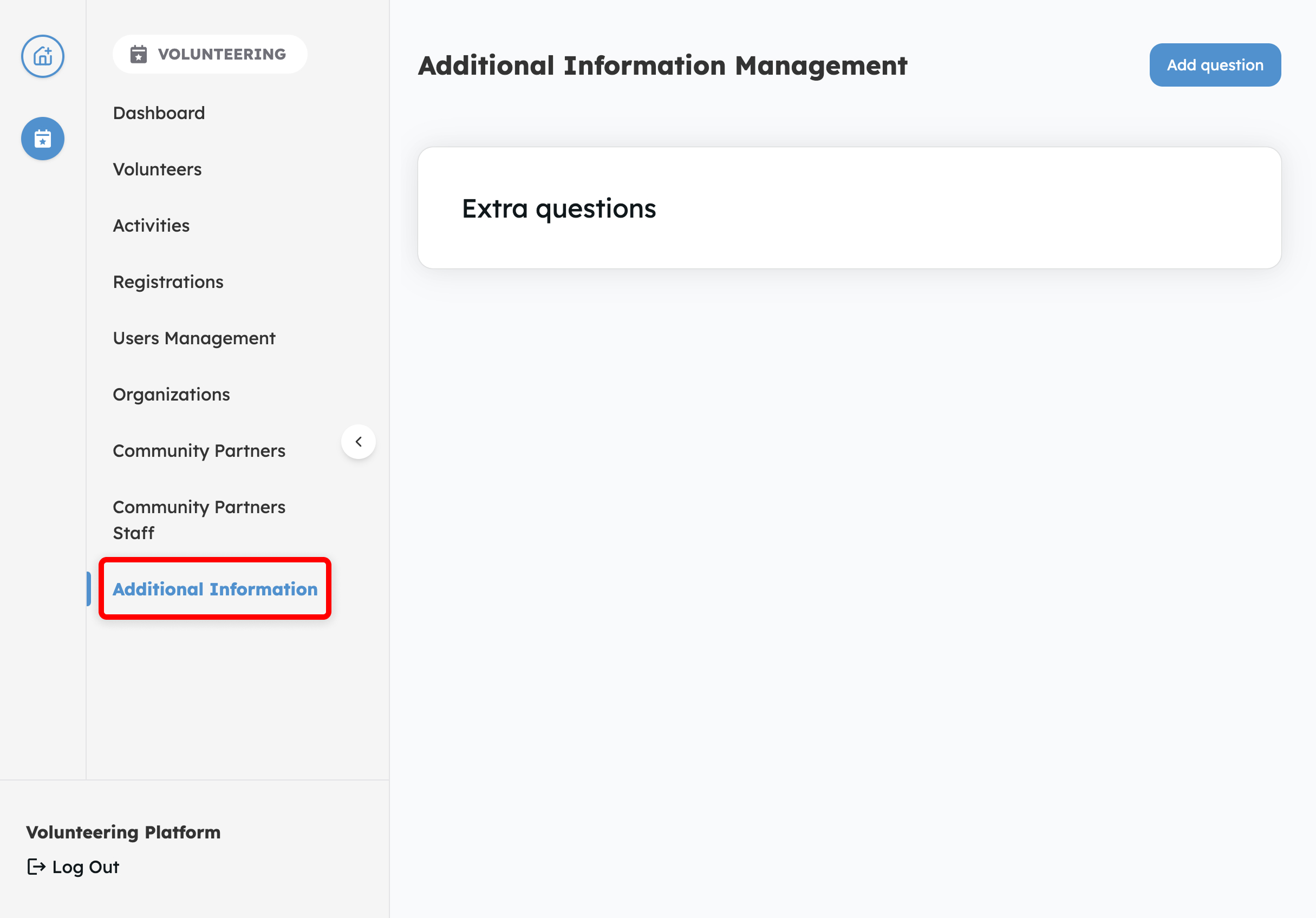
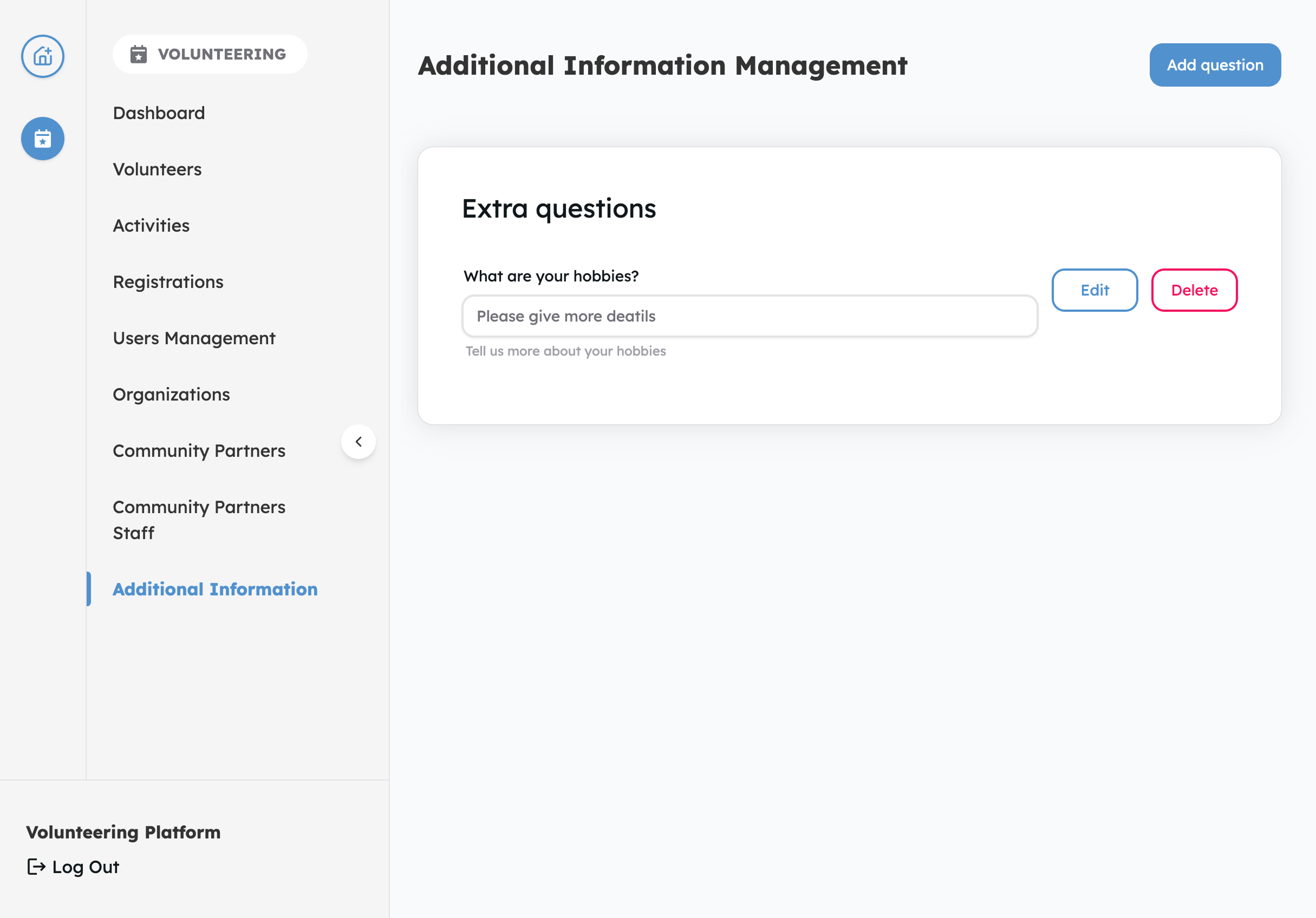
Log in to your volunteer dashboard and tap on Additional Information in the left sidebar.
-
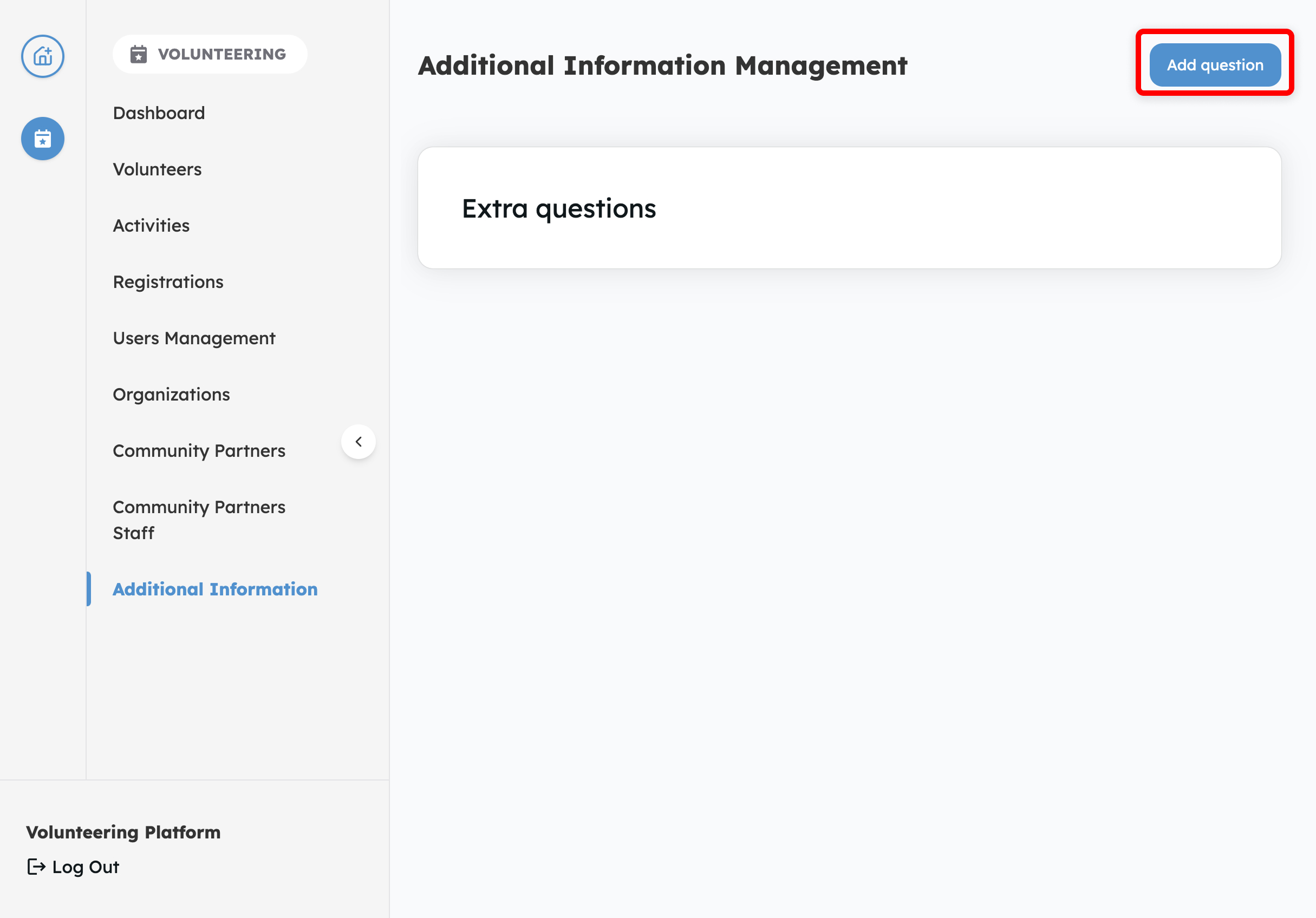
Tap on Add Question on the top right hand corner
-
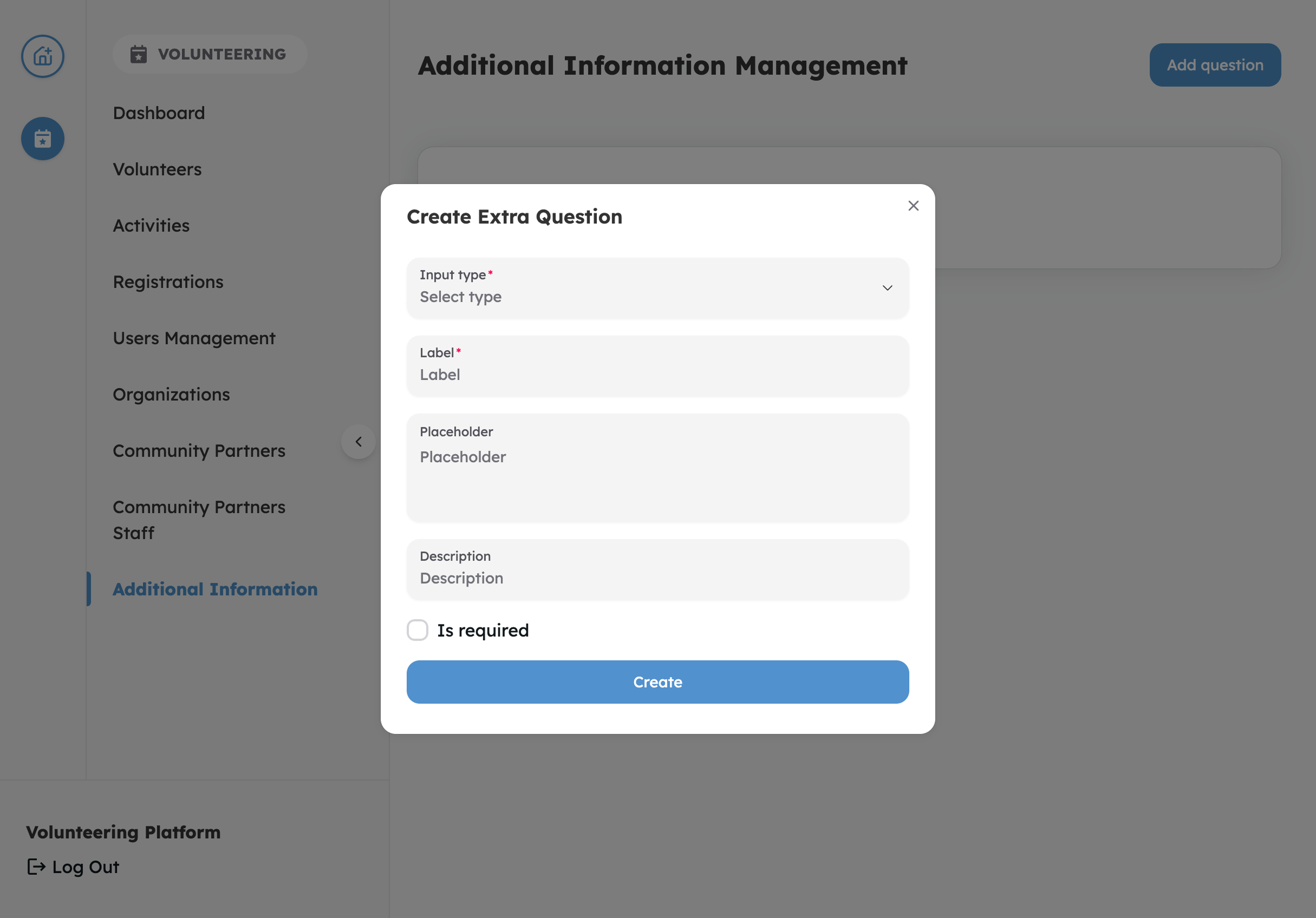
Select question type and provide additional details
-
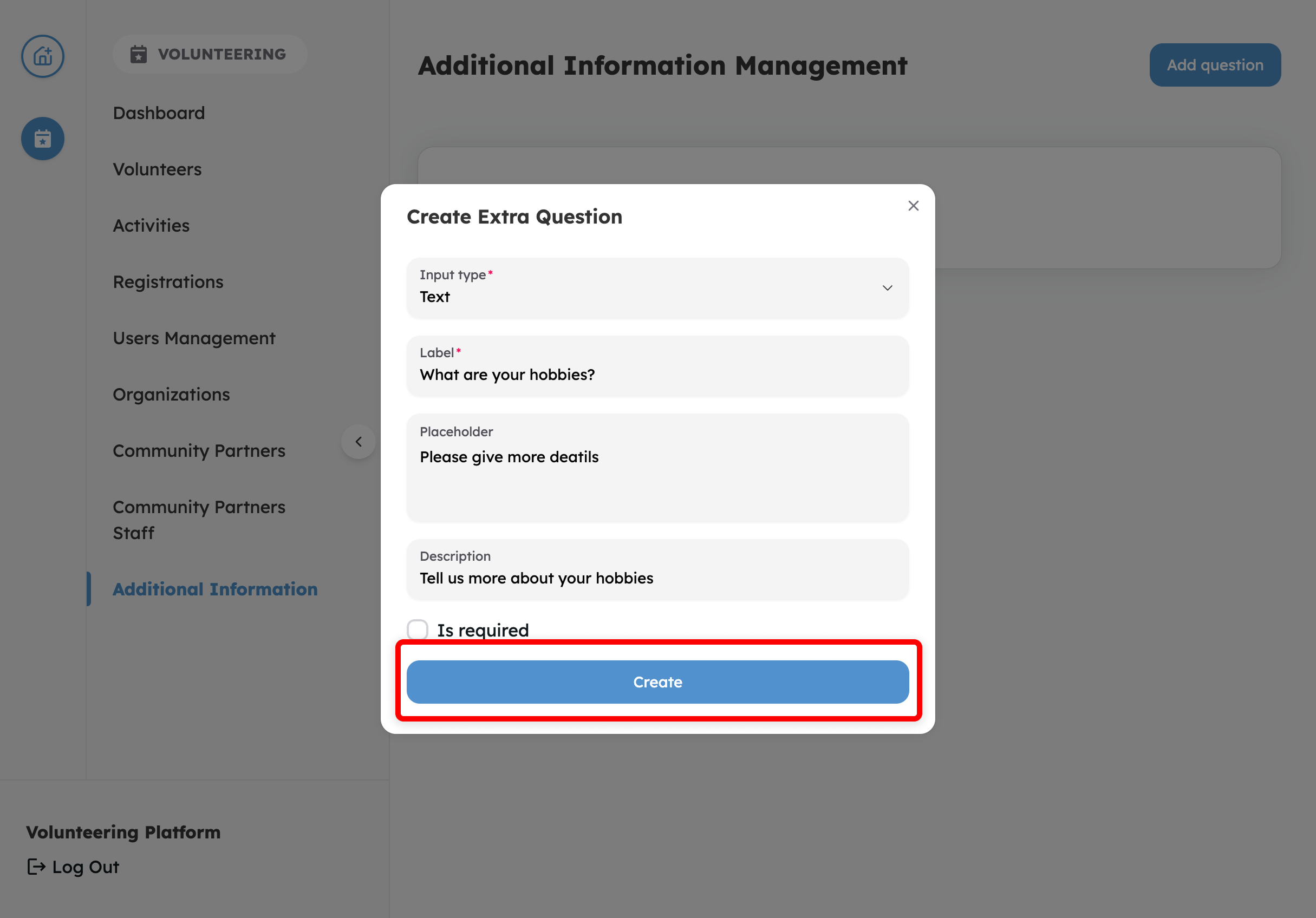
Tap Create to confirm
-
You're done!
Who can access this feature?
Only Volunteer Centre Administrators can access and add questions. This ensures customization remains under the control of volunteer centres.
What types of questions are available?
The following question types are available:
-
Text – A short, single-line response.
Best for simple answers like a name, occupation, or short detail.
-
Text Area – A larger, multi-line field for open-ended responses.
Best for gathering more context or background from the volunteer.
-
Number – Only accepts numeric values.
Best for collecting numbers such as years of experience or availability in hours.
-
Text Editor – A formatted text field that supports bold, bullet points, and other rich text.
Best when volunteers may need to provide structured details in their response.
-
Select – A list of predefined options. Can be set to allow only one selection or multiple selections.
Best for asking volunteers to choose from a standard set of answers.
-
Tag – Allows volunteers to pick from a set of tags or add new ones (if enabled).
Best for capturing broad categories such as skills, interests, or areas they identify with.
You can also choose to mark any question as Is Required, meaning volunteers must answer it before registering to a Role.
💡 Tip: Keep questions simple and easy to answer. The goal is to gather useful information without overwhelming volunteers during sign-up.
Is there a hard limit of how many additional questions to add?
There is no hard limit on how many questions you can add, but we recommend keeping it under 5 so volunteers don’t feel overwhelmed.
Where will the answers be saved? How can I retrieve it?
Answers are saved in the volunteer’s record. You can retrieve the information by going to the volunteer's profile.

Experience the Joy of Volunteering - Visit Volunteer.Give.Asia Now
If you encounter any issues or have questions, don't hesitate to reach out to us at: [email protected].
Your feedback matters, so feel free to drop us a line anytime!