.png)
How can I edit/pause my recurring donation?
Keeping your card details up to date on Give.Asia is important to ensure your donations are processed smoothly and your support for the causes you care about continues uninterrupted. Whether you need to change your card information or manage your recurring donations, here’s a simple guide to help you through the process.
- Login to your Give.Asia account.
On Desktop: Click My Profile on the top right corner of the webpage.

On Mobile: Tap on the "Hamburger" menu on the top left corner of the screen, then My Profile.
- Click on the Settings tab.

- Scroll to the bottom of the Settings tab to see all recurring donations.

- You can edit amount or pause your recurring donations.

-
Change the amount in the Edit section or Time of Pausing your donation.
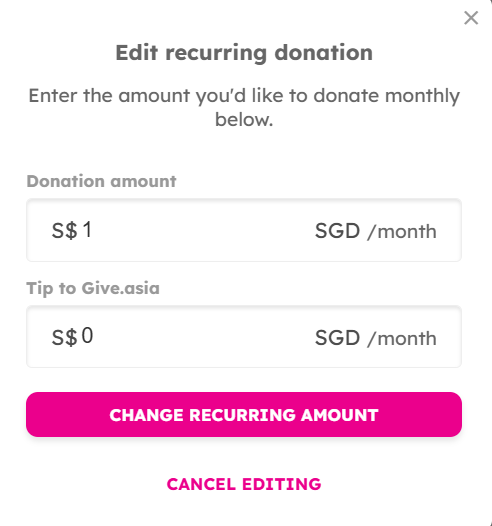
Edit amount

Keeping your card information updated and managing your recurring donations on Give.Asia is a simple process. By following these steps, you can ensure that your contributions continue seamlessly, or make adjustments as your needs change.
Experience the Joy of Giving - Visit Give.Asia Now
If you encounter any issues or have questions, don't hesitate to reach out to us at: [email protected].
Your feedback matters, so feel free to drop us a line anytime!