.png)
How can I customize the Donor Field Form?
The Donor Fields feature allows charities to collect additional information from donors during the donation process, helping organisations better understand and engage with their supporters.
This feature is useful for:
- Event registrations
- Membership-related donations
- Volunteer sign-ups
- Collecting supporter information for follow-ups, reporting, or operational needs
By utilising Donor Fields, charities can gather more meaningful insights from donors and better align donation forms with their organisation’s fundraising and engagement goals.
NOTE: This configuration requires assistance from your assigned Support Sidekick at Give.Asia.
Types of Donor Fields
There are generally two types of donor fields used during the donation process:
Form Field
A Form Field allows donors to manually type in information.
This is commonly used for:
- Full Name
- Address
- Phone Number
- Membership Number
- Organisation Name
- Other custom responses
This format is useful when donors may provide unique or open-ended answers.
Dropdown
A Dropdown field allows donors to select from a predefined list of options.
This is especially useful when charities want to:
- Simplify the donor experience
- Standardise responses
- Avoid inconsistent answers
- Organise donor data more efficiently
Examples include:
- Yes / No selections
- Programme selection
- Event session choices
- Branch or chapter identification
- Parish or community group selection
To view how the Donor Field Form is Set Up:
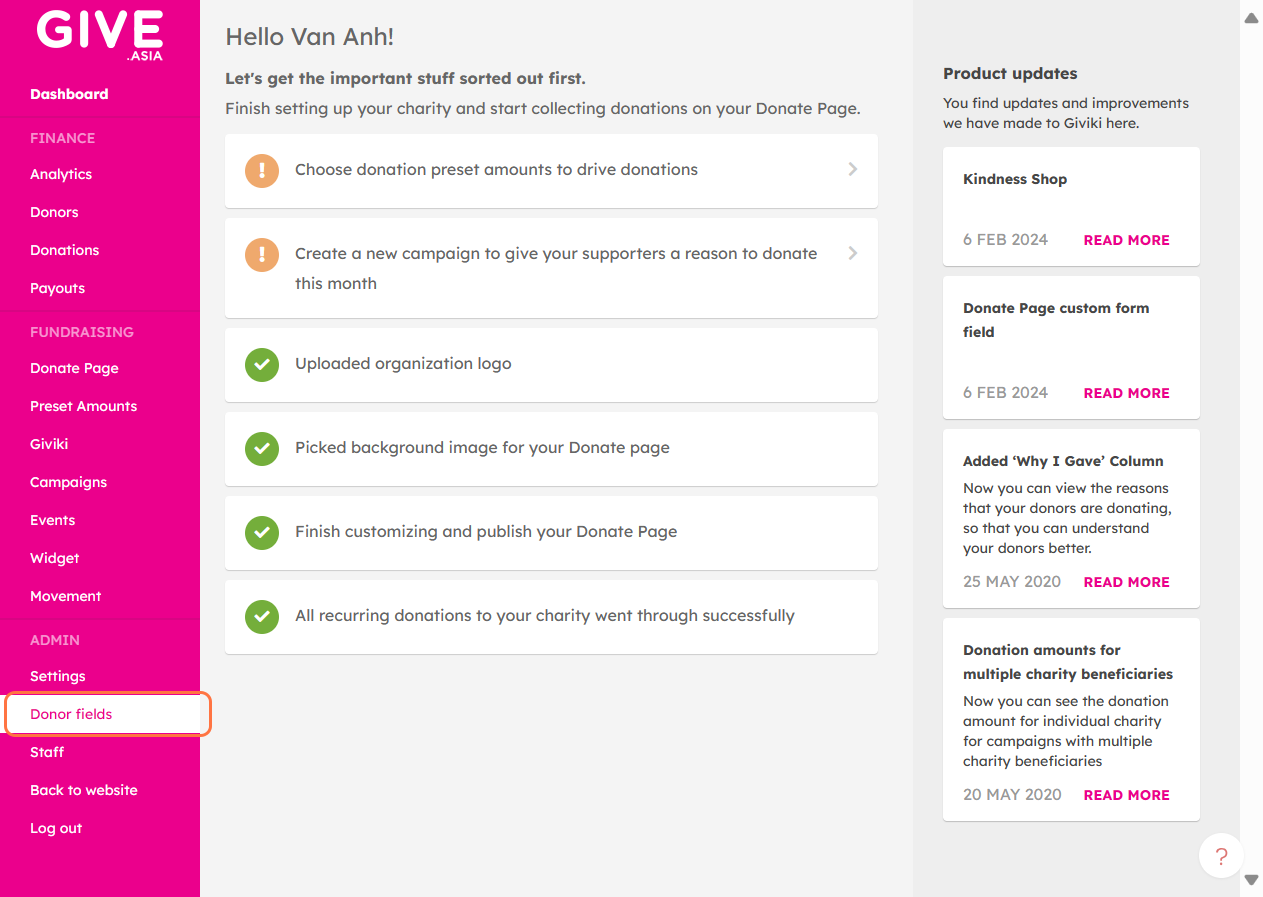
Step 1: Navigate to the "Donor Fields" section within the Dashboard categories
From your Charity Dashboard, navigate to the Donor Fields section under the dashboard categories.
Here, you will be able to review the current donor fields connected to your organisation’s donation process.
Step 2: Review the Existing Form Setup
On this page, you can review:
- The form name
- Existing donor questions
- Dropdown selections
- The type of information currently being collected from donors
We encourage charities to carefully review the information collected from donors and ensure that questions remain relevant, appropriate, and aligned with the organisation’s operational needs.
As a best practice, avoid requesting overly sensitive or unnecessary personal information that may lead to confusion, privacy concerns, or donor hesitation.
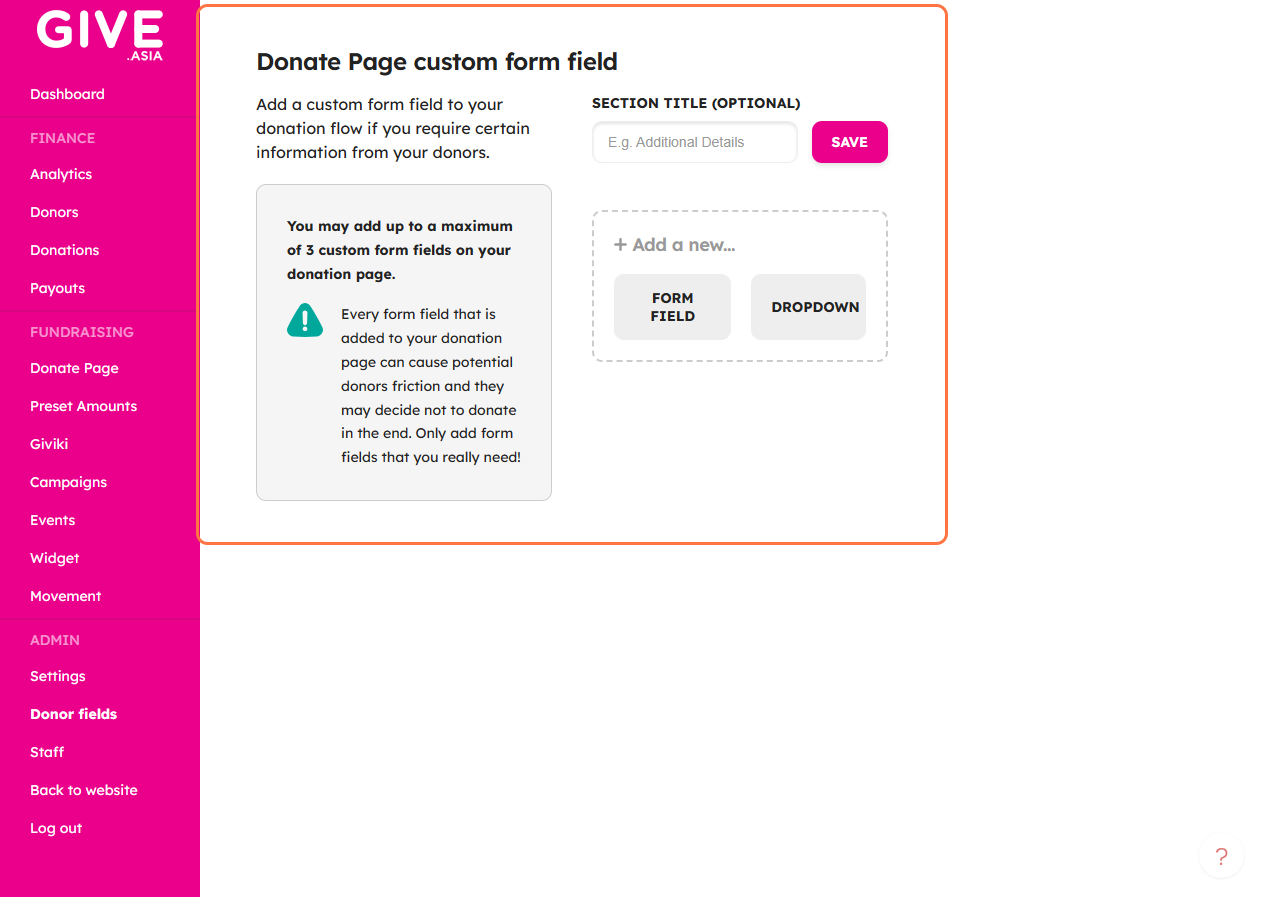
If your organisation would like to rename or update the form title, please reach out to your assigned Support Sidekick.
Example Use Case
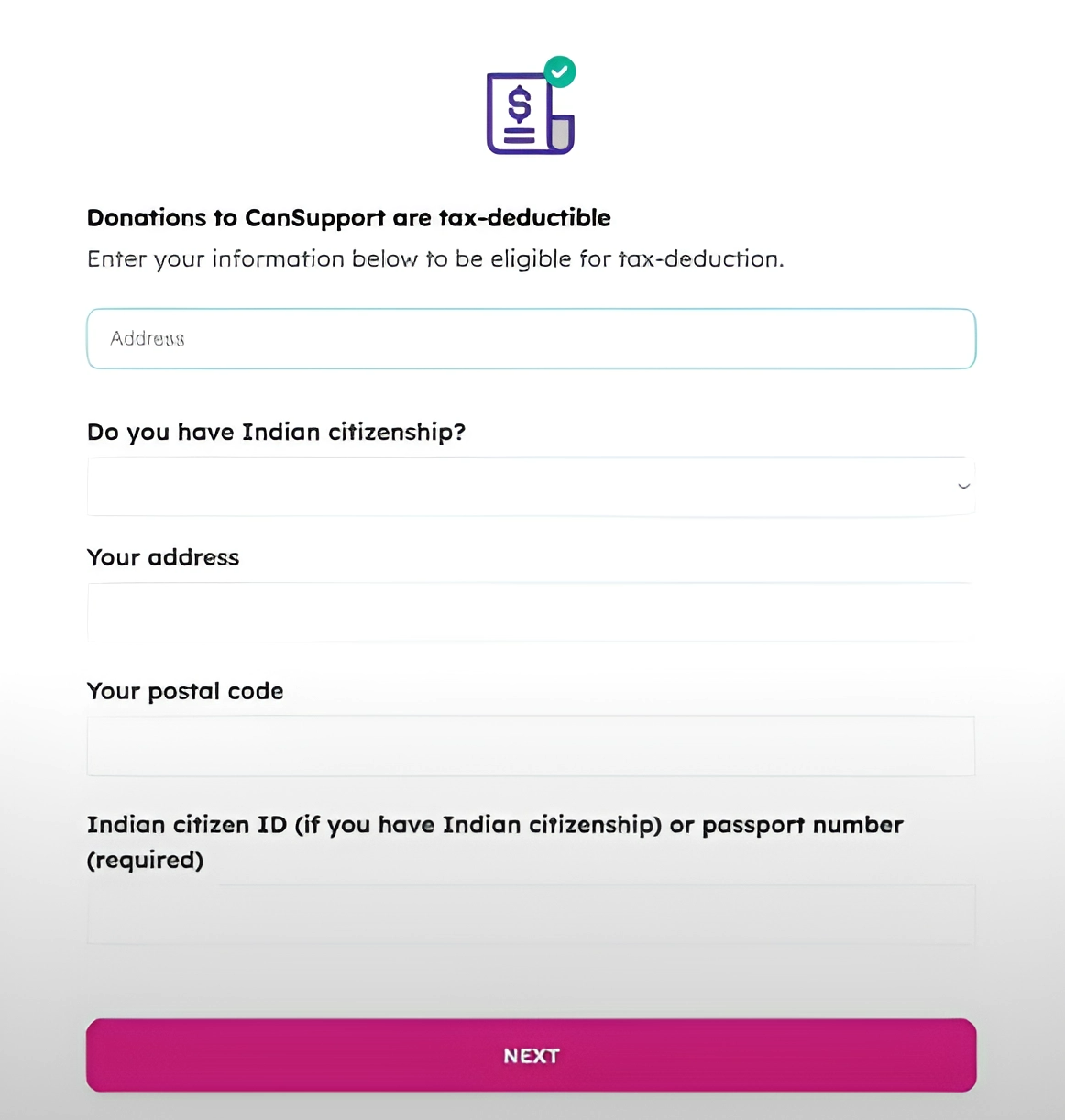
Most utilize this to ask for additional personal information needed to issue tax-deductible receipts.
Some charities utilise Donor Fields to better understand which communities or programmes their supporters belong to.
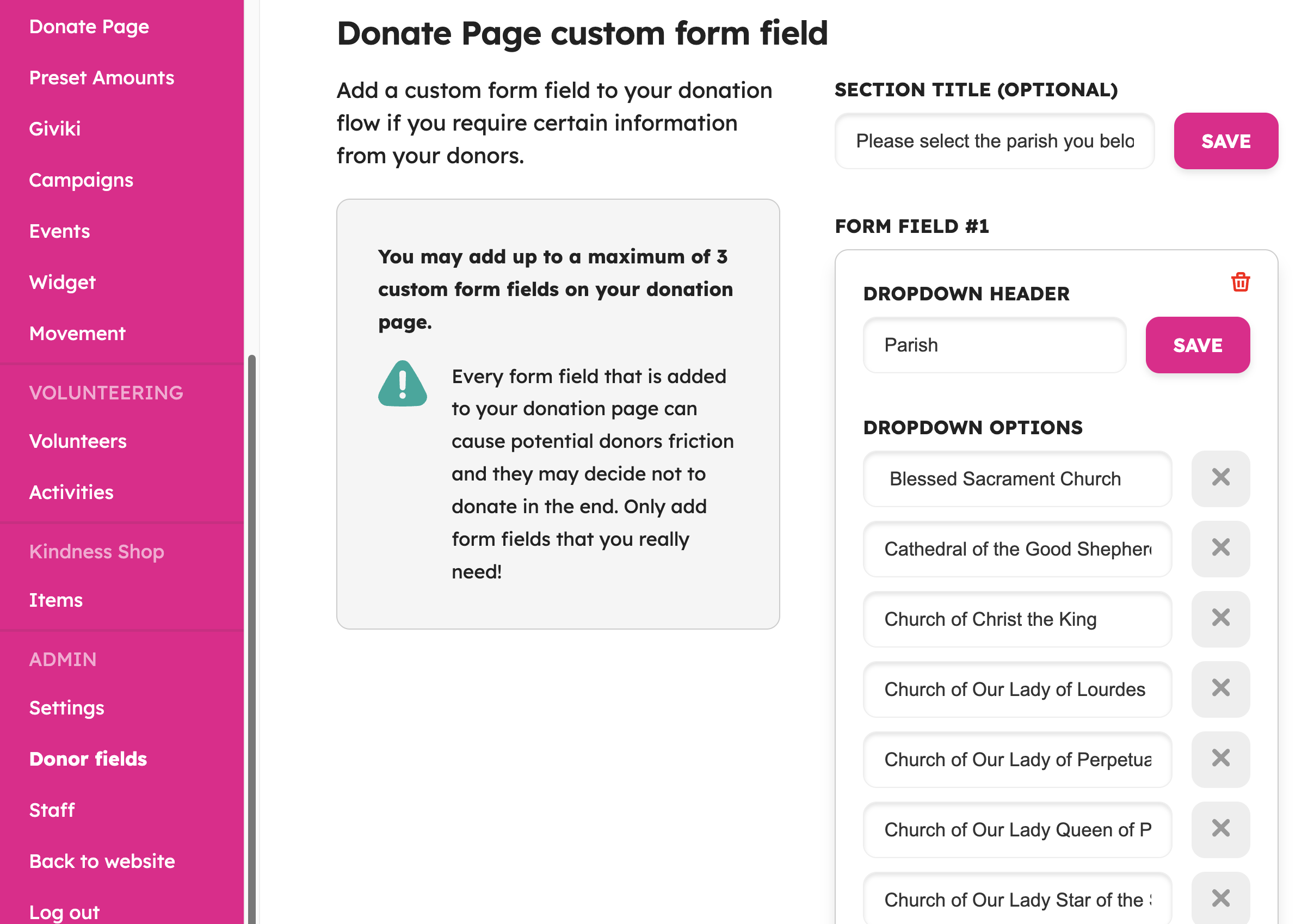
For example, some charities use a dropdown field during the donation process so donors can select their affiliated parish, church, or community group. This helps the organisation better track donations and understand supporter distribution across different branches.
One example is Society of St. Vincent De Paul (National Council of Singapore), where Donor Fields were utilised to allow donors to select their affiliated church or parish from a dropdown list during the donation process.
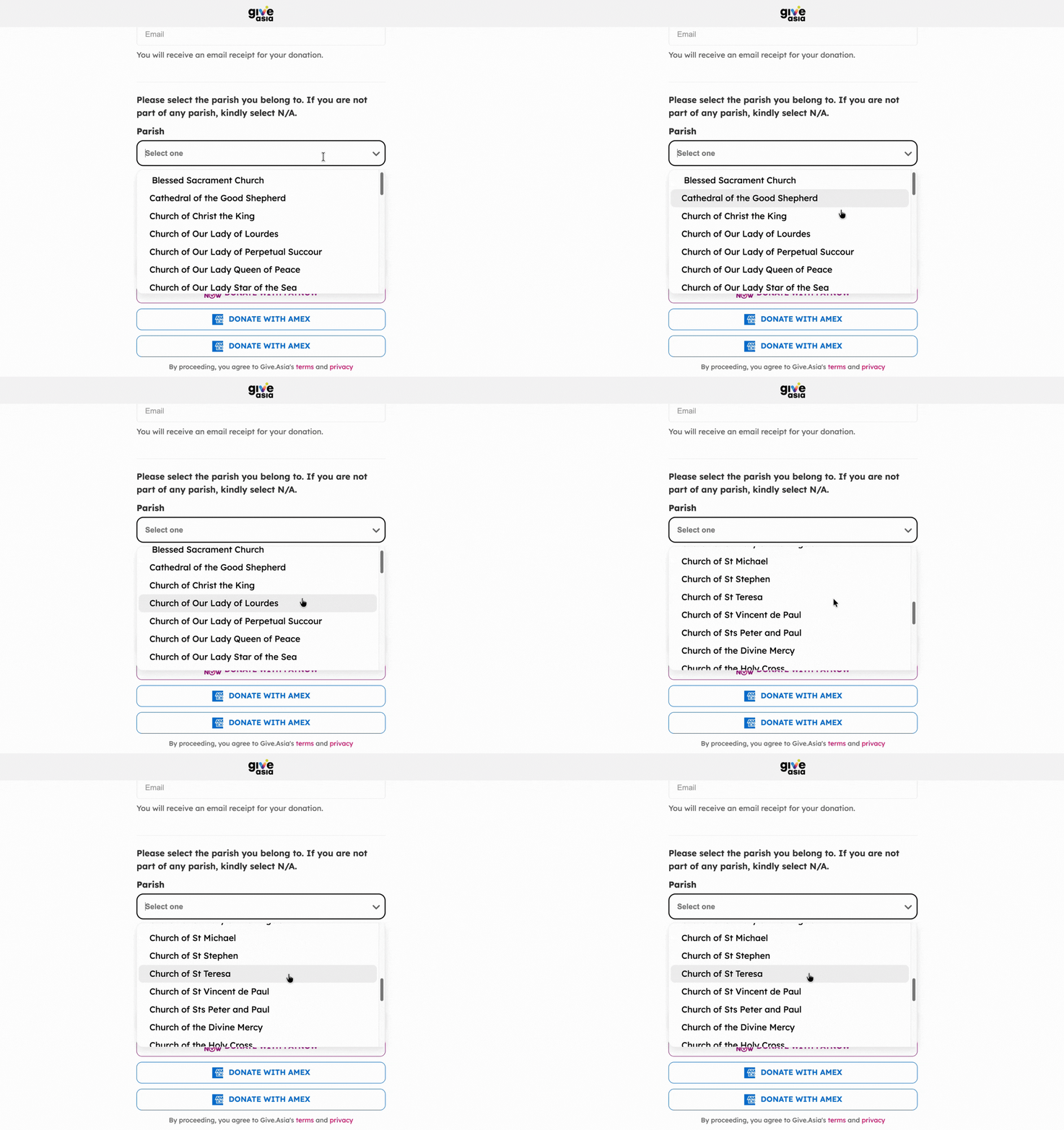
This setup helps charities:
- Improve donor reporting
- Understand supporter demographics
- Organise donations more efficiently
- Better coordinate branch or programme-related fundraising efforts
Unlock Your Impact Potential - Join Give.Asia Today
If you have any inquiries or need assistance, contact us at: [email protected].
We value your input, so don't hesitate to get in touch with us whenever you need support!